Amazon Restriction Checker
Quickly determine restricted products and brands on Amazon and supplier websites. Locate gated items in one click and simplify your product sourcing.
Get Started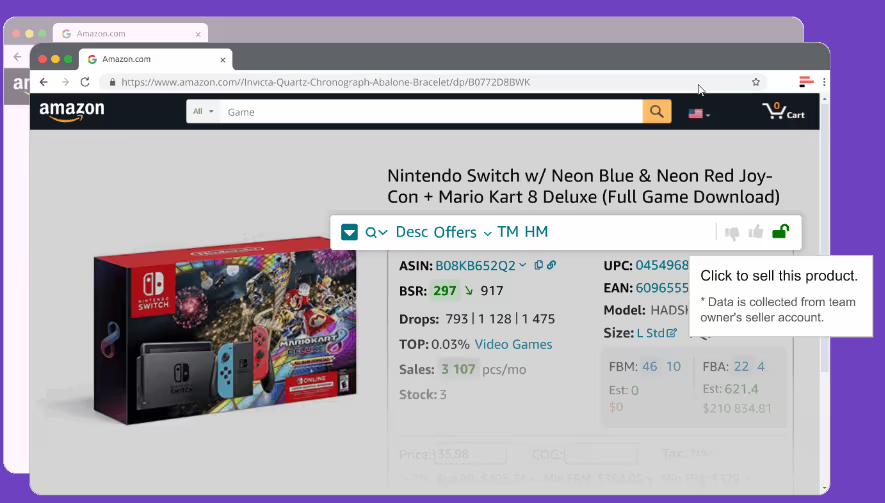
Restriction Checker Review
In this video, we'll show you how to use Restriction Checker by Seller Assistant.
- ✓ Why use Restriction Checker?
- ✓ Where does Restriction Checker appear?
- ✓ How to understand Restriction Checker by Seller Assistant?
Automate Amazon restriction checkup
Automatically identify restricted products and brands. Save your time and avoid the routine of manual restrictions verification. Seller Assistant's Restriction Checker shows a green open lock if a product is ungated, and a red closed lock if you need Amazon's approval to sell it.
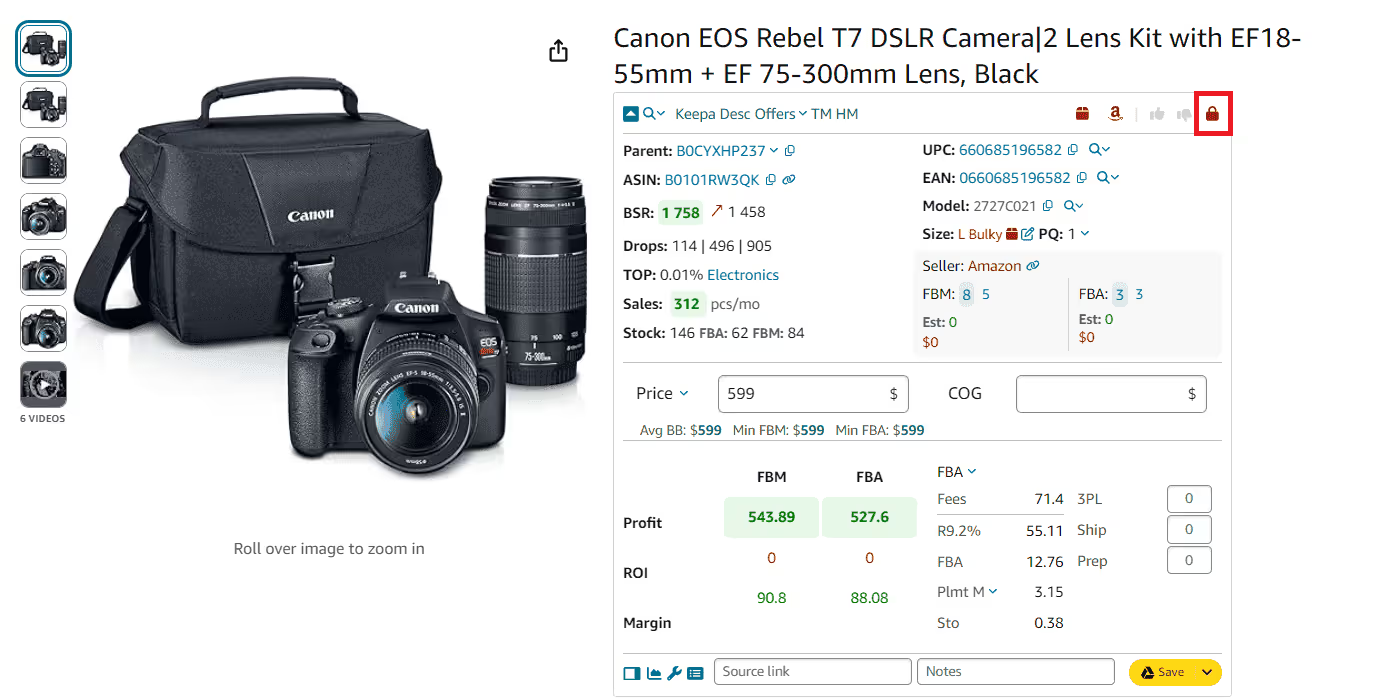
Check your eligibility to sell inventory
Easily find out if you can sell a product on your Amazon Seller Central account. Seller Assistant's Restriction Checker marks products you are eligible to sell with a green open lock, and products you can't sell with a red closed lock with an exclamation mark.
Effectively make sourcing decisions
Safely source products from brands and distributors by easily checking their restrictions with Seller Assistant's Restriction Checker. Identify gated products before you commit to buying inventory.
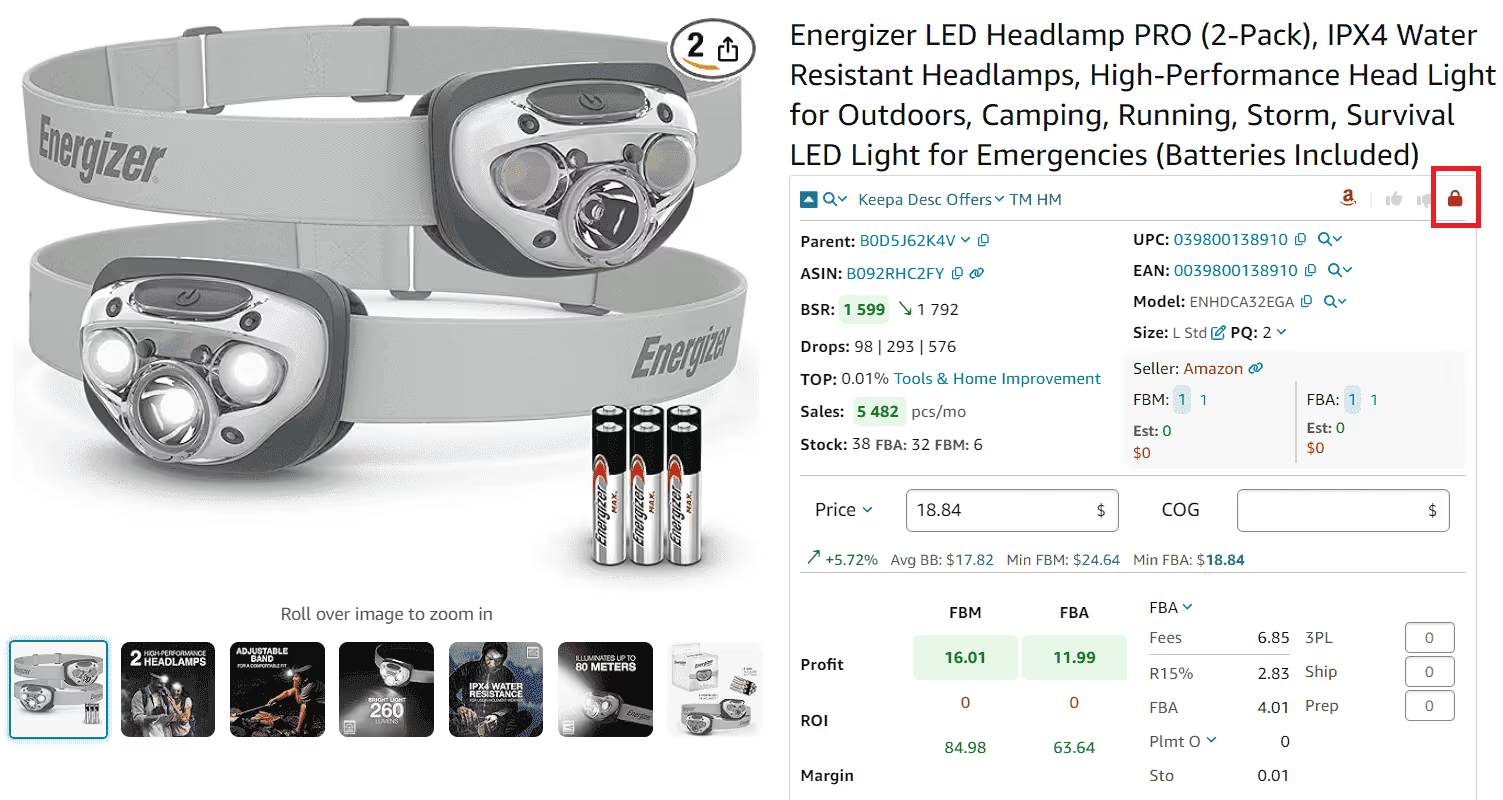
Streamline product research
Spot product restrictions at a glance directly on the Amazon product and search pages and in the Side Panel View on any supplier website. Effortlessly flag any restrictions associated with a product on Amazon.
Be aware of brand-gated products
Identify brand-gated products requiring approval from Amazon before you can list them. Seller Assistant's Restriction Checker displays a green open lock if a brand is ungated, and a red closed lock if you need Amazon's approval to sell it.
Frequently Asked Questions
Visit Help Center
What does Seller Assistant Restriction Checker do?
Where does Seller Assistant Restriction Checker appear?
What are Seller Assistant Restriction Checker data?
How do I know if a brand is restricted on Amazon?
What is Seller Assistant Restriction Checker?
How does Seller Assistant Restriction Checker work?
Access product restrictions where you need them
Get product restrictions on the Amazon product and search pages, in the Side Panel View on any website, and in your Seller Assistant account. Proactively avoid restricted products or make sure to get Amazon approval before you list them.
Get StartedNot sure which plan fits your sourcing workflow? Chat with our team — we're happy to help.