Export Amazon Products to Google Sheets
Save your product research details to Google Sheets in one click. Customize data export with ease.
Get Started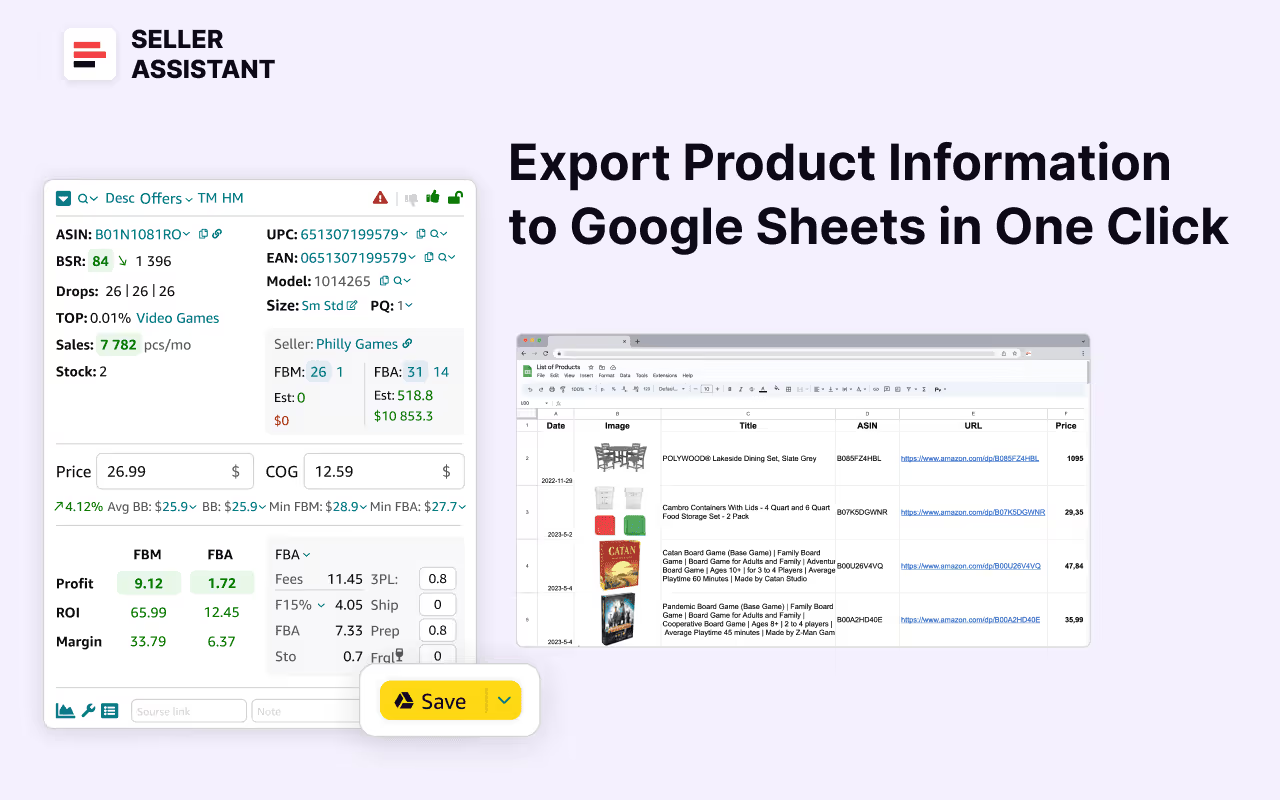
Export to Google Sheets
In this video, we'll show you how to export product research data from Seller Assistant to Google Sheets.
- ✓ How to connect Google Sheets to Seller Assistant?
- ✓ How to save data to Google Sheets?
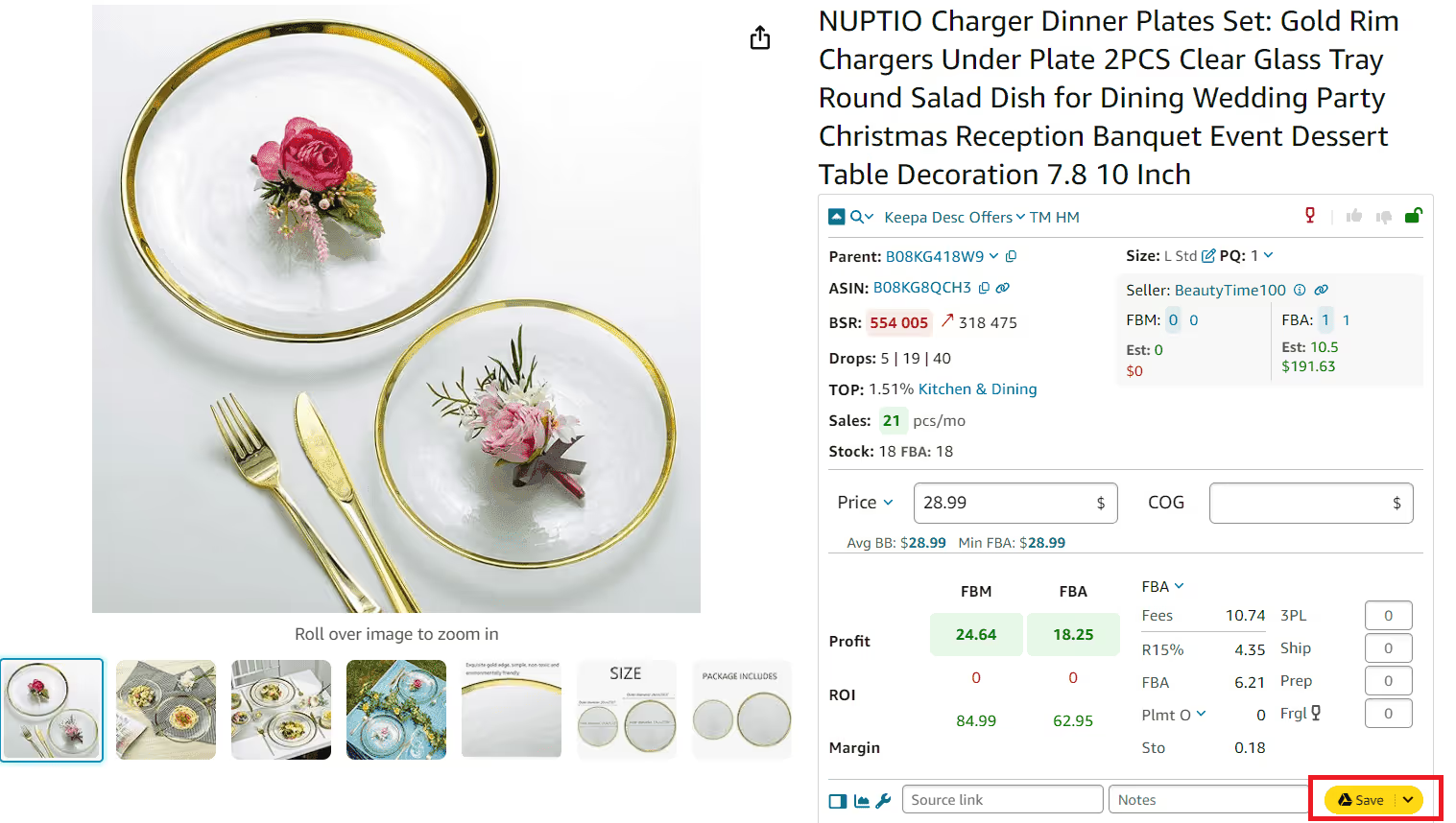
Save product sourcing results
Export product research data from Seller Assistant to Google Sheets with just a single click. Choose from over 100 product characteristics available for export, and customize variables for your needs.
Track and research
Leverage Google Sheets' built-in formulas and functions to analyze your data. Use filters to find specific product metrics and information.
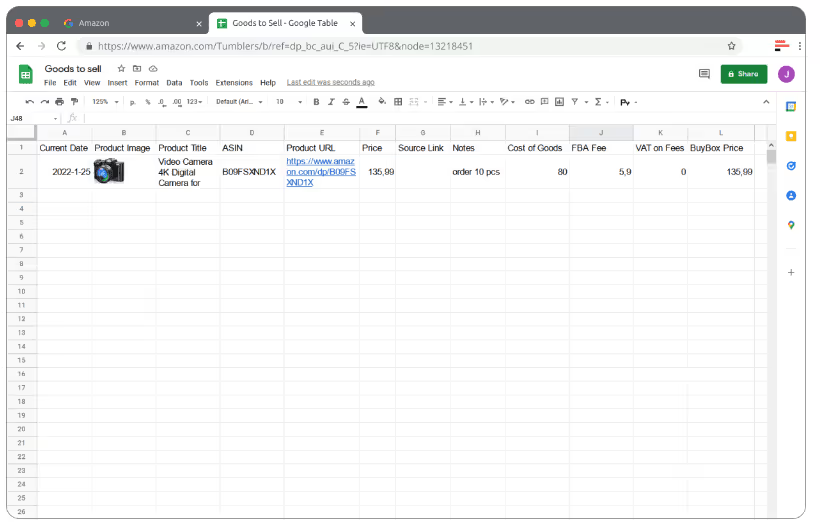
Organize your search
Save profitable product ideas and supplier research and add as many parameters as you need. List these ideas in your Google Sheets along with product details.
Securely share product data
Seller Assistant lets your employees and virtual assistants save data to Google Sheets without viewing other information. Securely and effortlessly share product research data with your team.
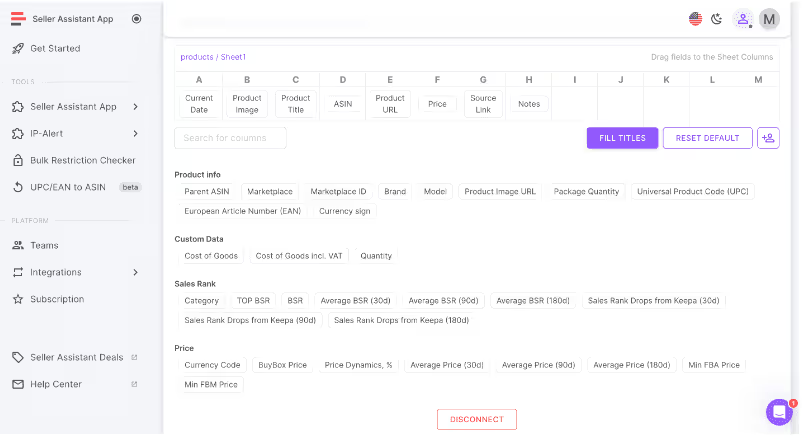
Customize your Google Sheet data
Set up the product details you want to save to Google Sheet. Choose from more than 100 variables.
Get StartedNot sure which plan fits your sourcing workflow? Chat with our team — we're happy to help.