IP-Alert® by Seller Assistant
Quickly check and avoid risky Amazon products and brands with intellectual property issues. Stay updated on the IP complaint types and dates.
Get Started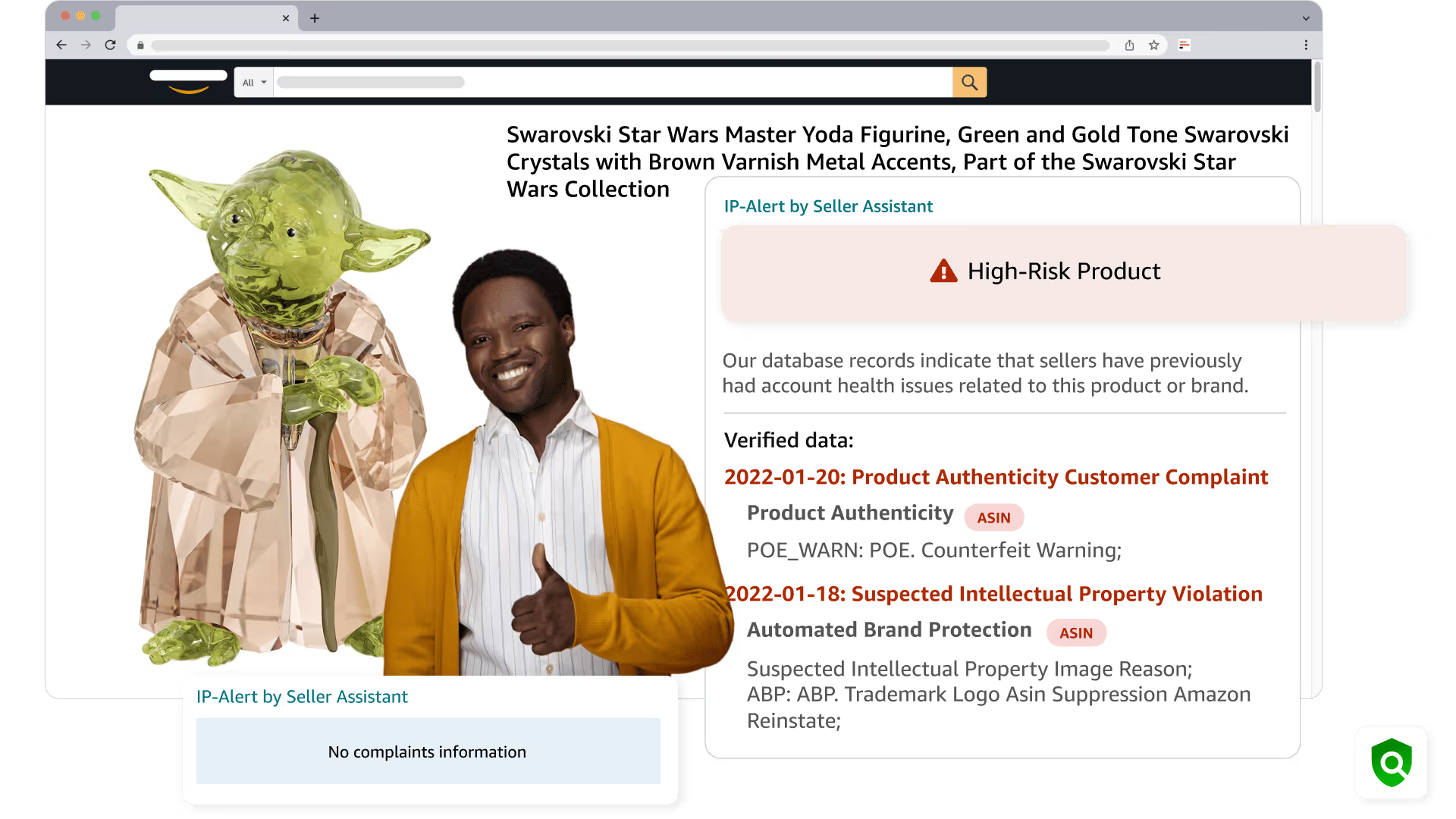
IP-Alert® by Seller Assistant Review
In this video, we'll show you how to use IP-Alert® by Seller Assistant.
- ✓ Why use IP Alert feature?
- ✓ Where does IP Alert feature appear?
- ✓ What does IP Alert indicate?
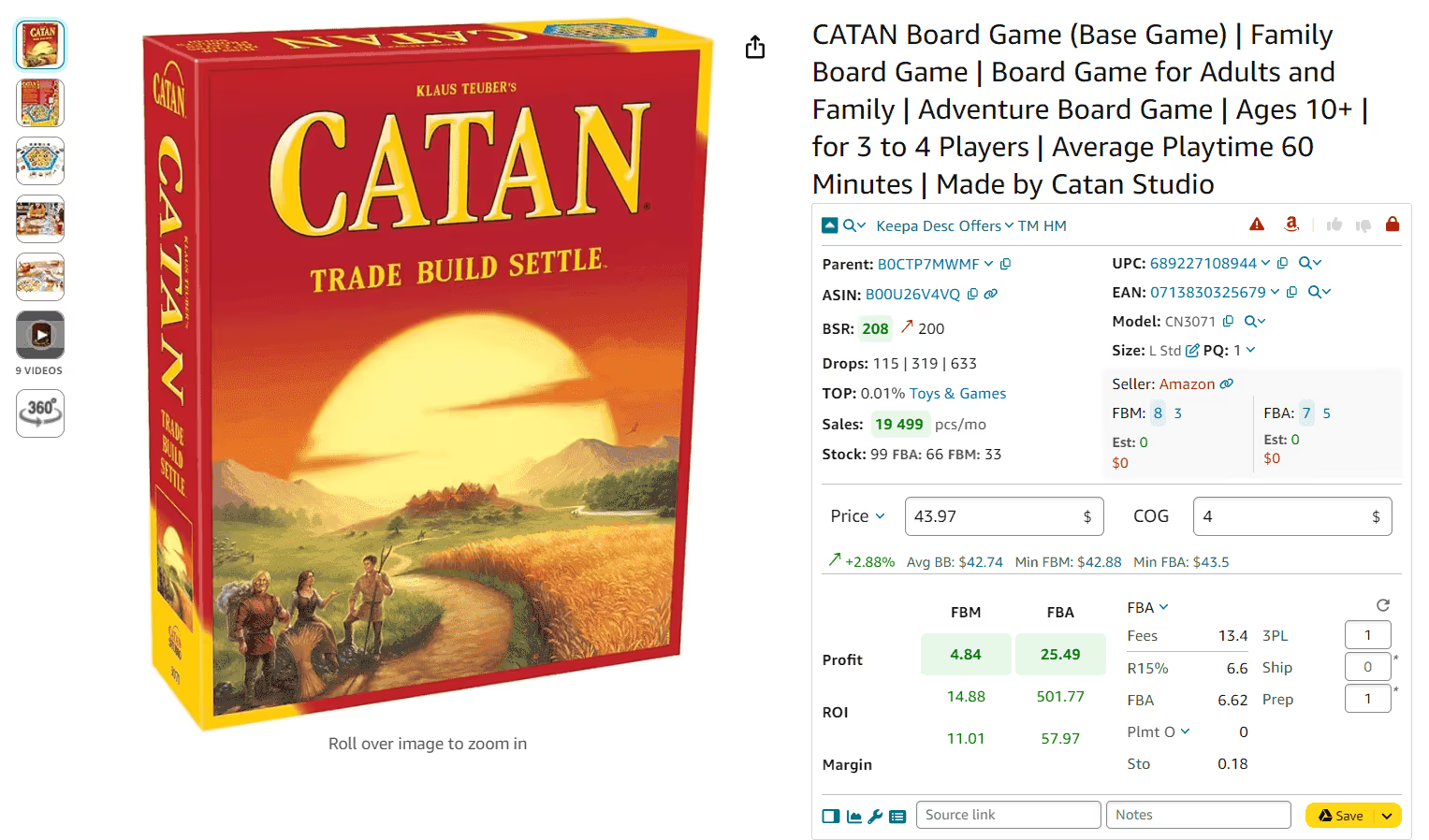
Proactively avoid IP complaints
Easily detect Amazon products and brands with intellectual property complaints. Seller Assistant marks risky products with the red triangle icon.
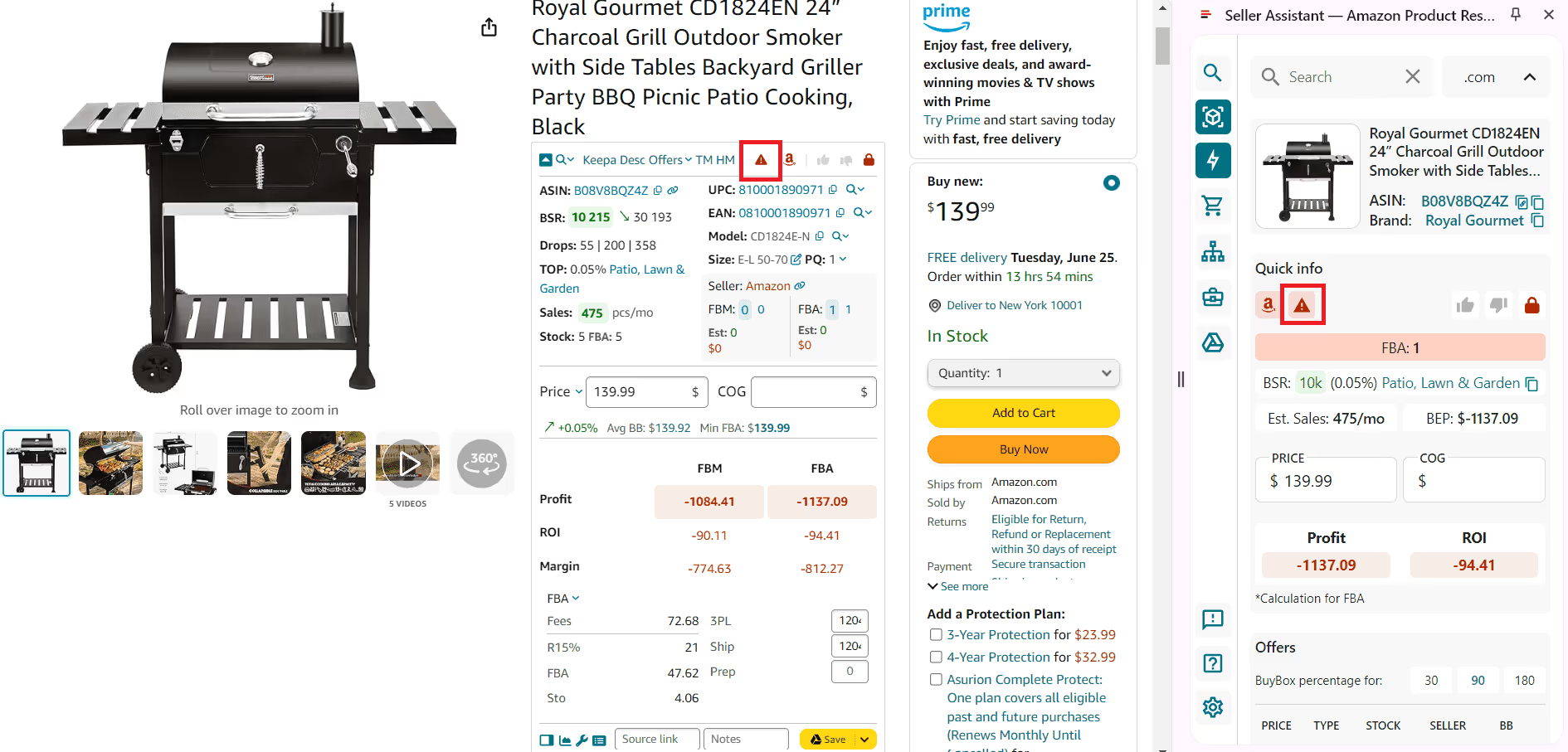
Source your products safely
Get IP warnings everywhere you research your products. Seller Assistant's IP Alert appears on the Amazon product and search pages, and in the Side Panel View on supplier website to show that an item has IP complaints.
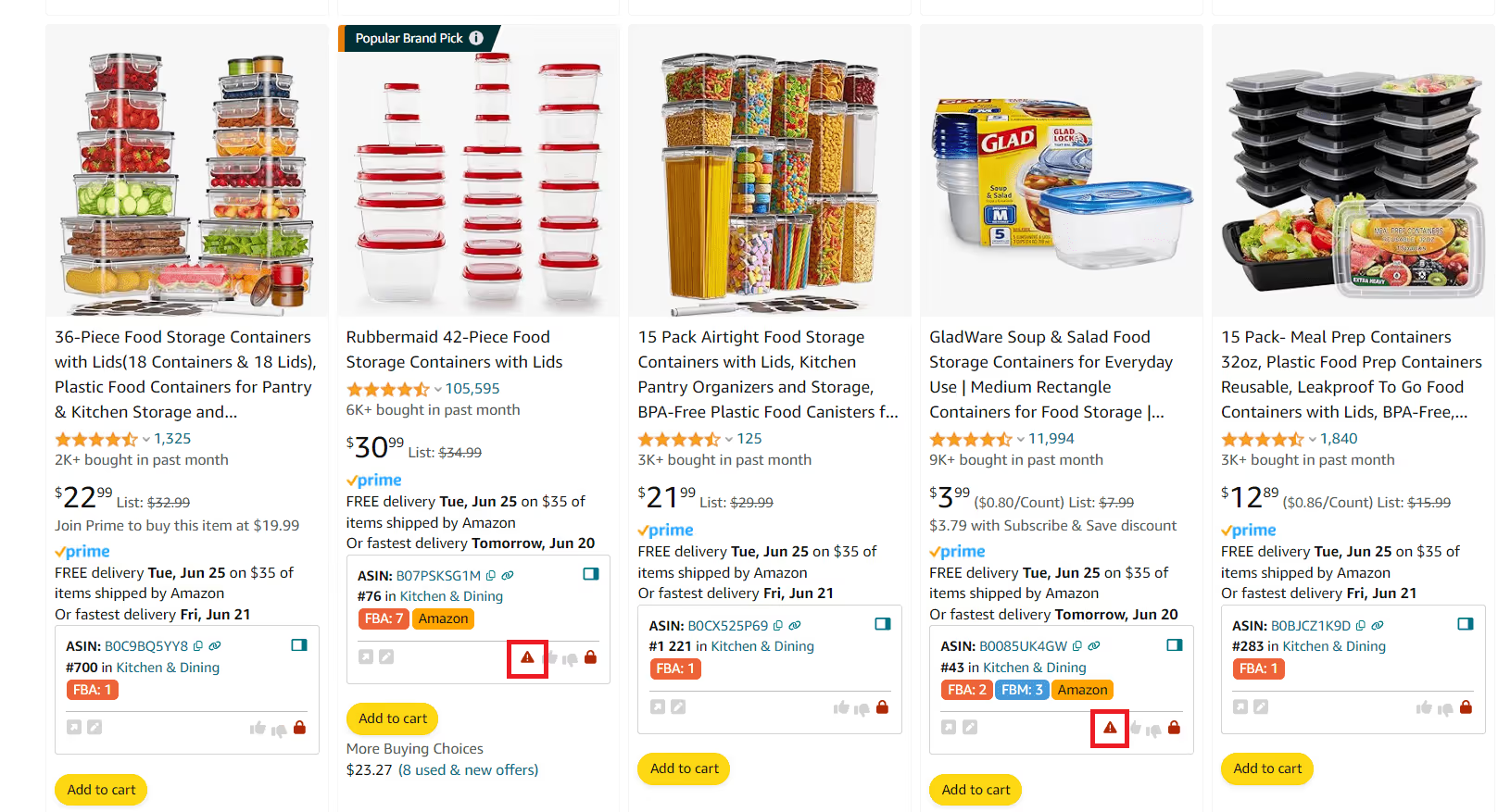
Know all product issues by type
Identify what type of Amazon product policy violations a product has. Hover over the red triangle IP Alert icon in Seller Assistant to see violation types including Suspected IP Violation, Brand Protection complaints, Product Authenticity issues, and more.
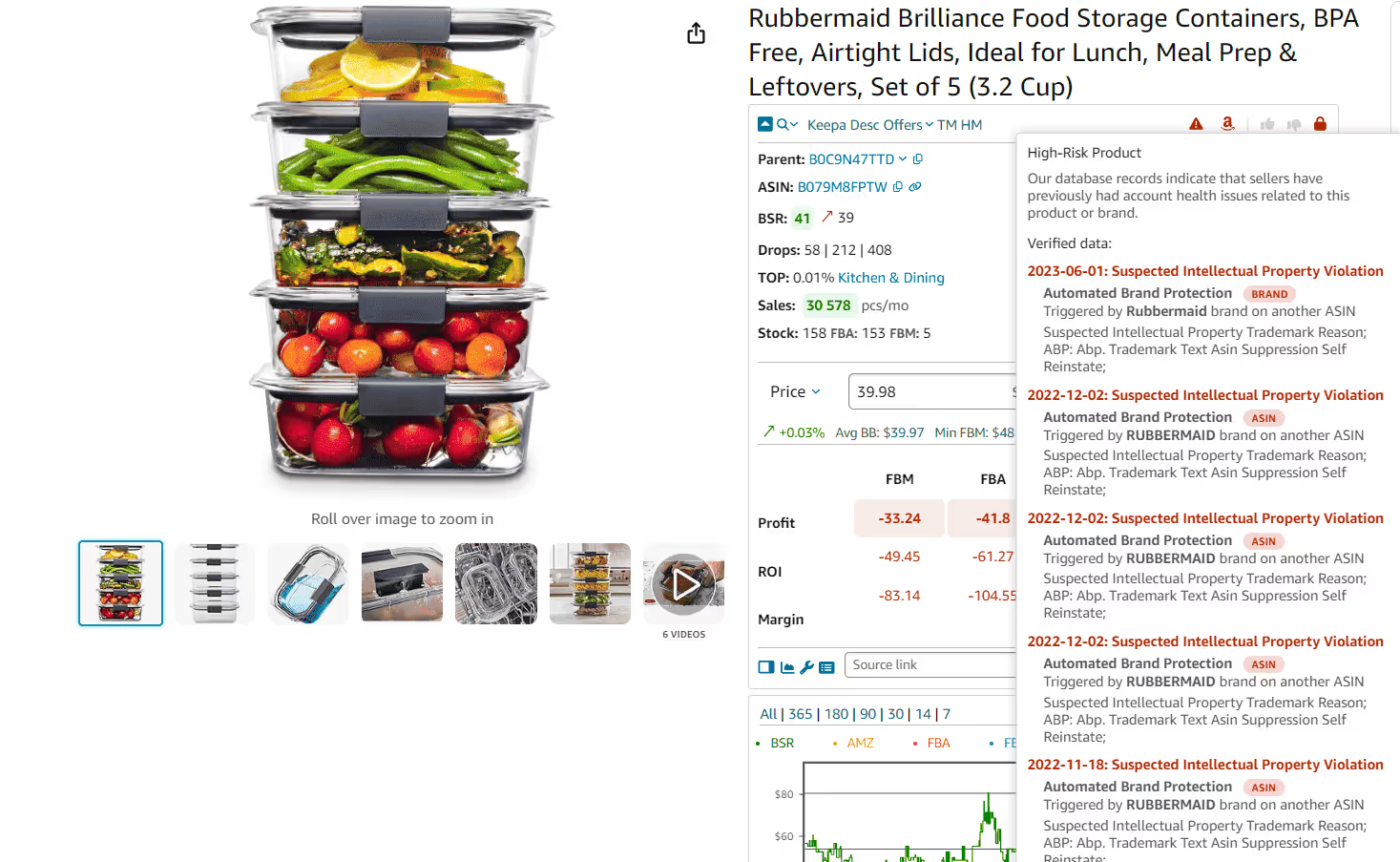
Get instant updates on product risks
Stay updated on the latest Amazon product issues. Seller Assistant's unique Amazon policy violations database is updated instantly and reveals the date and type of the violation. Steer clear from products with severe violations to avoid unnecessary risks.
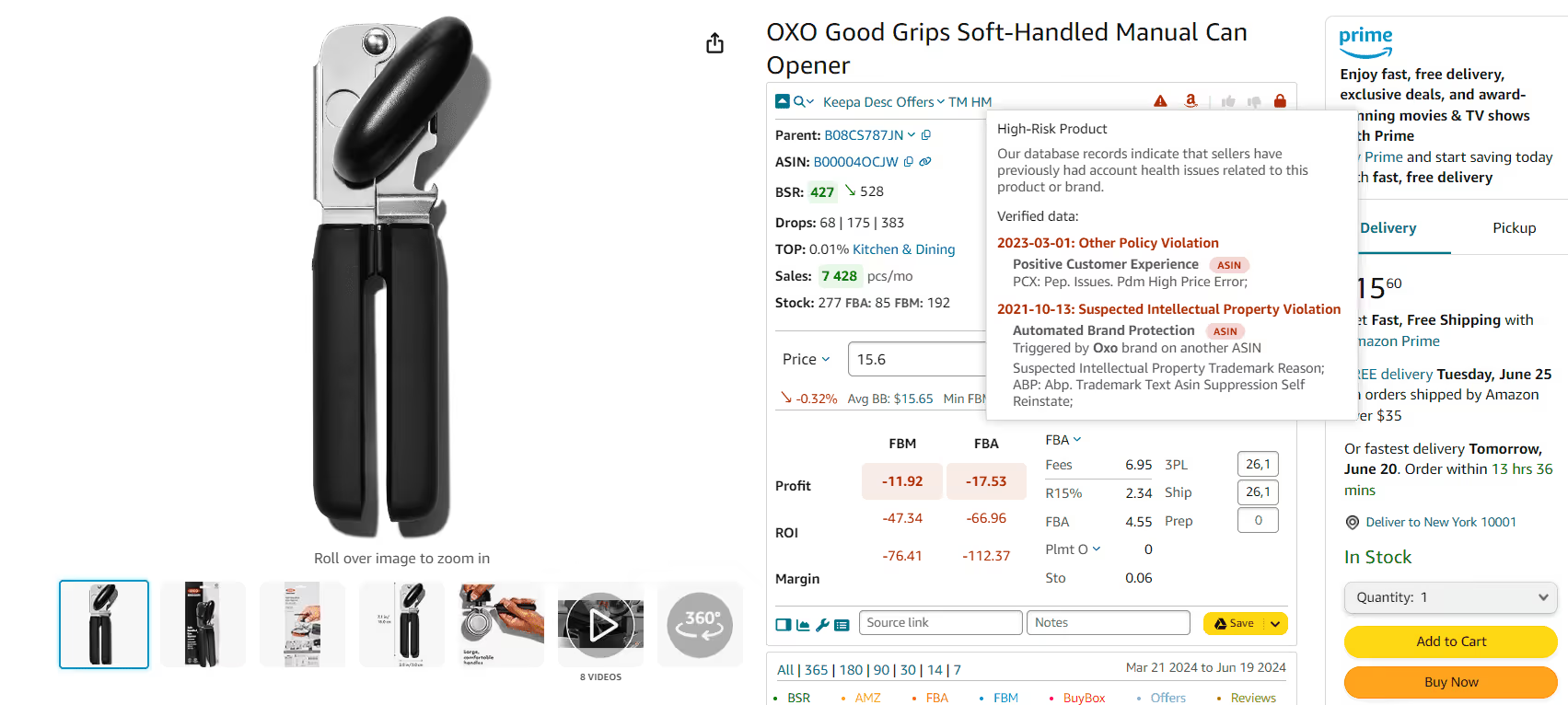
Automate brand IP complaints research
Automatically receive notifications about brands that file IP complaints to Amazon. Ensure you obtain permission from such brands before reselling their products.
Automate IP complaint research
Get instant IP warnings with Seller Assistant's IP Alert on the Amazon product and search pages, in the Side Panel View on supplier website. Preemptively avoid items having Amazon IP complaints.
Get StartedNot sure which plan fits your sourcing workflow? Chat with our team — we're happy to help.