From a Wholesale Price List to a Profitable Amazon Order
Upload a supplier price list and get FBA and FBM profitability, Keepa historical data, competition intelligence, and risk flags for every product in your catalog.


One supplier price list, from upload to export
Watch a price list go from upload to export in about 2 minutes. Pick a chapter to start at that step.
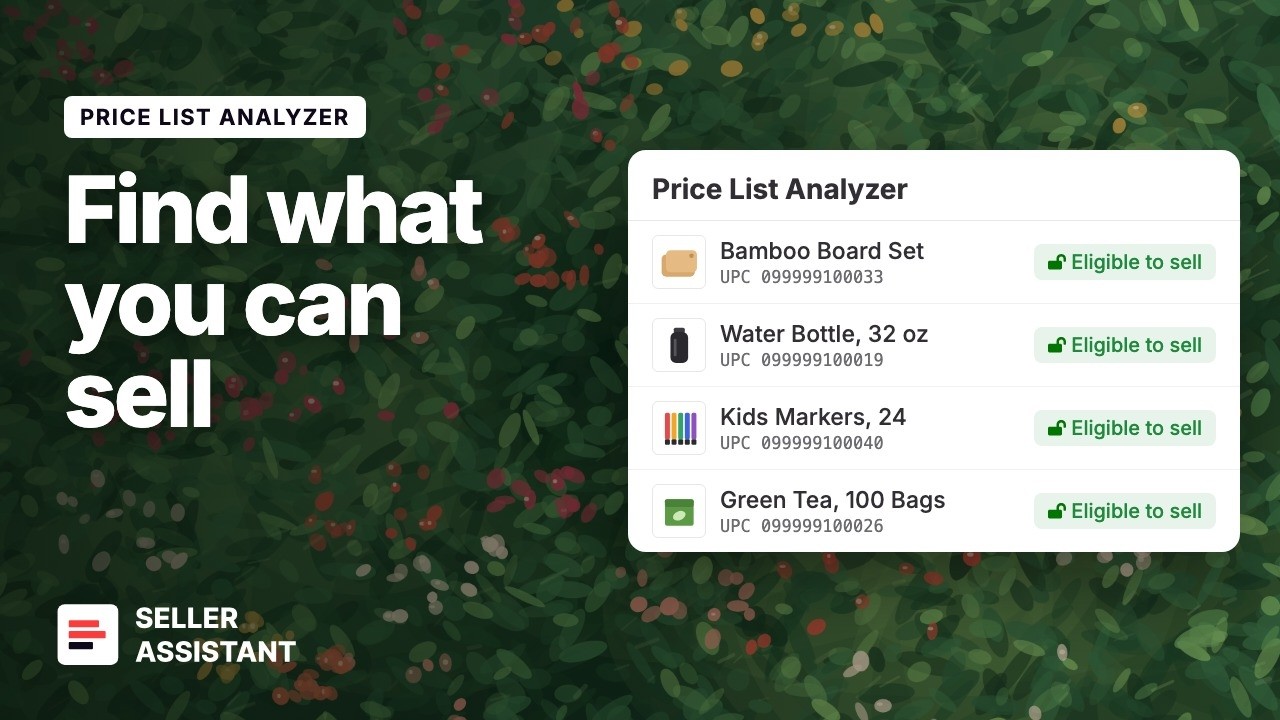
Upload your own supplier price list and see what you can sell.
Three steps between a supplier file and a purchase order
No manual lookups. No spreadsheets. Results appear as the file processes.
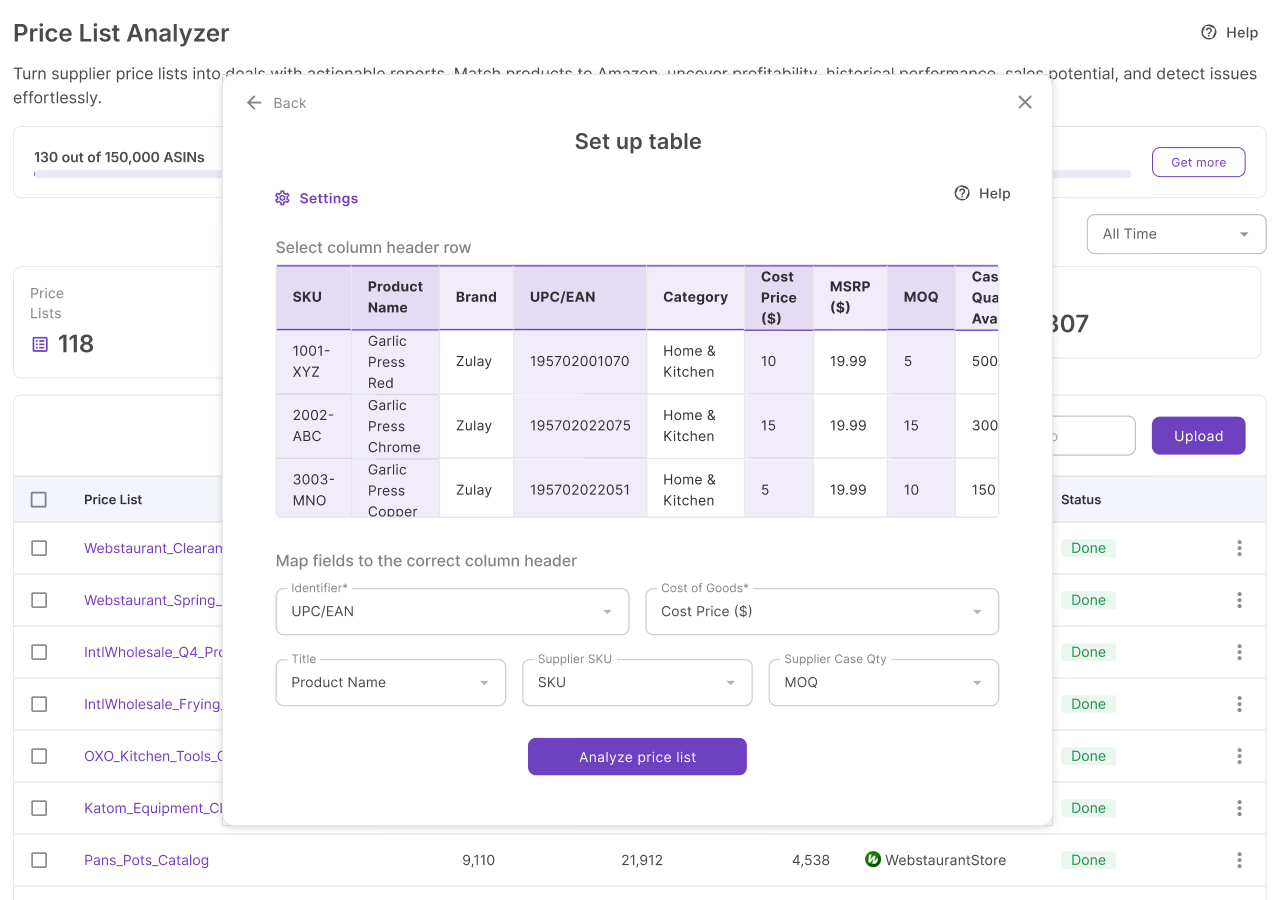
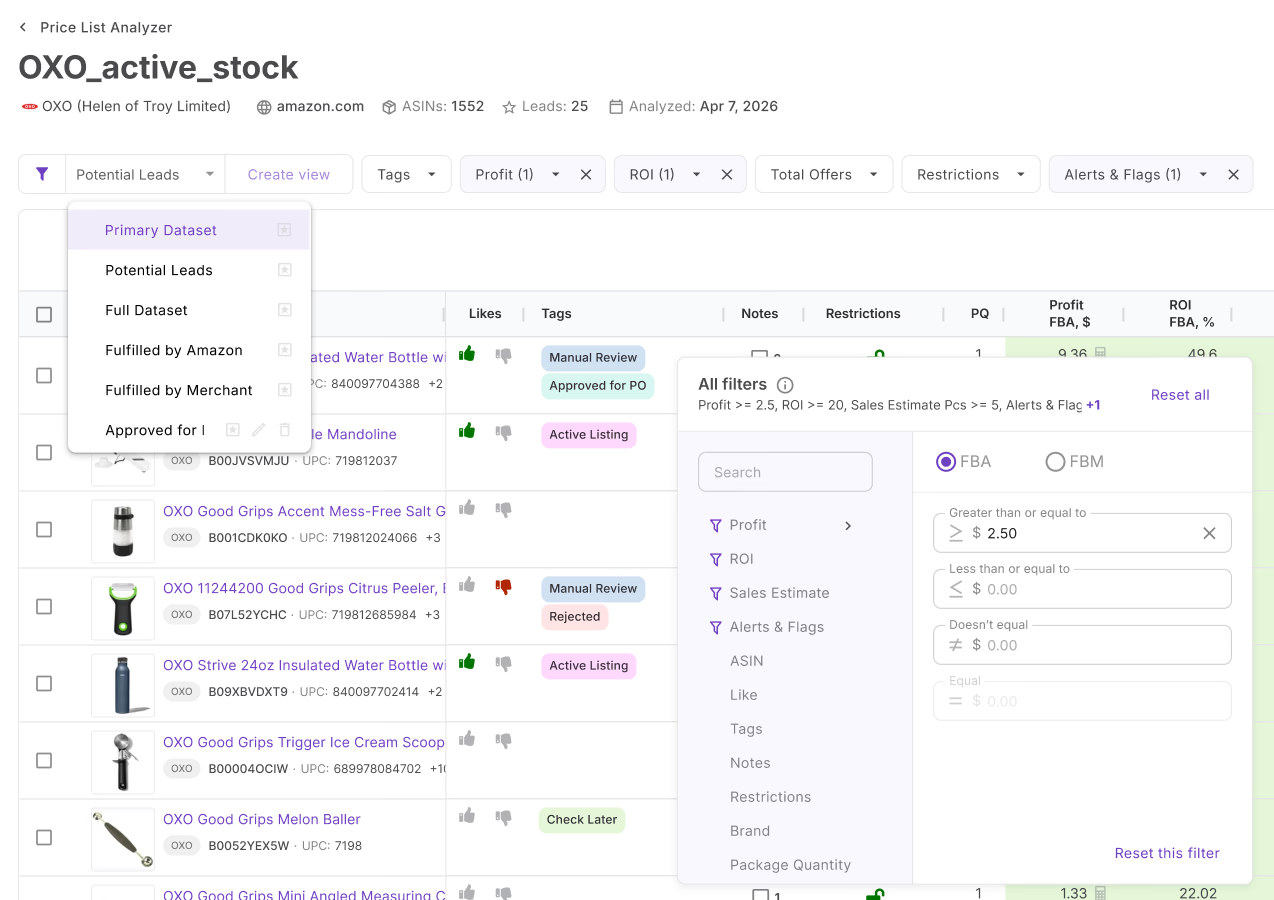
Analyzing supplier catalogs was hours of spreadsheet work
Most sellers still look products up one by one. Price List Analyzer processes the entire file automatically.
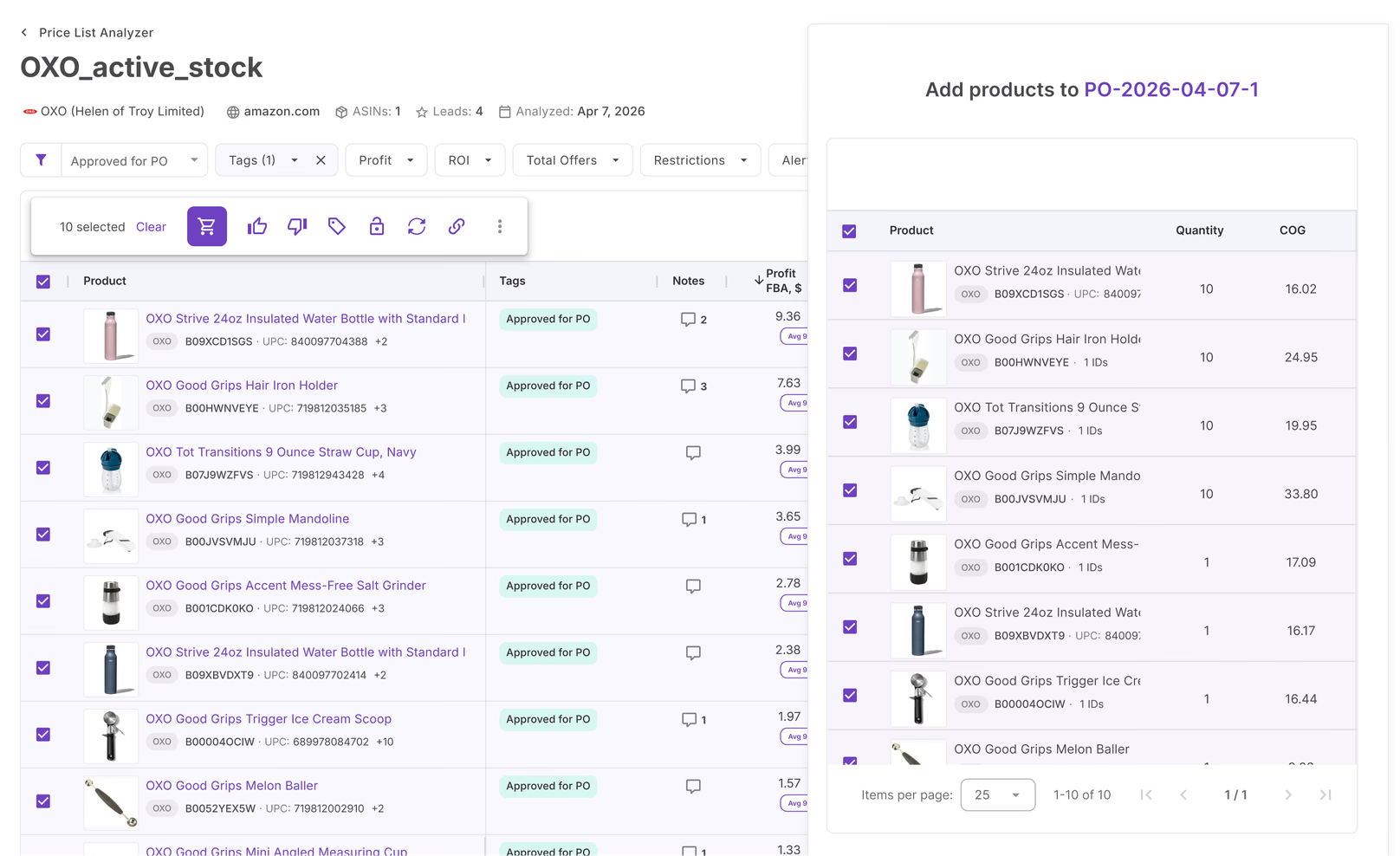
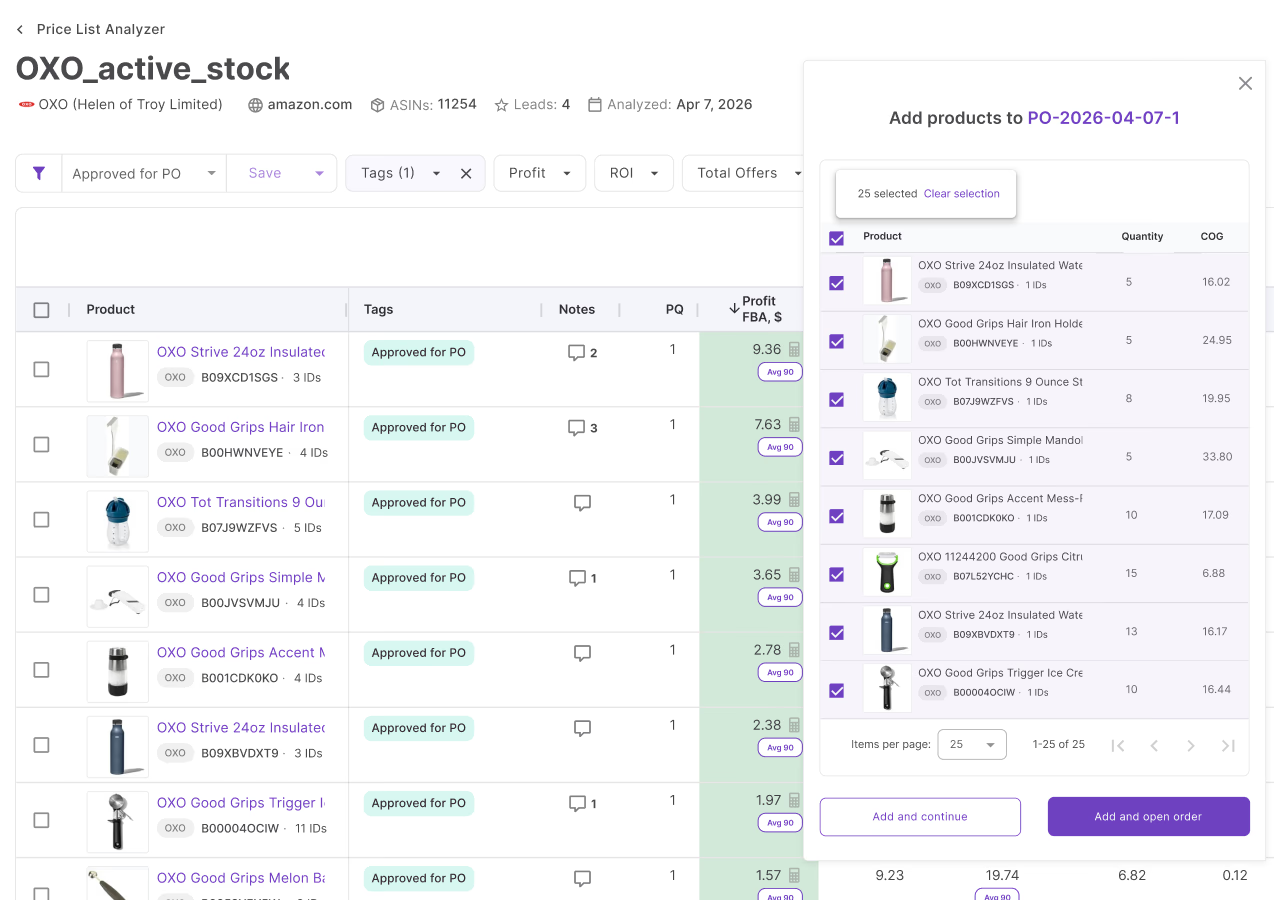
From shortlist to profitable purchase order
When your analysis is done, select the products worth ordering and create a Purchase Order for that supplier. Cost, SKU, and case quantity carry through from the price list. Nothing to re-enter, no switching tools.
Numbers built on your actual cost structure
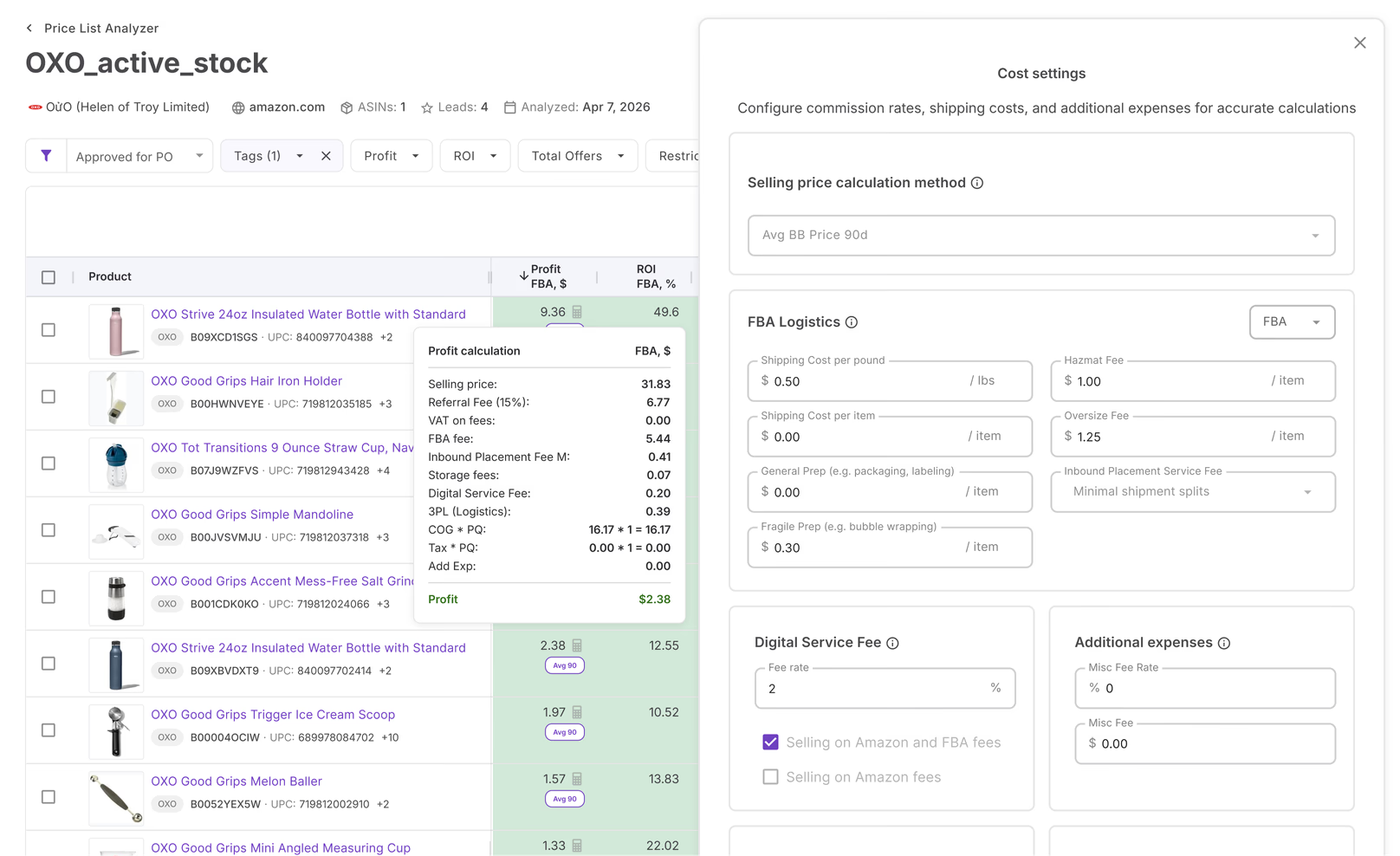
Get profit, ROI, margin, and break-even price for every SKU automatically in minutes. Configure inbound shipping, prep fees, 3PL costs, VAT, and more. Choose to calculate from the current Buy Box price or 30, 90, or 180-day historical averages.
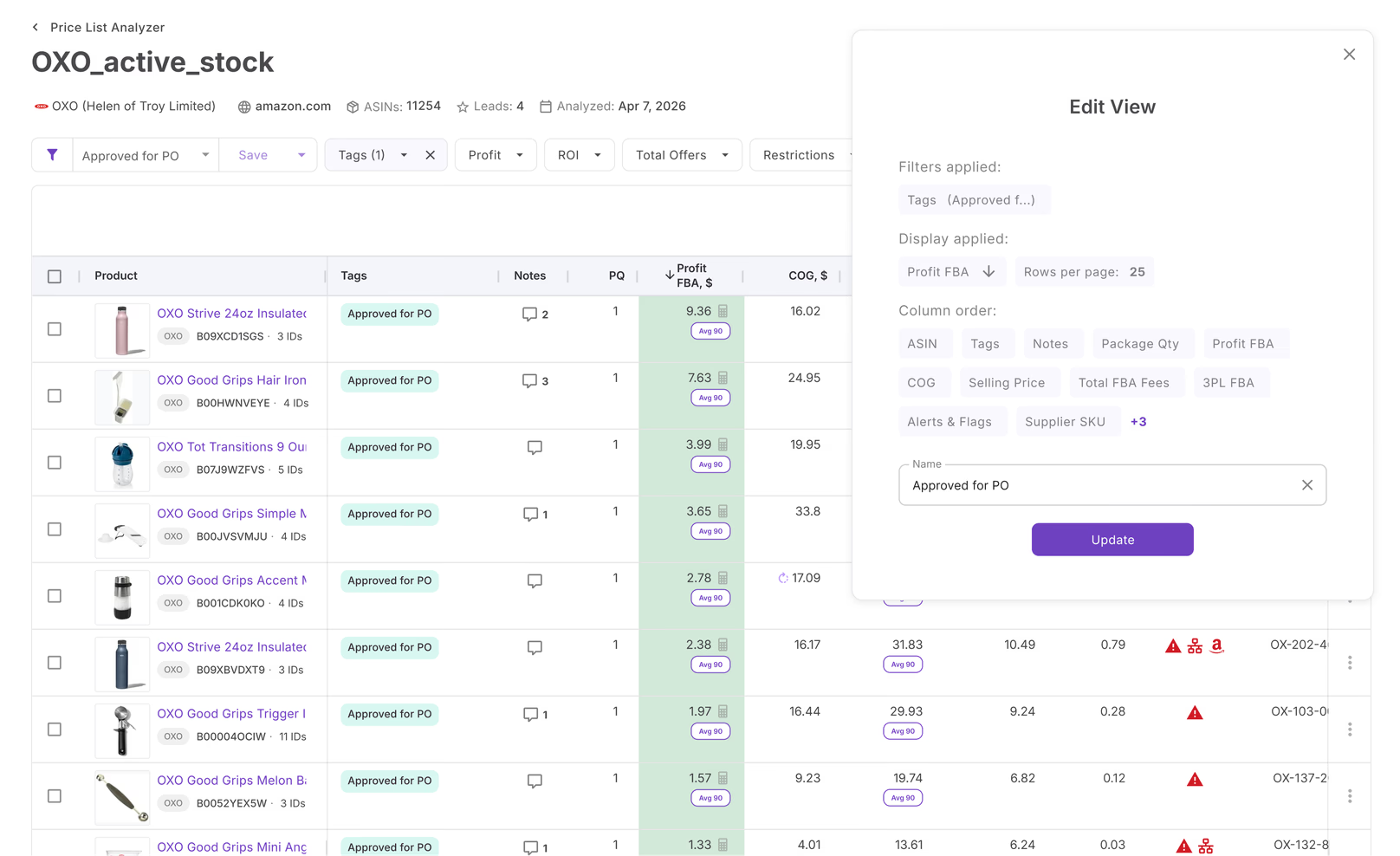
Your table setup, ready for every price list
Save your column layout and active filters as a named view and have it active in any price list. Work with exactly the data you need every time, no reconfiguring, no hunting through columns every time a new catalog lands.
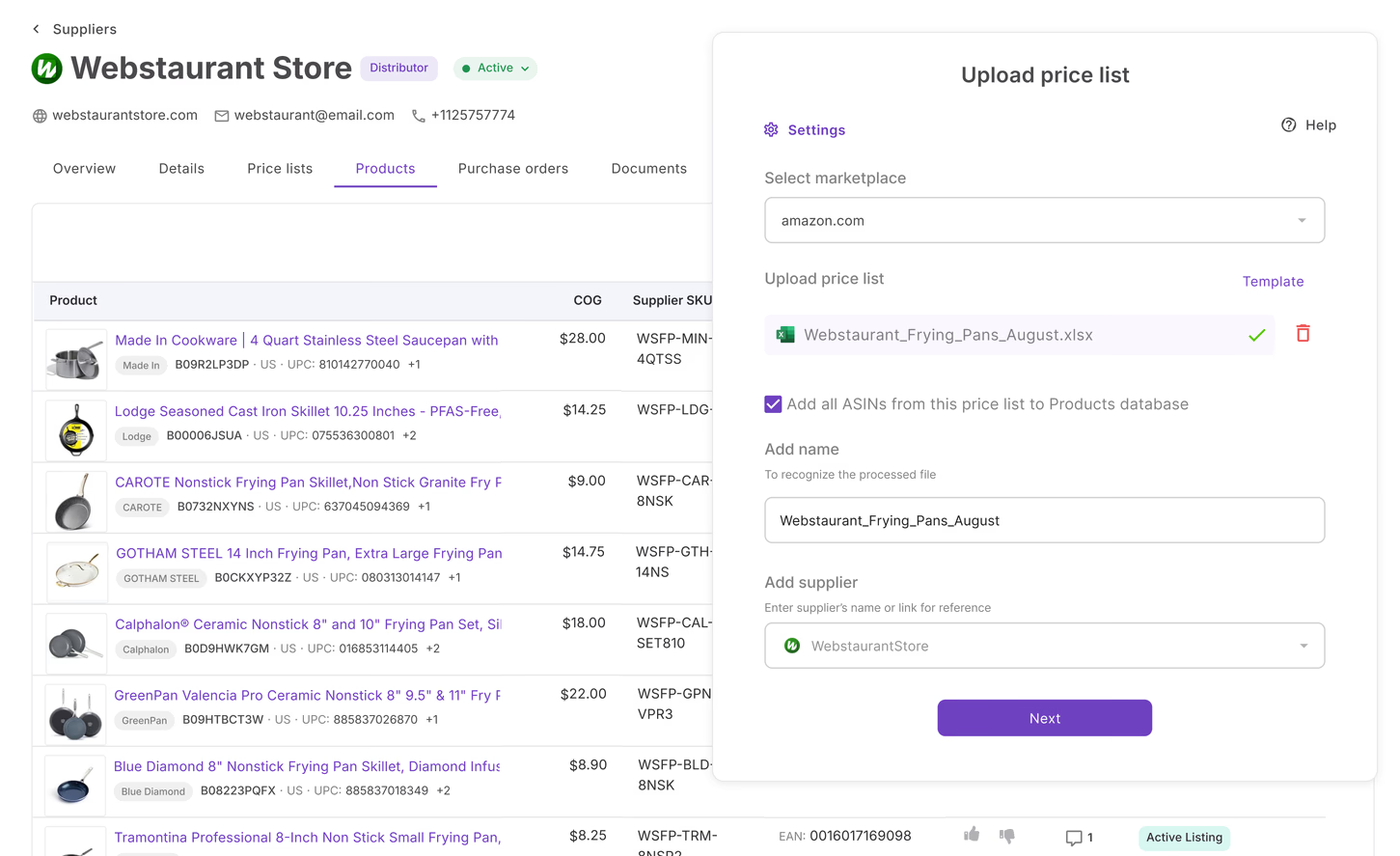
Every price list builds your supplier record
Every price list you upload adds products and offers to your supplier profile automatically. New uploads from the same supplier update existing offers — so your data stays current without manual work. One supplier, all their products, full history.
Everything Price List Analyzer handles
The details that matter when you're working through a supplier catalog.
FBA & FBM profitability
Profit, ROI, margin, break-even price, and max COG for both fulfillment methods.
Historical data
Buy Box averages, BSR trends, and Amazon's share over 30, 90, and 180 days.
Matching Rules
Always or never match any identifier–ASIN pair. Set rules from inside the price list.
Saveable filter views
Save any filter setup as a named view. Load it on any price list in one click.
Universal tags & notes
Tag any ASIN once. The tag appears across all tools wherever that ASIN shows up.
Bulk restriction check
Check eligibility across the full list — or a subset — in one action.
Reanalyze on demand
Refresh data on any price list without re-uploading the file.
Direct PO creation
Select your shortlist and push it to a Purchase Order. SKU and cost carry through.
Price List Analyzer is one step. These tools make it count
Analysis connects to action. No copy-pasting between tools.
Price lists are stored inside supplier profiles. SKU and case quantity carry through the entire workflow.
Create a Purchase Order from your filtered shortlist. SKU and cost are already there.
Approved products flow into your Product Database with supplier offers attached.
Jump from any row to a full brand analysis before committing to a product.
The pipeline starts before the price list
Find suppliers, validate products, and list what you've ordered all in the same platform.
Find suppliers by brand or ASIN before you have a catalog to upload.
AnalyzeTrack competitor storefronts and uncover what they're sourcing.
DiscoverTake products from your Purchase Orders and list them on Amazon in bulk.
ListCheck margins and validate products on any Amazon page.
DiscoverHow-tos and guides
Use AI to Screen Supplier Deals for Risk Before You Buy
Screen Amazon deals for risk before you buy. Use Price List Analyzer and AI to check restrictions, warnings, product flags, and sourcing risks.
How to Use Seller Assistant's Matching Rules Tool
Learn how to use Matching Rules in Seller Assistant to control ASIN–UPC matching, prevent errors, and improve sourcing accuracy at scale.
How to Use Seller Assistant’s Price List Analyzer
Analyze supplier price lists in bulk with Price List Analyzer – find profitable Amazon deals faster using data-driven insights, filters, and automation.
How Price List Analyzer Saved Views Help Find Best Deals
Learn how Price List Analyzer saved views help Amazon sellers find profitable deals faster, apply consistent filters, and scale wholesale and OA sourcing.
How Preconfigured Settings Simplify Amazon Deal Research
Preconfigured settings in Price List Analyzer help Amazon sellers analyze bulk supplier lists faster, avoid false profits, and find reliable deals at scale.
How to Check Profitability in Bulk with Price List Analyzer
Learn how to check Amazon profitability in bulk with Price List Analyzer. Calculate profit, ROI, and risks across thousands of SKUs fast.
Frequently Asked Questions
Visit Help CenterHow do I find profitable products in a wholesale supplier catalog?
How does Price List Analyzer calculate FBA and FBM profit?
Which Amazon marketplaces does Price List Analyzer support?
Can I check Amazon selling restrictions in bulk?
How do I control which Amazon listing a supplier product matches to?
Can I reuse the same filters across multiple price lists?
Can I use Price List Analyzer for online arbitrage?
Ready to find profitable products in any supplier catalog?
Upload a price list and get profitability, demand, and risk data for every product — in minutes.
Get Started