One click from purchase order to prep center
One place for all warehouses and prep centers. Connect a prep center and dispatch purchase orders as inbound shipments.
Get Started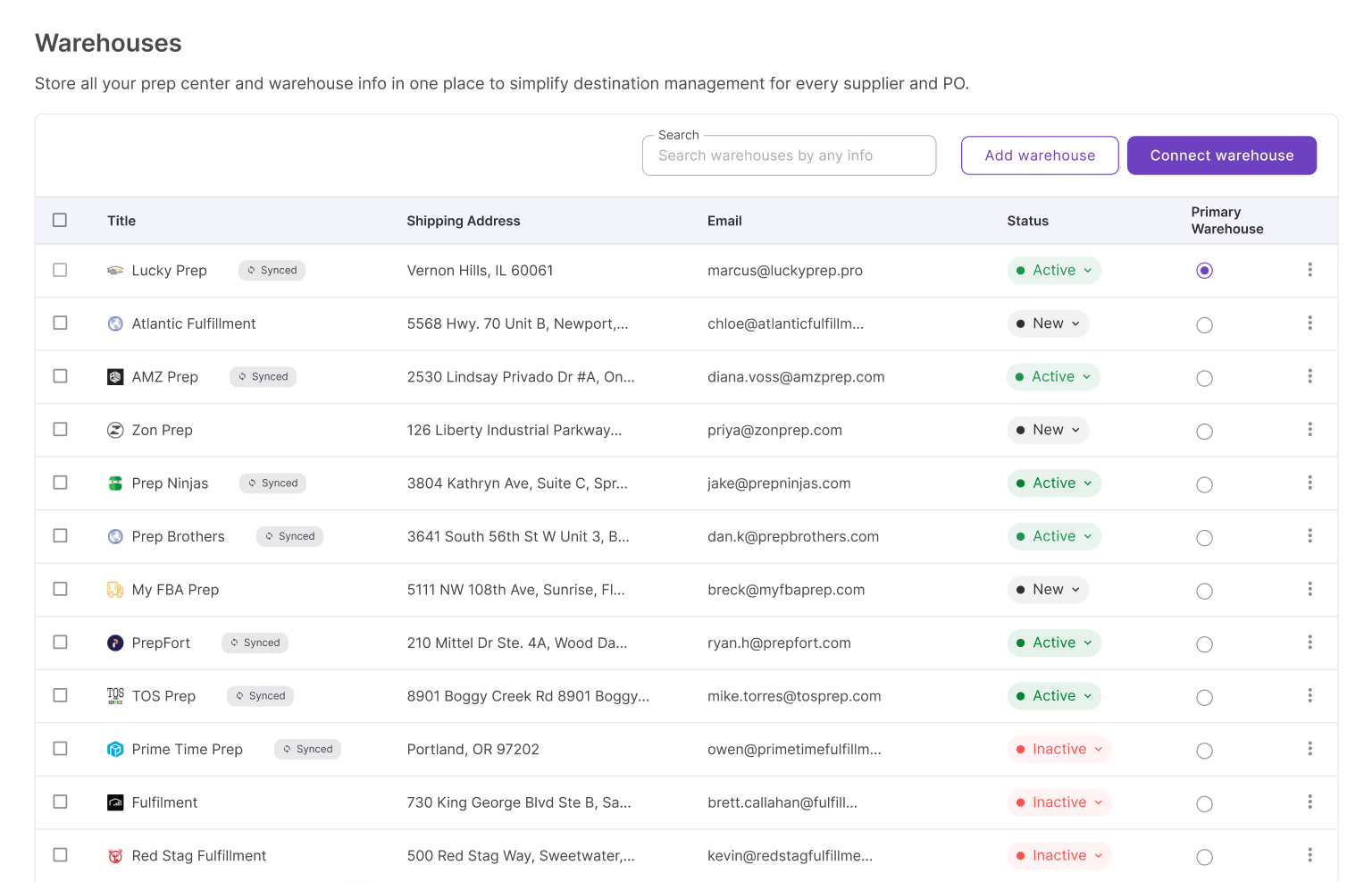
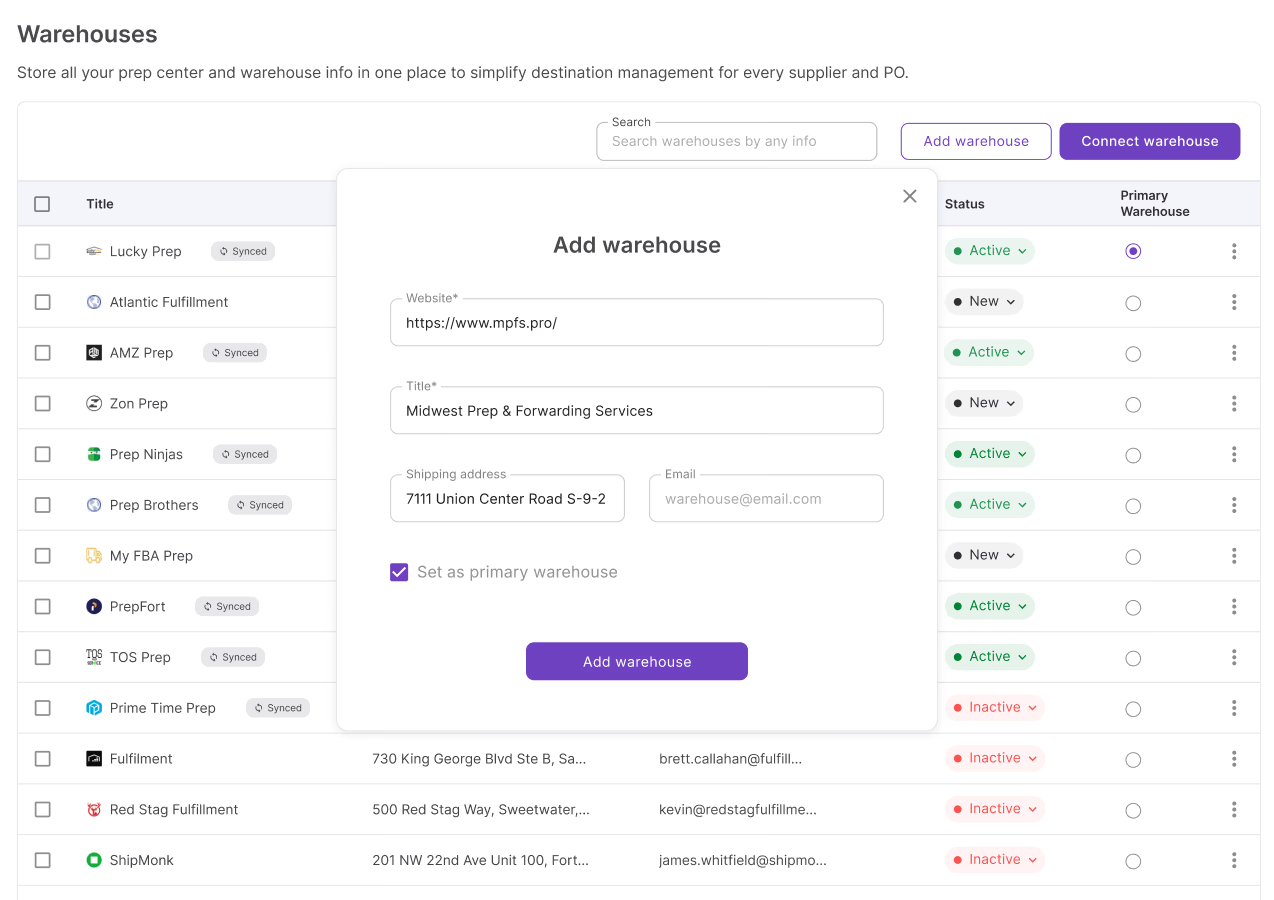
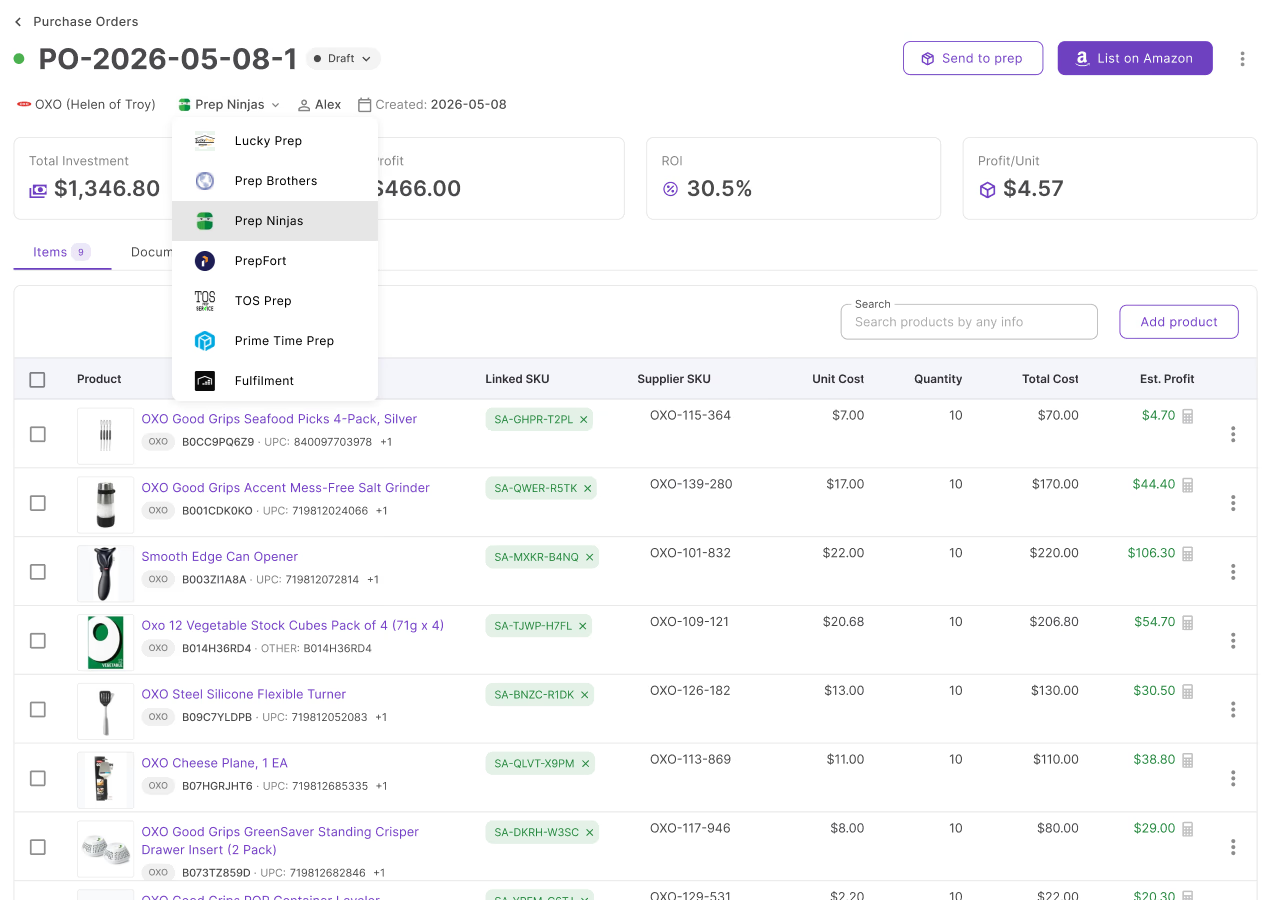
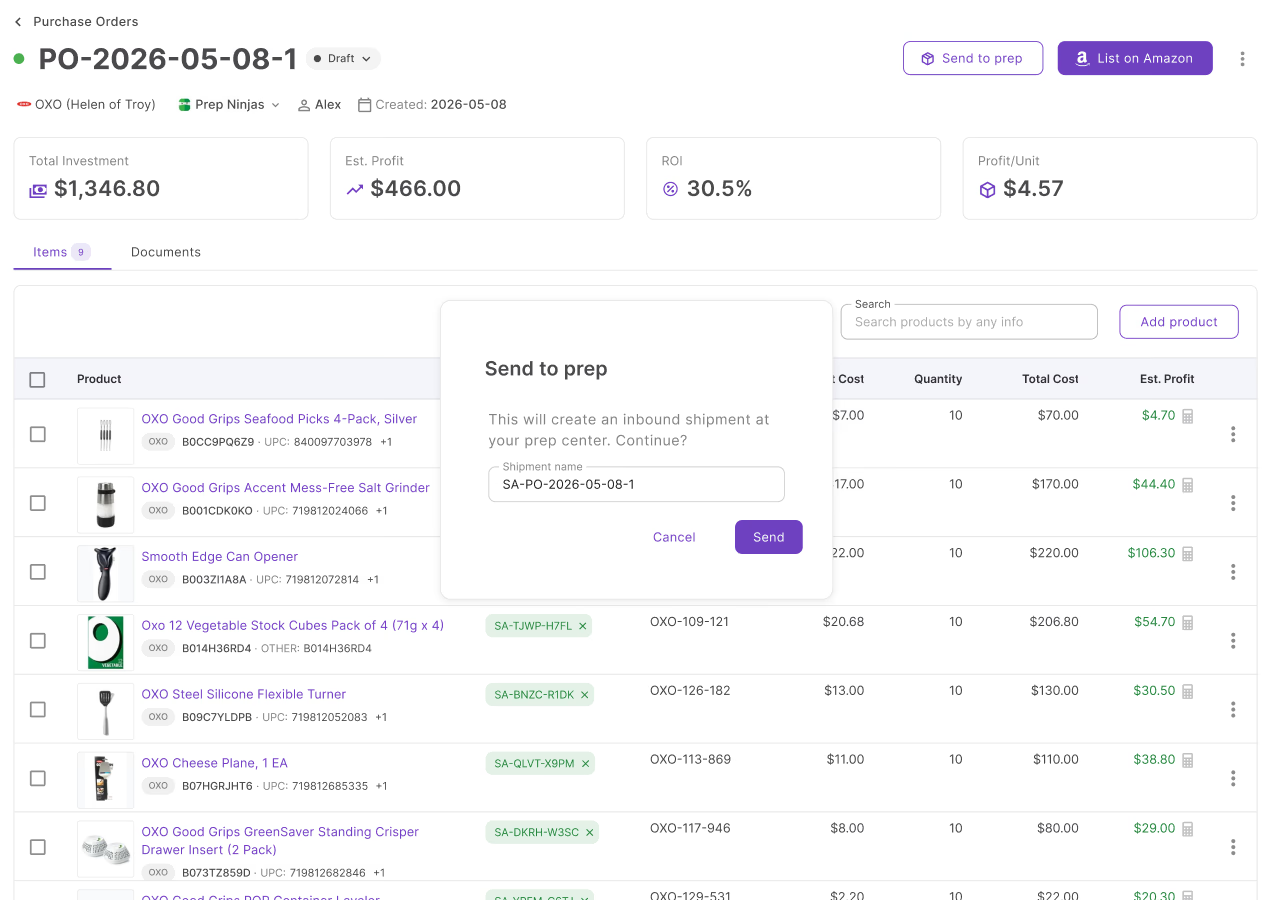
From warehouse setup to prep dispatch in 3 steps
No portal switching. The entire prep workflow happens where the order was created.
Managing prep was always the part that broke the workflow
Most sellers still open the prep center portal separately and re-enter PO data by hand. Seller Assistant removes that step entirely.
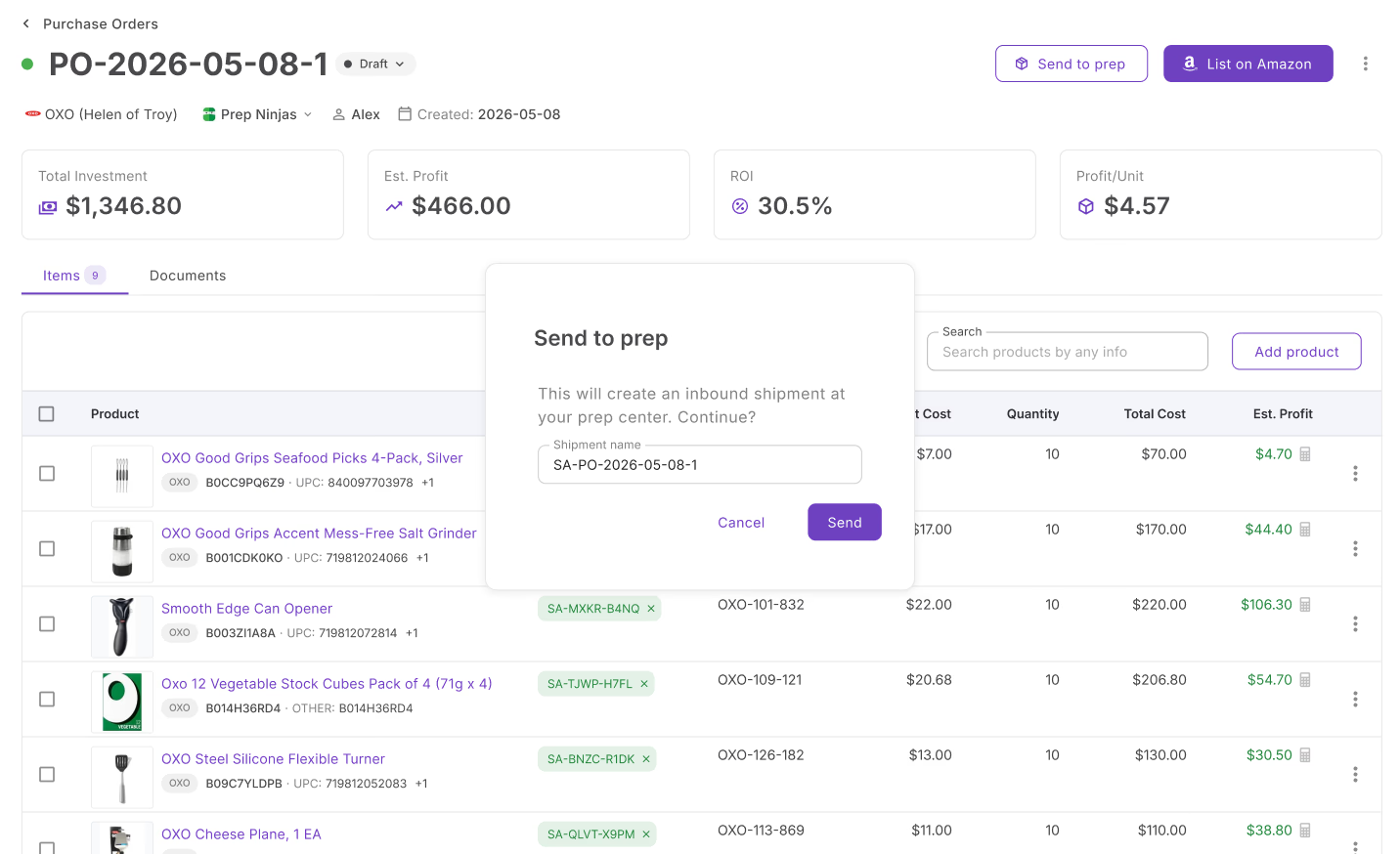
No more copying PO data into a separate portal
Before this, dispatching a PO to prep meant opening the prep center's portal, creating a shipment manually, and re-entering every item SKU and quantity. The Send to prep button replaces that entire sequence from the PO header.
Purpose-built prep center integrations
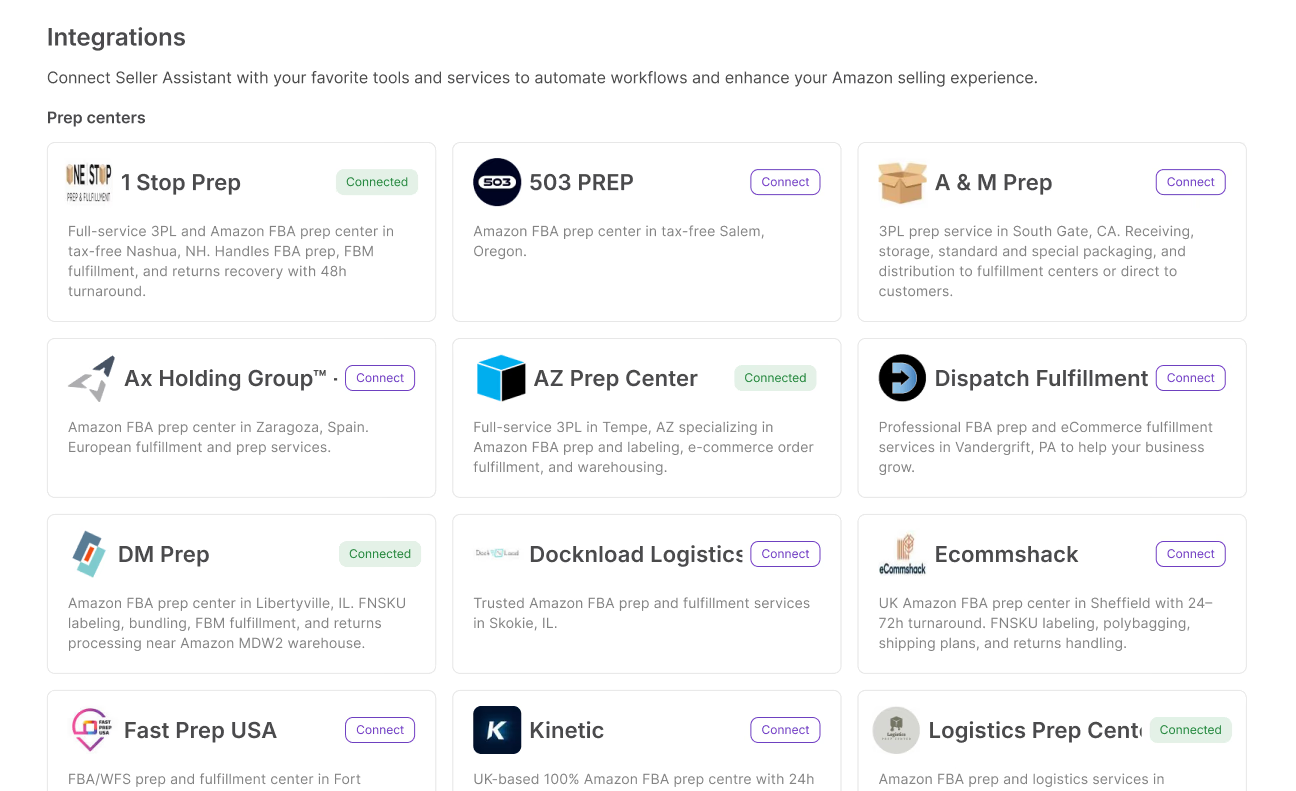
Choose from a growing directory of prep centers with purpose-built integrations. No automation tools, no custom workarounds — connect directly from Seller Assistant. Don't see your prep center? Request it and we'll add it.
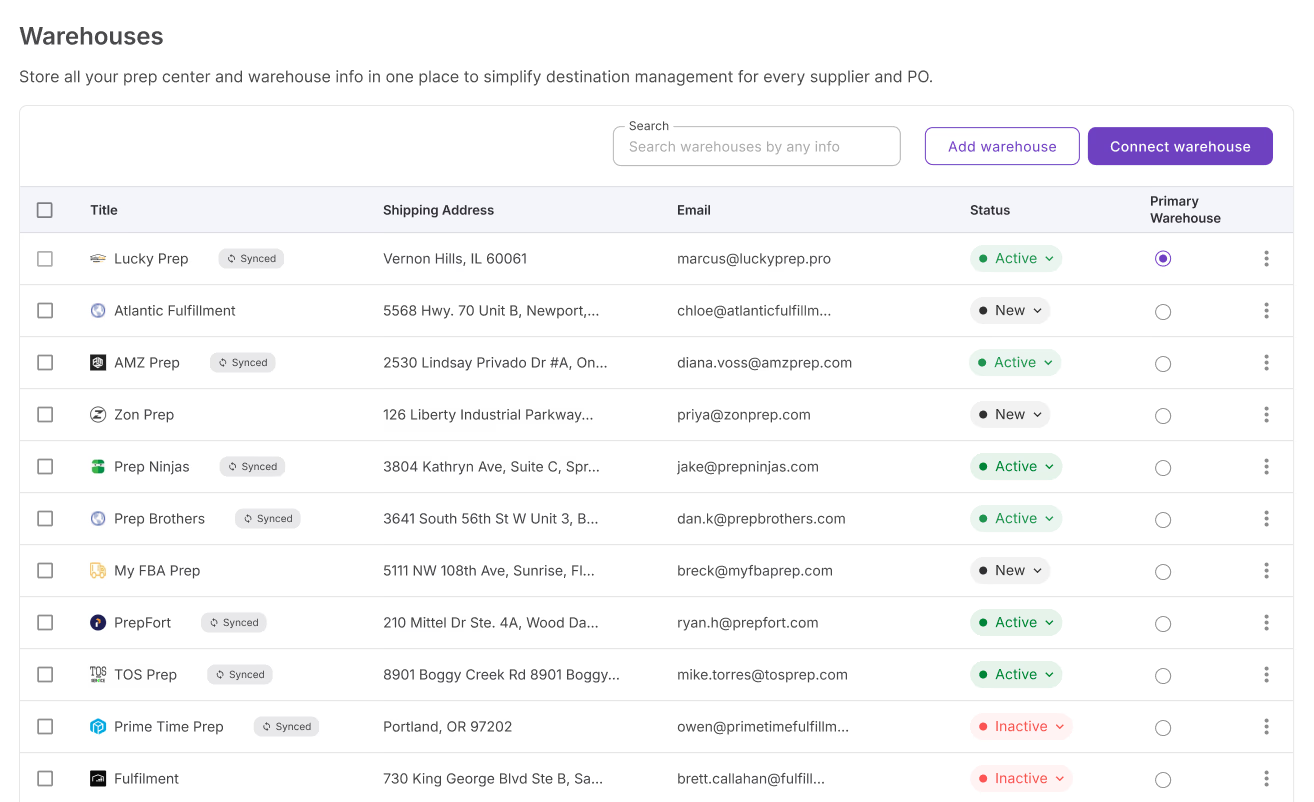
One source of truth for all your locations
When you're running dozens of POs across multiple suppliers and prep centers, manual routing breaks down. All warehouses and prep centers in one shared database — assign once per supplier and every PO routes correctly, automatically, regardless of volume.
Everything warehouses database handles
From manual entry to live prep dispatch — everything in between.
Manual warehouse entry
Add any warehouse or prep center with name, address, and contact details
Prep center sync
Integrated warehouses sync automatically into your database
Supplier association
Link a warehouse to a supplier so the correct ship-to is applied automatically on every PO
Select ship-to from PO
Change the assigned warehouse directly from the PO header
Send to prep
Create an inbound shipment directly from the PO — one click, no portal switching
Shipment linking
The PO header shows a live link back to the shipment in your prep center portal
Shipment unlinking
Detach a shipment from a PO when needed and create a new one without losing the order
Team access
Warehouses are shared across the team with full edit and delete permissions
Warehouses database connects the order to the prep center. These tools close the loop
From the PO to prep to listing — every step happens inside Seller Assistant.
Assign a warehouse inline and dispatch the PO to prep directly from the order header
SourceLink a warehouse to a supplier so the ship-to address is set automatically on every purchase order
SourceTrack inbound shipments after your prep center dispatches inventory to Amazon
ListList products from purchase orders that have moved through prep and are ready to go live
The pipeline starts long before the warehouse
Build your order list before anything reaches a purchase order.

Turn a supplier catalog into a shortlist of profitable products ready to order.
Analyze
Source products into your pipeline and push them into purchase orders.
Source
Track landed costs per SKU with prep and inbound fees factored in automatically.
List
Research brand performance before committing to a supplier.
AnalyzeFrequently Asked Questions
Visit Help Center
How do I send a purchase order to a prep center?
How do I connect my prep center to Seller Assistant?
What prep centers does Seller Assistant integrate with?
Can I manage multiple warehouses and prep centers in one place?
How do I track inbound shipments sent to a prep center?
Can I assign different prep centers to different purchase orders?
Ready to connect your orders to prep?
Centralize your warehouses, sync your prep center, and send purchase orders to prep without leaving Seller Assistant.
Get StartedNot sure which plan fits your sourcing workflow? Chat with our team — we're happy to help.