IP ALERT EXTENSION

IP-Alert® Extension

Easily identify and avoid risky Amazon products and brands with potential intellectual property issues. Stay ahead of intellectual property risks and keep your business running smoothly.

IP Alert by Seller Assistant
HOW IT WORKS

4 simple steps to get started

arrow_down_color
Install
Install the extension in your Chrome Browser
file_text_color
Sign Up
Create a personal account in Seller Assistant
help_circle_color
Check
Open a search or product page on Amazon or Side Panel View on supplier website to check the brand or ASIN for IP alerts
grid_color
Done
Get informed about the IP complaints or other product policy violations associated with the brand or ASIN
IP ALERT EXTENSION

IP-Alert Extension Review

In this video, we'll show you how to use IP-Alert Extension by Seller Assistant.
What you’ll learn?

✓ What is IP-Alert Extension by Seller Assistant?
✓ Steps to install IP-Alert Extension by Seller Assistant.
✓ Steps to use IP-Alert Extension by Seller Assistant.

Effortlessly detect IP complaints with IP Alert Extension by Seller Assistant
IP ALERT EXTENSION

Effortlessly detect IP complaints

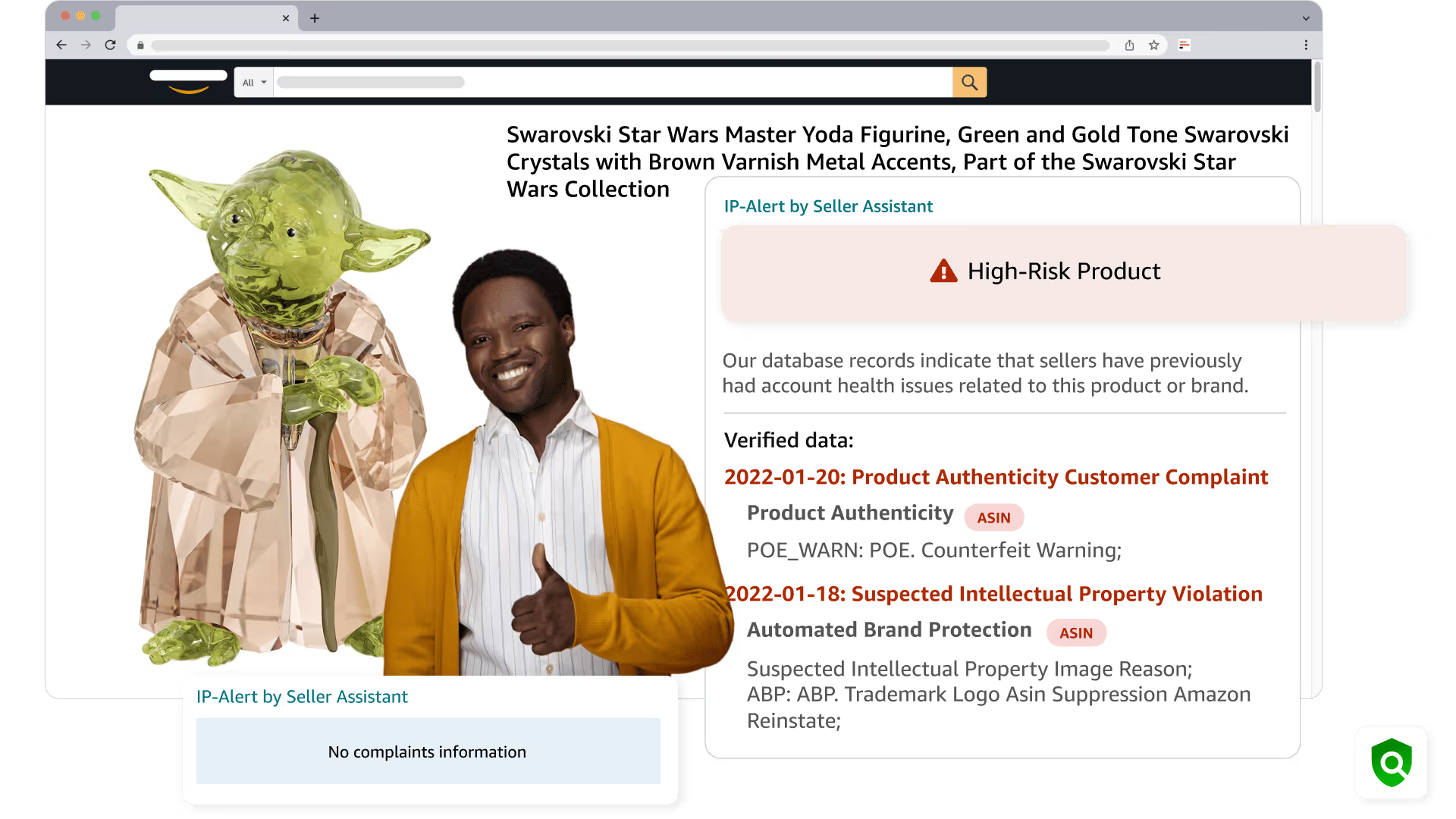
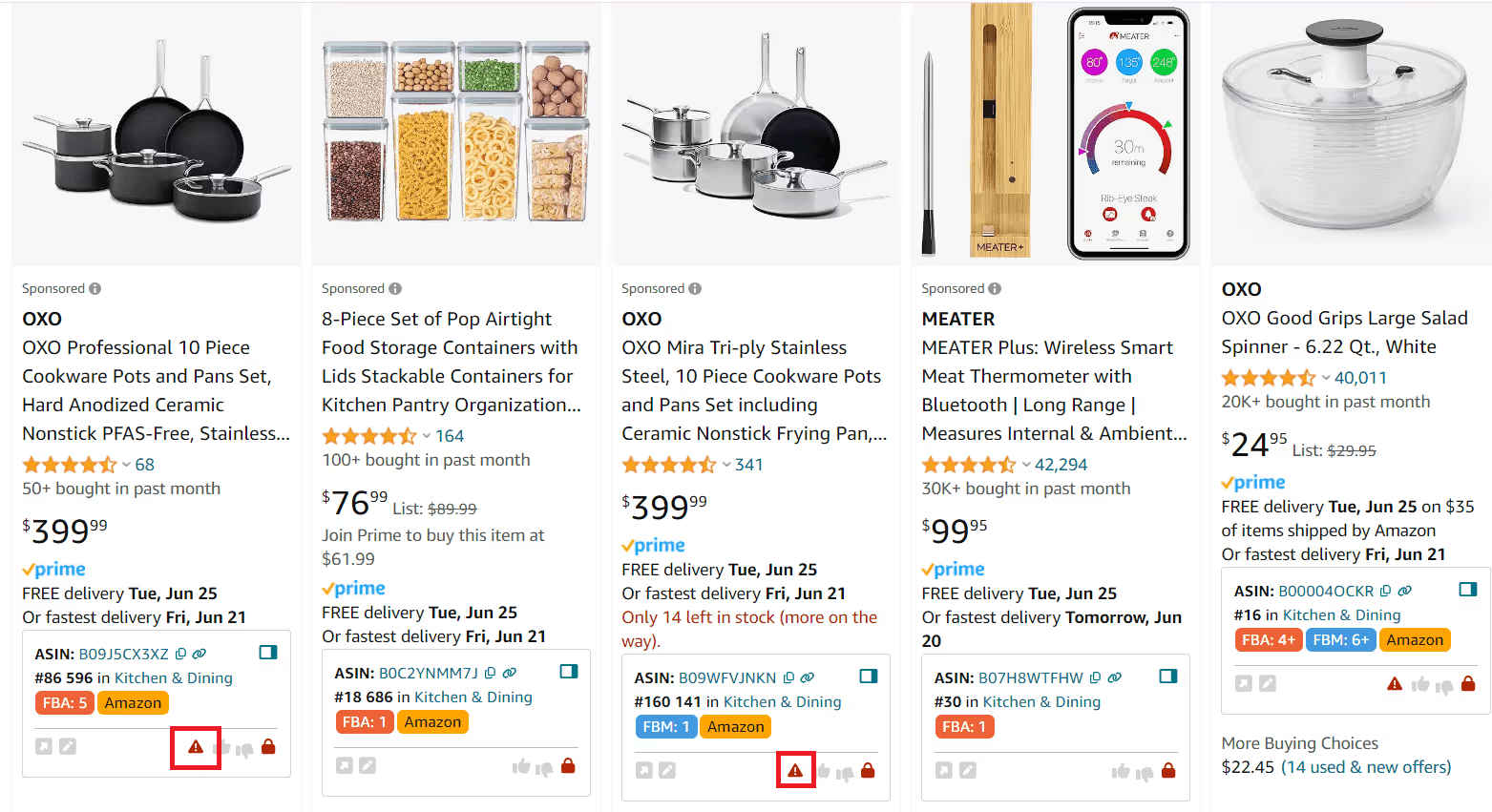
Proactively avoid Amazon products and brands with intellectual property complaints. Seller Assistant marks high-risk products with a red triangle icon
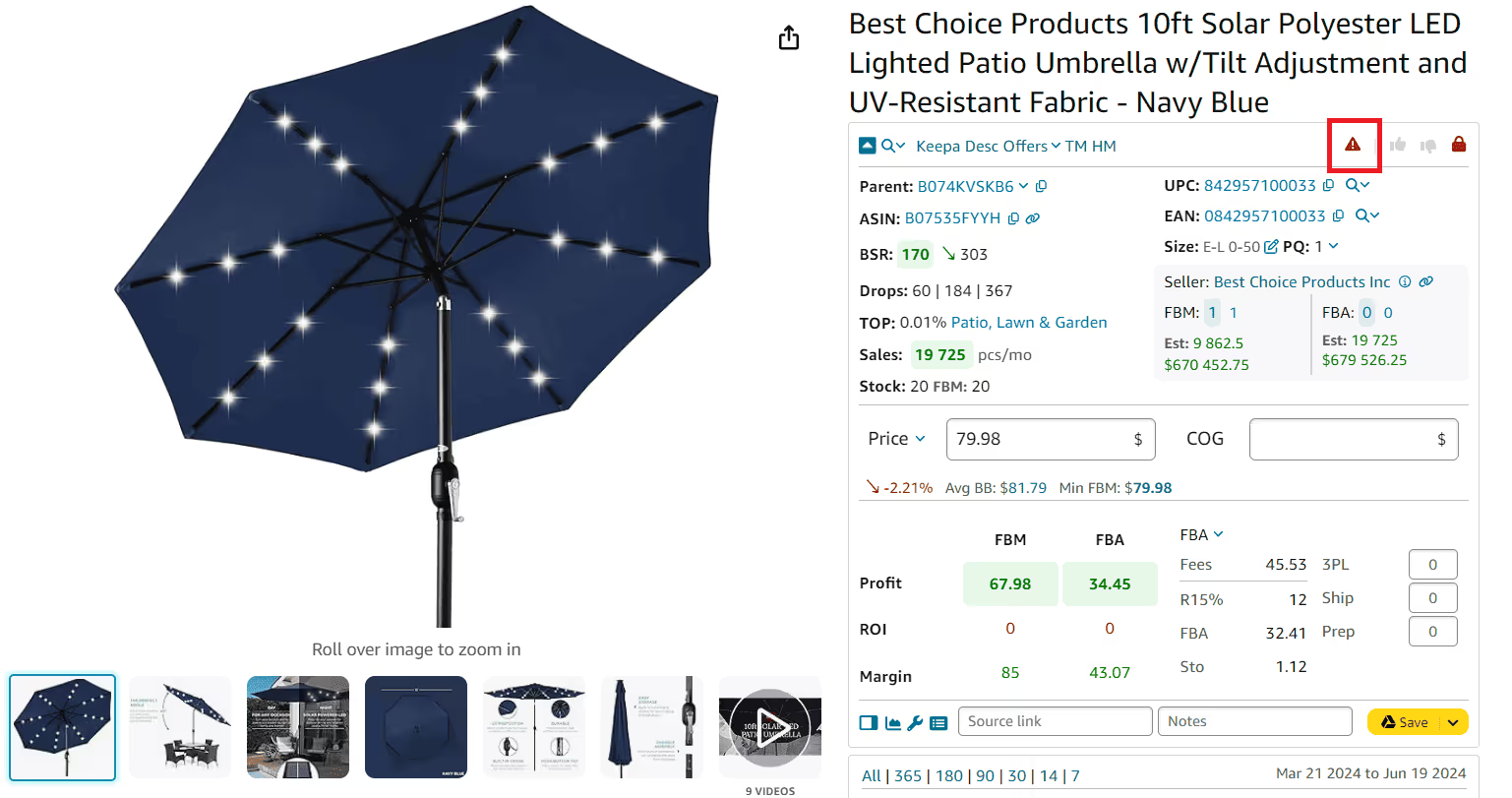
IP ALERT EXTENSION

Source your products safely

Get IP risk alerts wherever you research products. Seller Assistant’s IP Alert appears when browsing Amazon listings, on search pages, in storefront views, as well as in the Side Panel View on supplier websites, helping you spot risky items early.
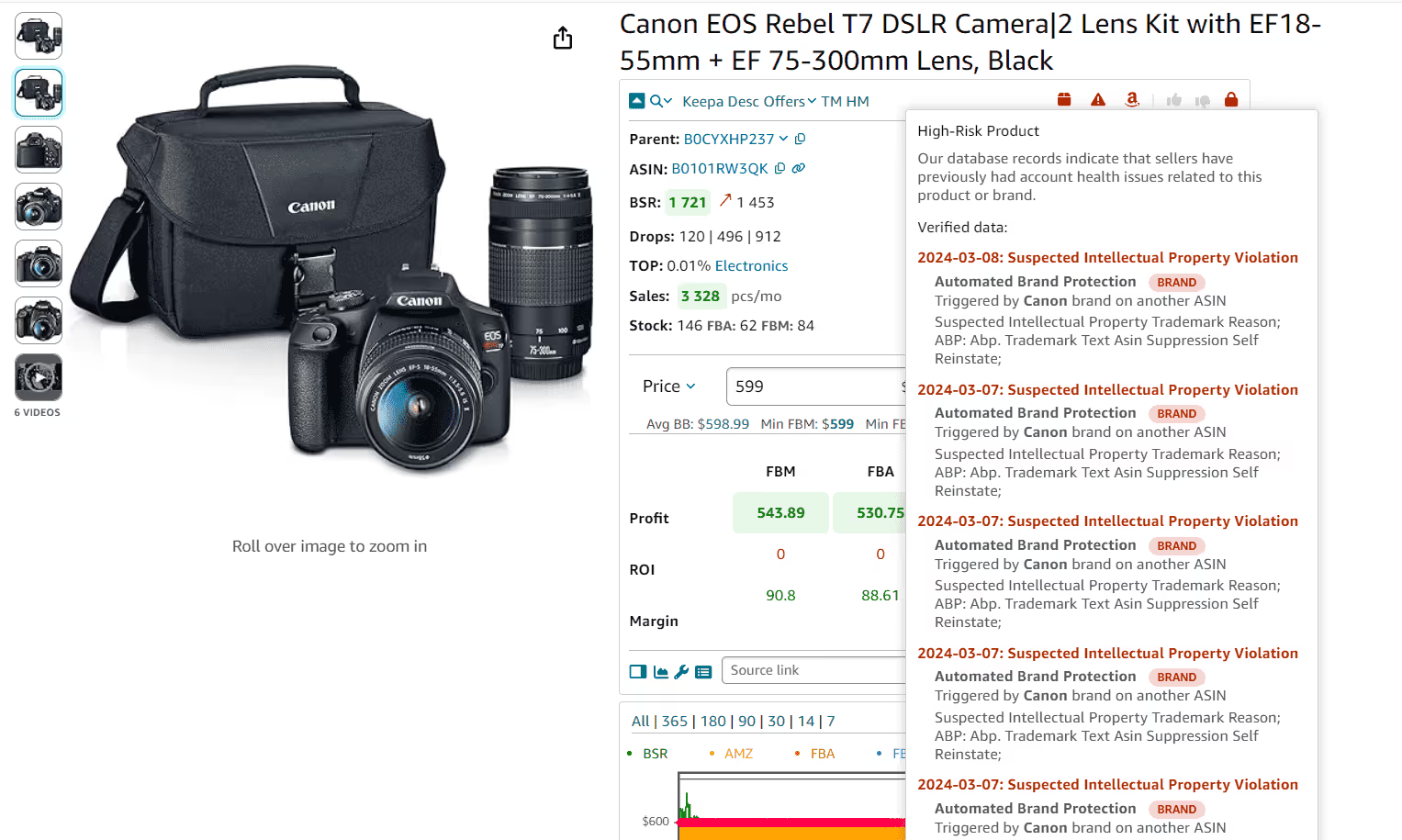
Receive IP warnings wherever you conduct product research. Seller Assistant’s IP Alert is visible on Amazon product and search pages, as well as in the Side Panel View on supplier website, indicating items with IP complaints
Identify all product issues by type. Determine the specific Amazon product policy violations associated with a product. By hovering over the red triangle IP Alert icon in Seller Assistant, you can view various violation types
IP ALERT EXTENSION

Identify potential product issues

See whether a product may have Amazon policy-related risks. Hover over the red triangle IP Alert icon in Seller Assistant to view available risk indicators directly during your research.
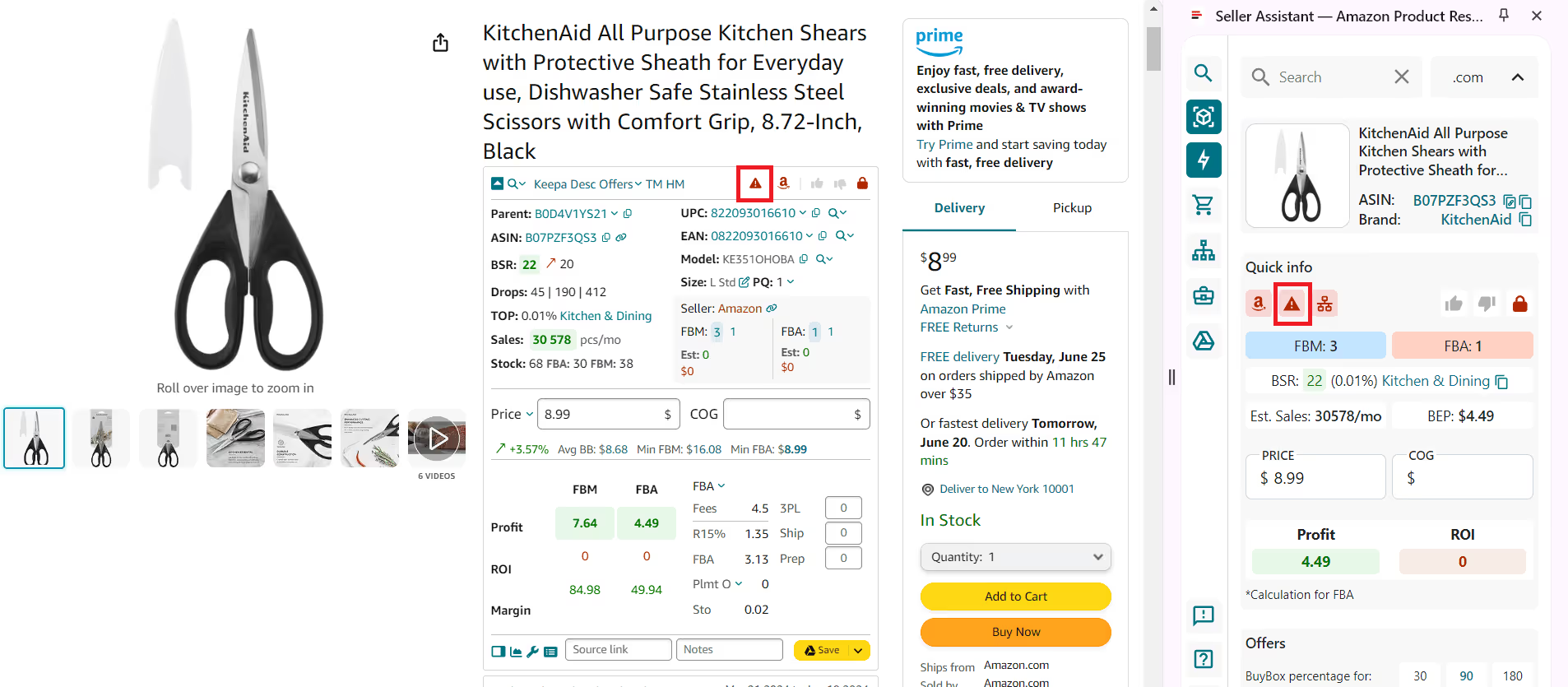
IP ALERT EXTENSION

Instantly update product risks

Stay aware of potential issues that may affect Amazon products. Seller Assistant highlights risk signals in real time, helping you avoid products that could cause problems.
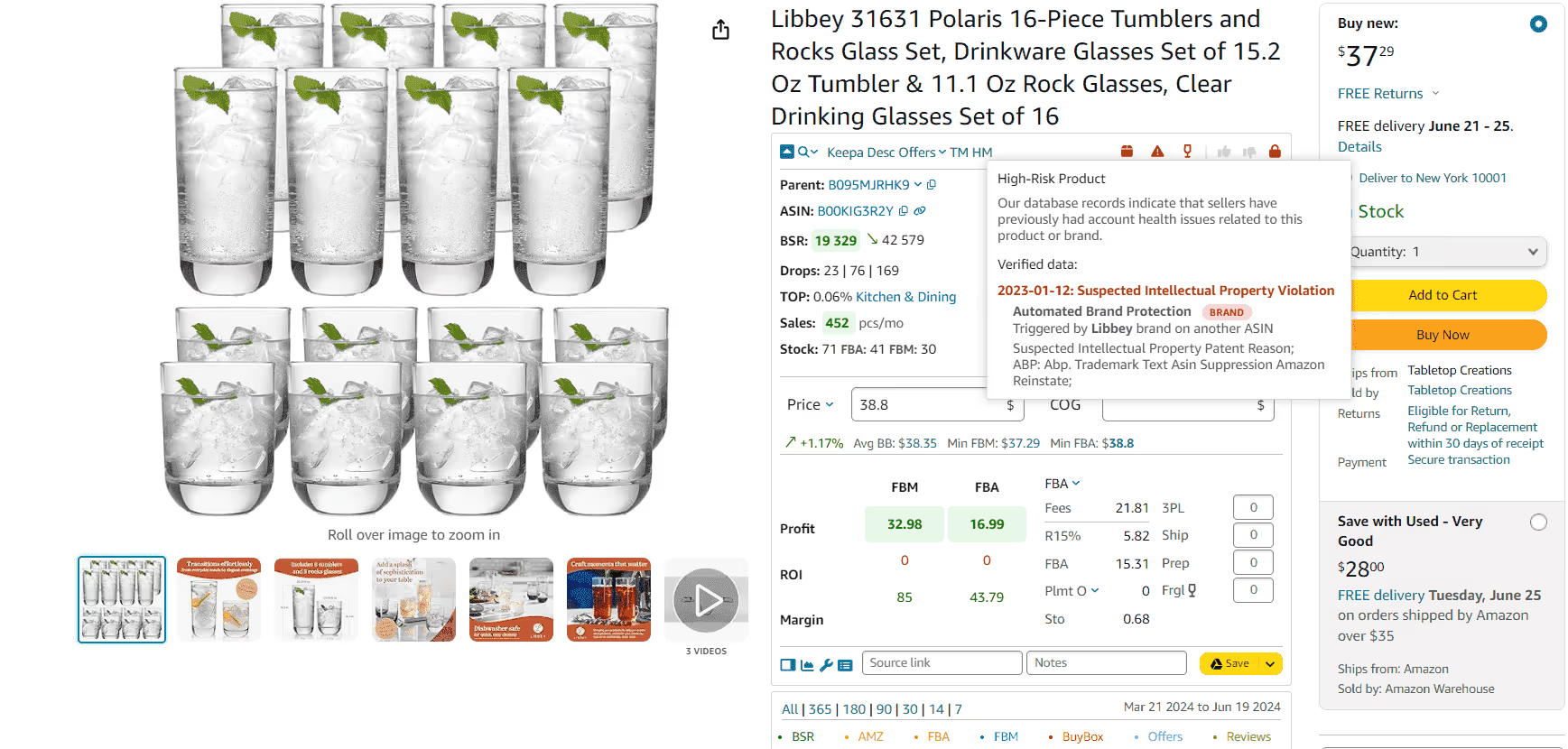
Stay updated on product risks with IP Alert Extension by Seller Assistant
Automate brand IP complaints research with IP Alert Extension by Seller Assistant
IP ALERT EXTENSION

Automate brand IP risk research

Get automatic alerts for brands that have IP risks. Ensure you receive authorization to resell their products before sourcing.

Learn More
WHERE IT WORKS

Supported Marketplaces

Flag_of_USA
COM
Flag_of_Canada
CA
Flag_of_Mexico
COM.MX
Flag_of_Brazil
BR
Flag_of_UK
CO.UK
Flag_of_Germany
DE
Flag_of_France
FR
Flag_of_Spain
ES
Flag_of_Italy
IT
Flag_of_Netherlands
NL

Flag_of_Poland
PL
Flag_of_Sweden
SE
Flag_of_Turkey
TR
Flag_of_India
IN
Flag_of_United_Arab_Emirates_(U.A.E.)
AE
Flag_of_Saudi_Arabia
SA
Flag_of_Egypt
EG
Flag_of_Japan
JP
Flag_of_Australia
COM.AU
Flag_of_Singapore
SG

Frequently Asked Questions

Visit Help Center
arrow_right_color

What does Seller Assistant IP Alert do?

Seller Assistant’s IP Alert highlights potential IP-related risks directly during product research, helping sellers identify products that may require extra caution before sourcing or reselling.

Where does Seller Assistant IP Alert appear?

Seller Assistant IP Alert is visible on Amazon product and search pages and within the Side Panel View on any website.

What data does Seller Assistant IP Alert show?

Seller Assistant’s IP Alert displays visual indicators that signal potential IP or policy-related risks directly on product pages during your research.

What is the Seller Assistant IP Alert feature?

Seller Assistant’s IP Alert is a feature that helps sellers identify products that may carry intellectual property or policy-related risks directly during product research. The red triangle icon highlights high risk products.

How does the Seller Assistant IP Alert feature work?

If a product has intellectual property complaints or other significant Amazon policy violations, the IP Alert by Seller Assistant displays a red triangle icon. Hover your mouse over the icon to see the type of violation and the date it was recorded.
DETAILS

Static and dynamic content editing

A rich text element can be used with static or dynamic content. For static content, just drop it into any page and begin editing. For dynamic content, add a rich text field to any collection and then connect a rich text element to that field in the settings panel. Voila!

How to customize formatting for each rich text

Headings, paragraphs, blockquotes, figures, images, and figure captions can all be styled after a class is added to the rich text element using the "When inside of" nested selector system.

Automate IP complaint research

Receive immediate IP warnings with Seller Assistant’s IP-Alert® on Amazon product and search pages, and in the Side Panel View on supplier website. Preemptively avoid products that have Amazon IP complaints

Hi there! icon Do not hesitate to contact us if you have any questions.