



If you’re an Amazon seller, finding the best-selling products is the key to success. Choosing products that are in high demand, profitable, and have manageable competition can make or break your business. But with millions of listings on Amazon, how do you identify which products actually sell the best?
In this post, we’ll break down what Amazon best-sellers are, how to analyze top-selling products, and where to find them. We’ll also share five proven strategies to help you uncover high-performing products and make informed decisions for your Amazon business.
What Are Best Selling Products on Amazon?
Best-selling products on Amazon are items that consistently rank high in Amazon’s Best Sellers lists due to strong demand, frequent purchases, and positive customer engagemen t. Amazon updates these rankings instantly based on sales performance to show what’s currently trending.
Why product popularity matters
Understanding which products are selling the most is critical for Amazon sellers because it provides insight into consumer demand. If a product is popular, it’s a clear sign that customers are actively searching for and buying it, increasing your chances of making consistent sales. However, just because an item is selling well doesn’t mean it’s the right fit for your business.
Benefits of selling best-sellers
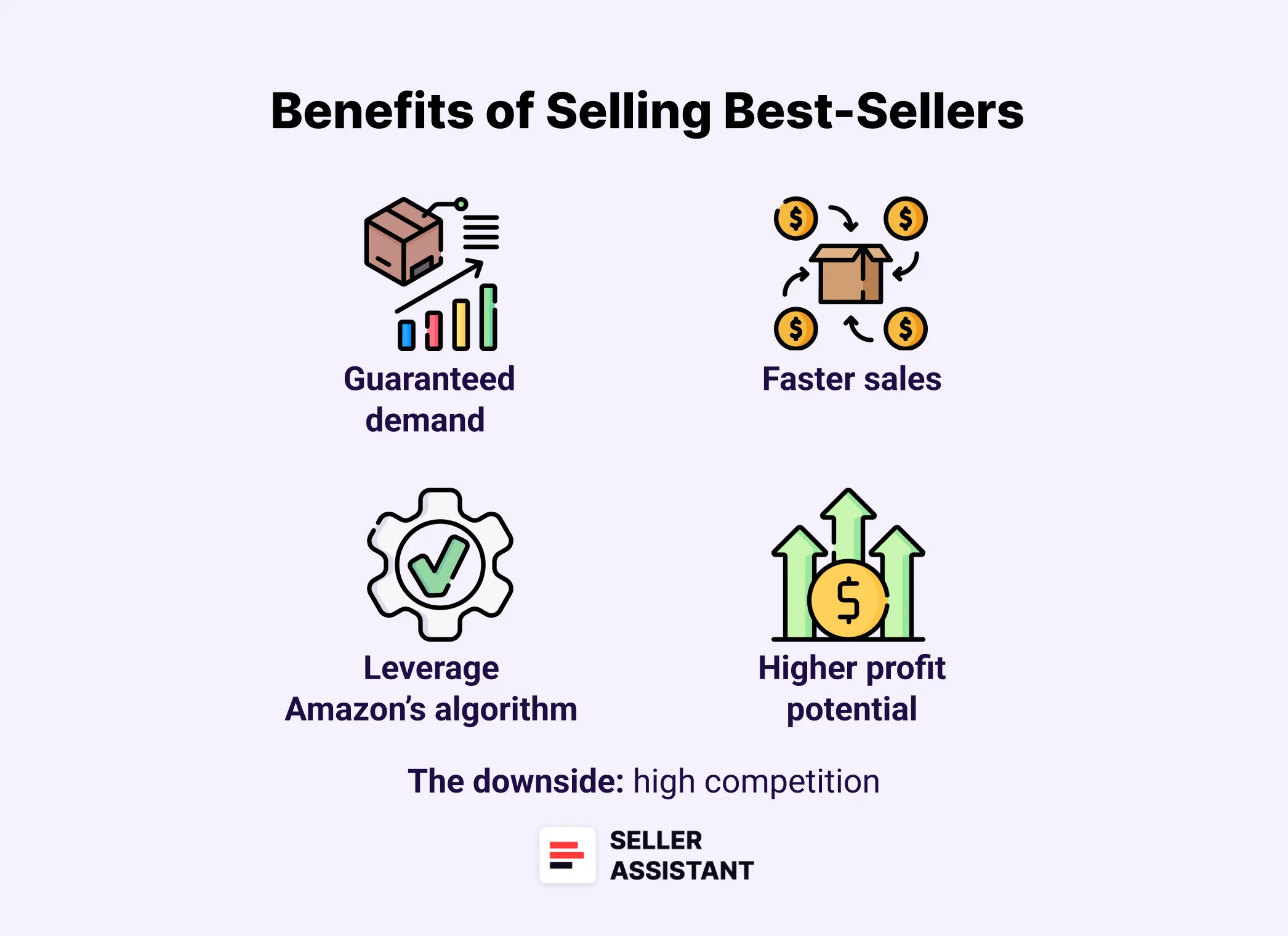
Benefits of selling best-sellers
- Guaranteed demand
Best-selling products are already validated by the market, reducing the risk of investing in unsellable inventory.
- Faster sales
Products with high demand tend to sell more quickly (have higher sales velocity), improving cash flow.
- Leverage Amazon’s algorithm
Amazon promotes top-selling products, giving them higher visibility in search results and recommendations.
- Higher profit potential
If sourced correctly, selling high-demand products can result in strong revenue and profit margins.
The downside: high competition
While best-selling products offer many advantages, they often come with intense competition. Many sellers, including large brands and Amazon itself, may already be offering the same item. Competing against well-established sellers can drive prices down and make it harder to maintain profitability.
A smarter approach: Popular products with moderate competition
Instead of jumping into oversaturated markets, consider popular products that have steady demand but lower competition. These items are easier to rank for in search results and provide a better chance to establish a competitive edge.
Examples
- Reusable notebooks
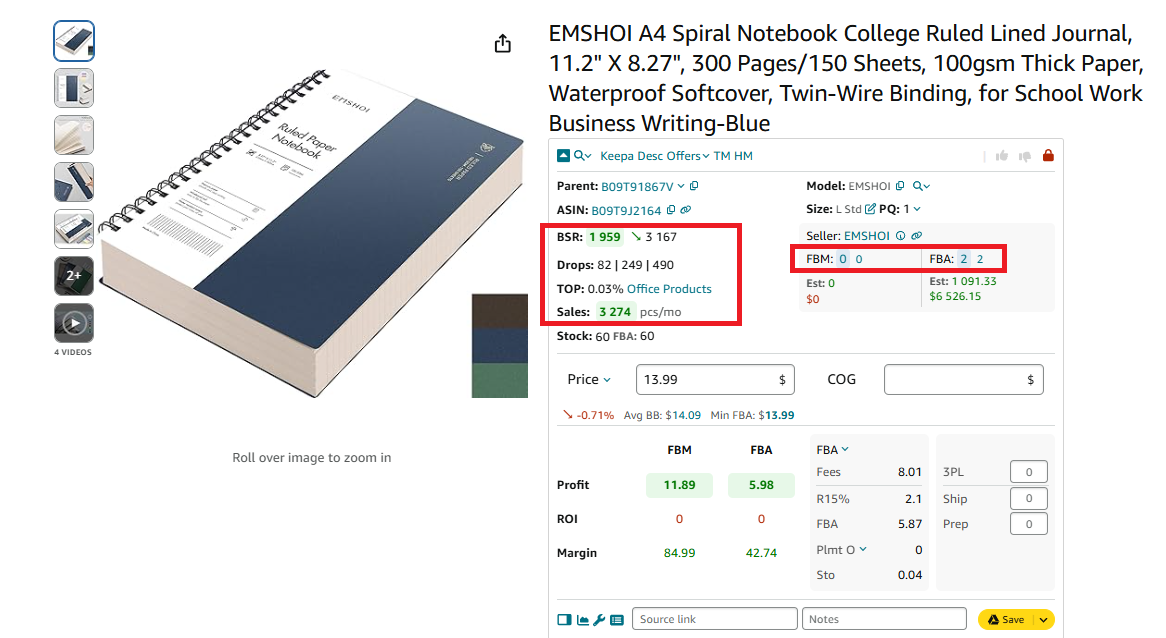
Popular products with moderate competition - reusable notebook
Growing demand for eco-friendly products but fewer sellers than traditional notebooks.
- Portable mini projectors
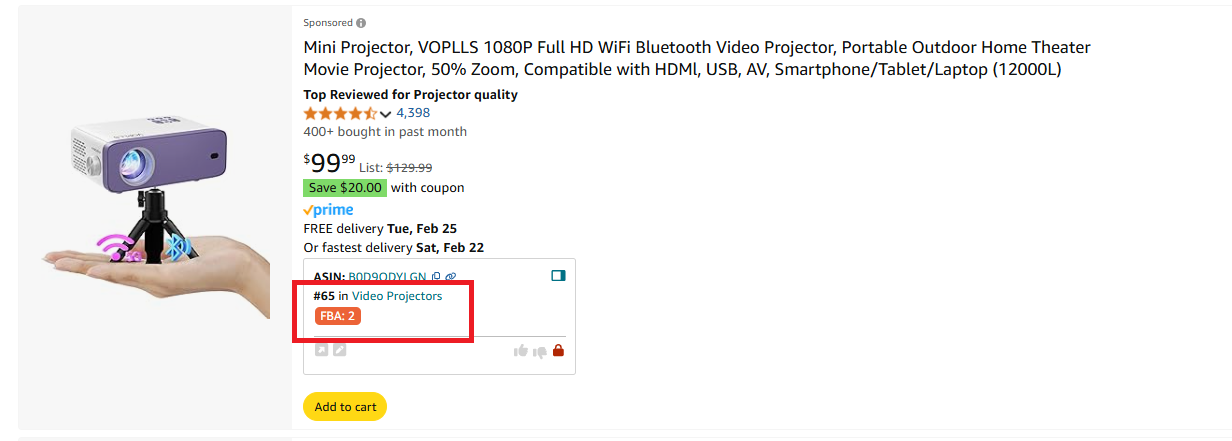
Popular products with moderate competition - Portable mini projector
A trending tech gadget that isn’t as competitive as mainstream electronics.
- Pet grooming gloves
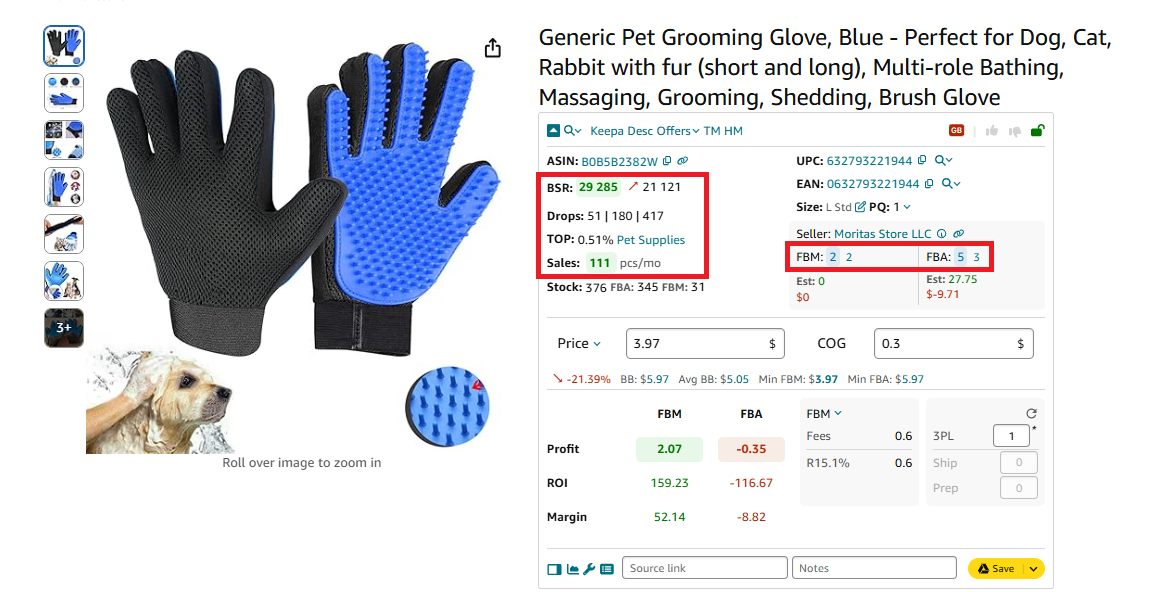
Popular products with moderate competition - Pet grooming gloves
A niche pet care product that sells consistently but isn’t dominated by big brands.
- Desk exercise equipment
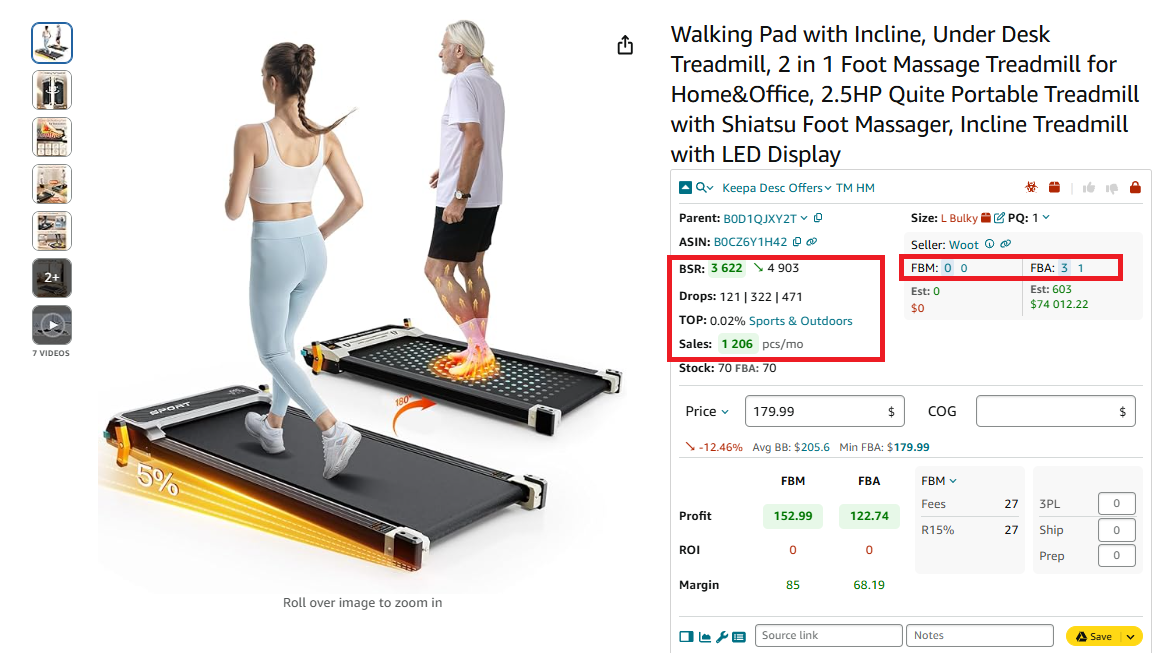
Popular products with moderate competition - under-desk treadmill
Items like under-desk treadmills or pedal exercisers are rising in popularity but not as competitive as home gym equipment.
Amazon best selling categories and products: Examples
Below you can find some best-seller examples in the top 10 Amazon categories.
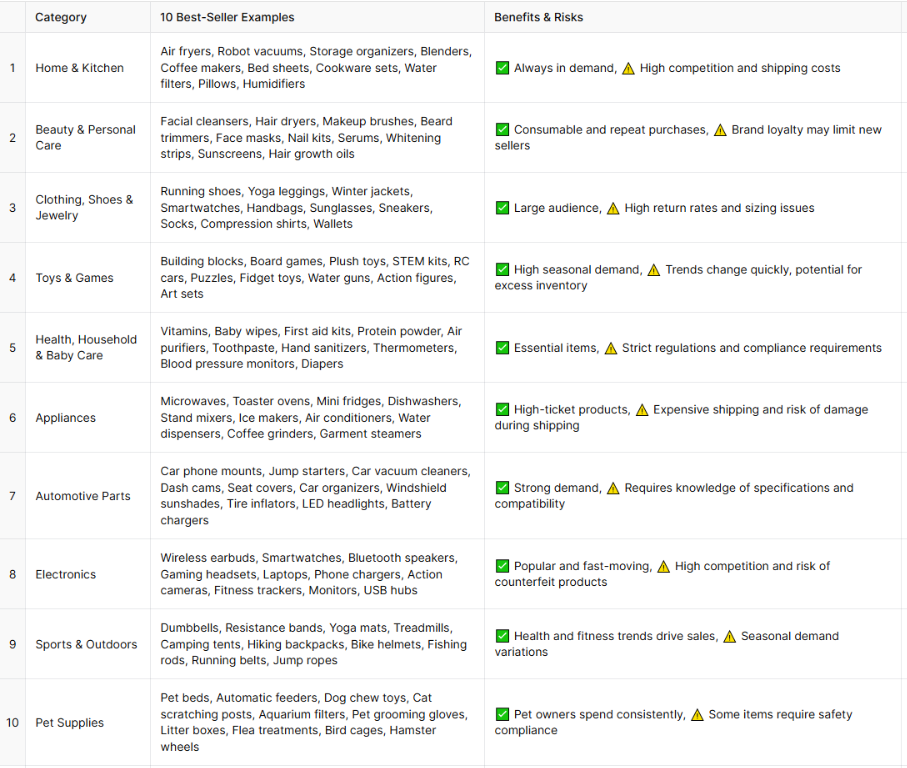
Some best-seller examples in the top 10 Amazon categories
How to Know a Product Is a Best Seller on Amazon?
Amazon assigns each product a Best Sellers Rank (BSR), which indicates how well an item sells in its category compared to other products. However, this doesn’t tell how many units of each product are sold monthly, and how fast it sells. Here’s how you can estimate it.
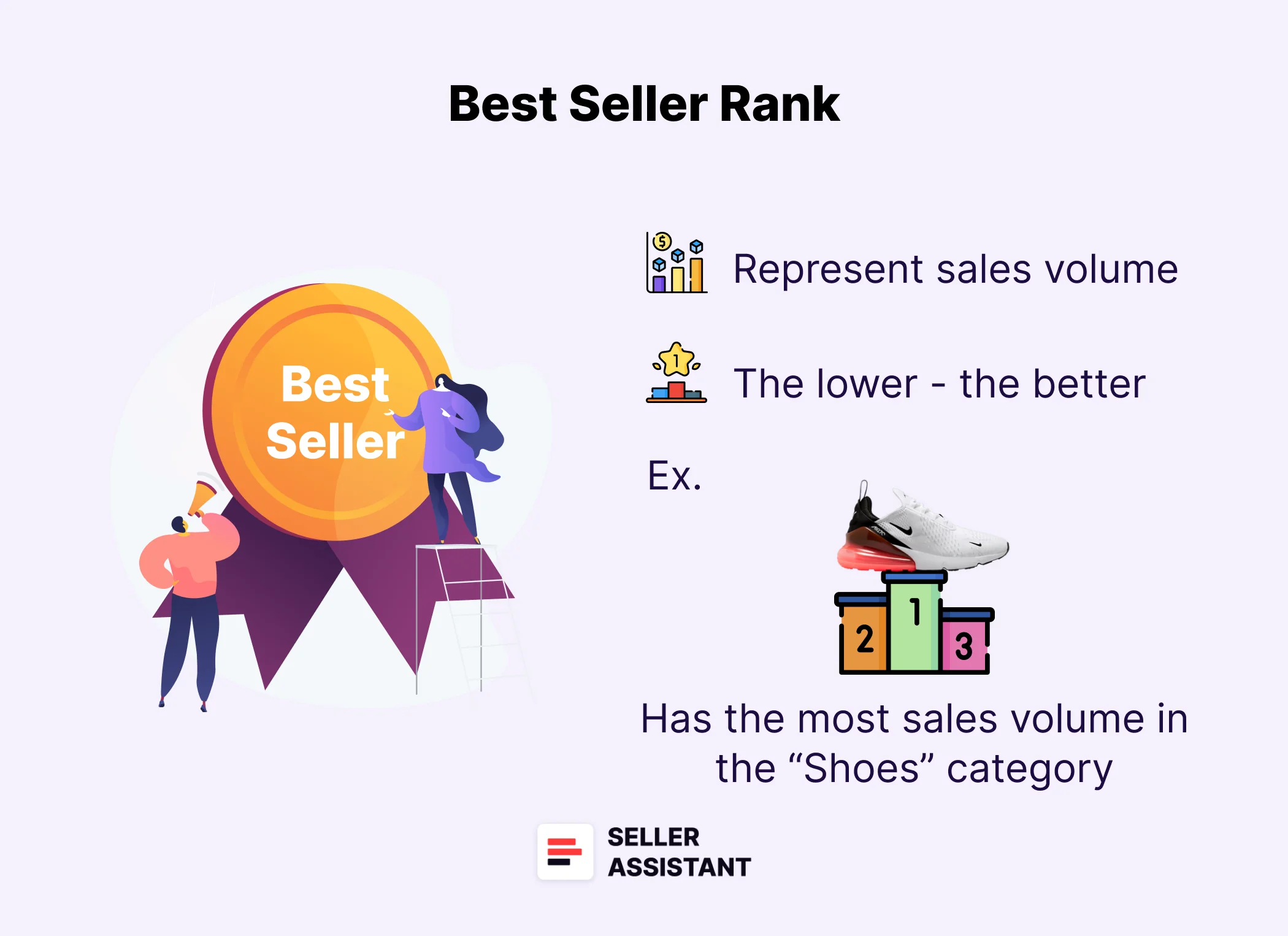
Best Seller Rank
What to look at
- BSR
BSR (Best Sellers Rank) shows how well the product sells compared to other products in its category. The lower the rank, the better the product sells. Amazon recalculates BSR all the time.
The lower the BSR number, the better the product is selling. A BSR of 1 means the product is the top-selling item in its category, while products with a BSR between 1 and 200,000 are generally considered to be selling well.
- BSR trend
BSR is not static; it changes constantly based on sales performance. You must look at the average BSR and the trend to understand how it sells.
- BSR drops
Another way to measure a product’s success is by monitoring BSR drops. BSR drops show how many units of the product were sold over a chosen period (e.g., the last month). This helps sellers estimate demand and decide whether a product is worth investing in.
- Sales velocity
Besides BSR, sellers should pay attention to sales velocity, which measures how fast a product sells. Slow-moving products can tie up your money and increase storage fees, especially if you’re using Amazon FBA.
A product is considered a slow-mover if its sales velocity is greater than 1%. This means it sells too slowly, making it riskier to invest in.
Use Seller Assistant for quick product data
To quickly analyze these key sales indicators, sellers can use Seller Assistant, a powerful product sourcing tool that displays crucial data everywhere you need.
- On Amazon product pages
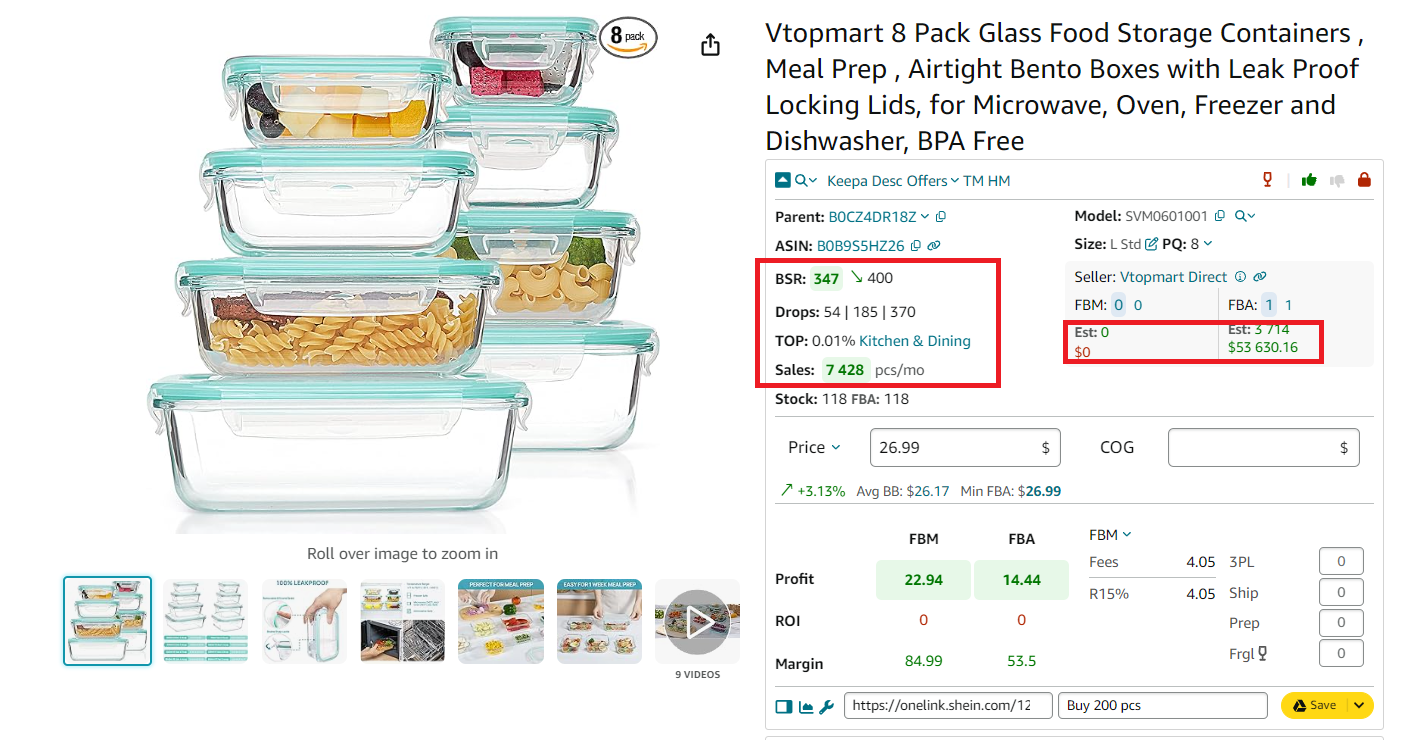
Seller Assistant on Amazon product pages
- On Amazon search pages
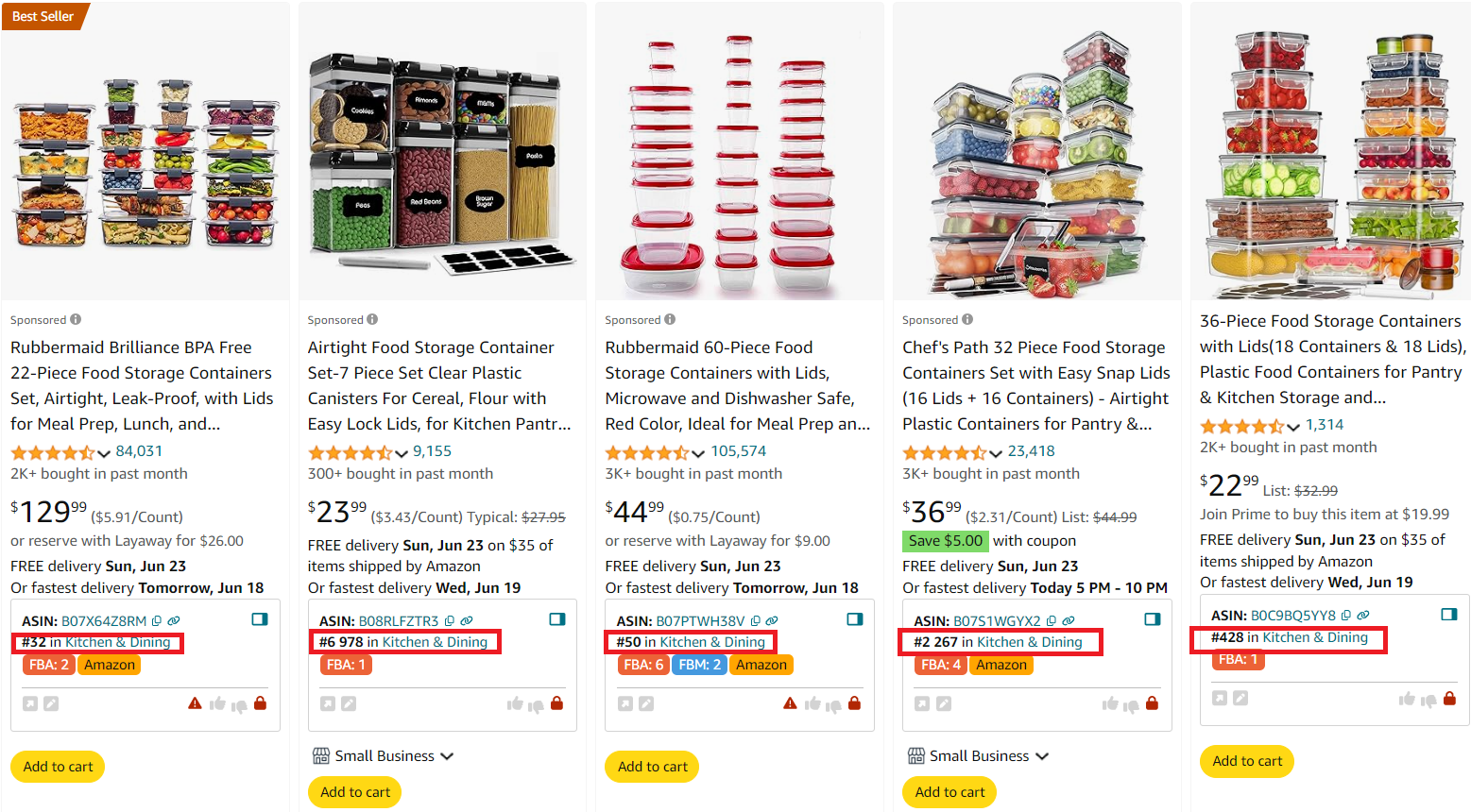
Seller Assistant on Amazon search pages
- On supplier websites
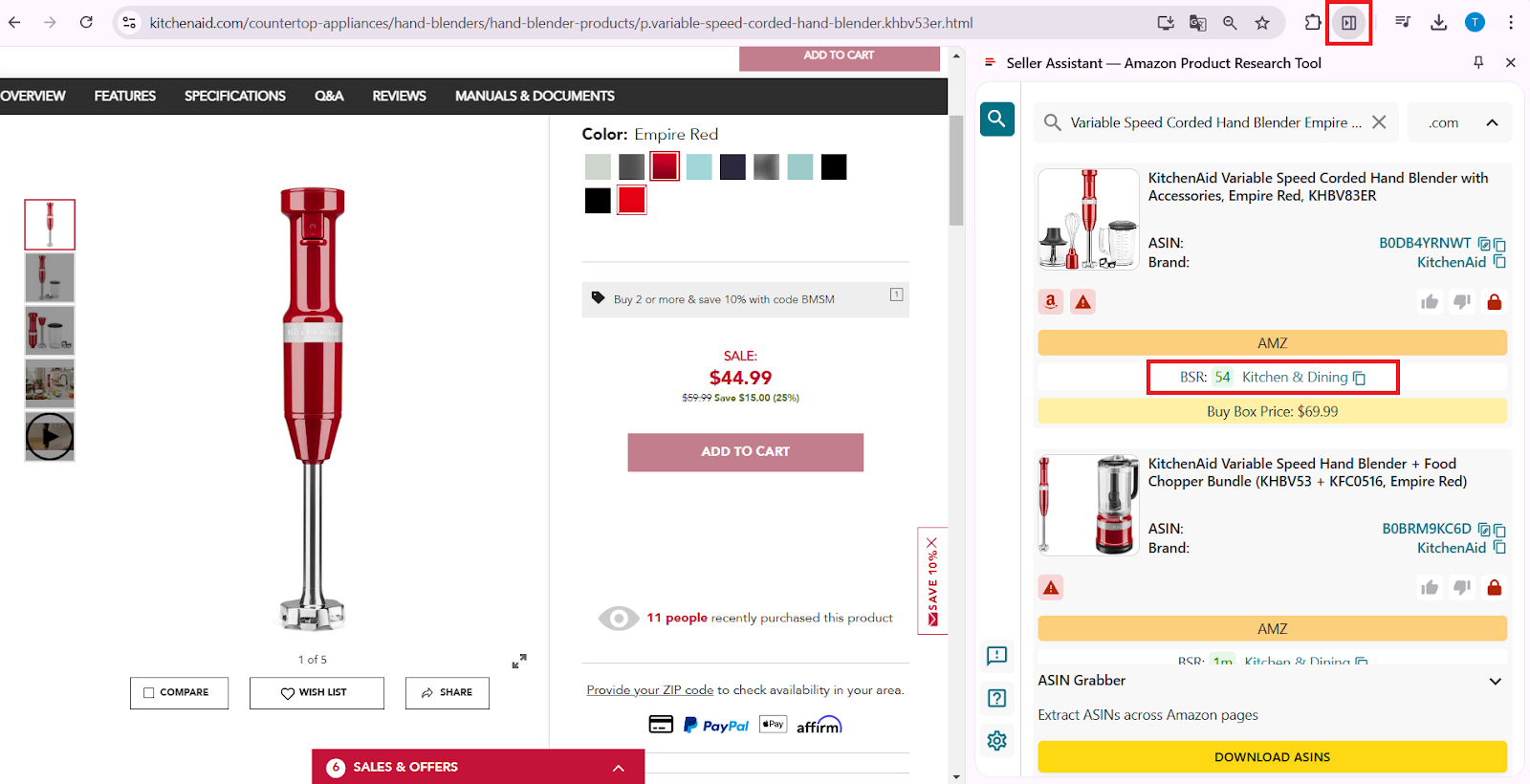
Seller Assistant on supplier websites
- On your Amazon competitor storefronts.
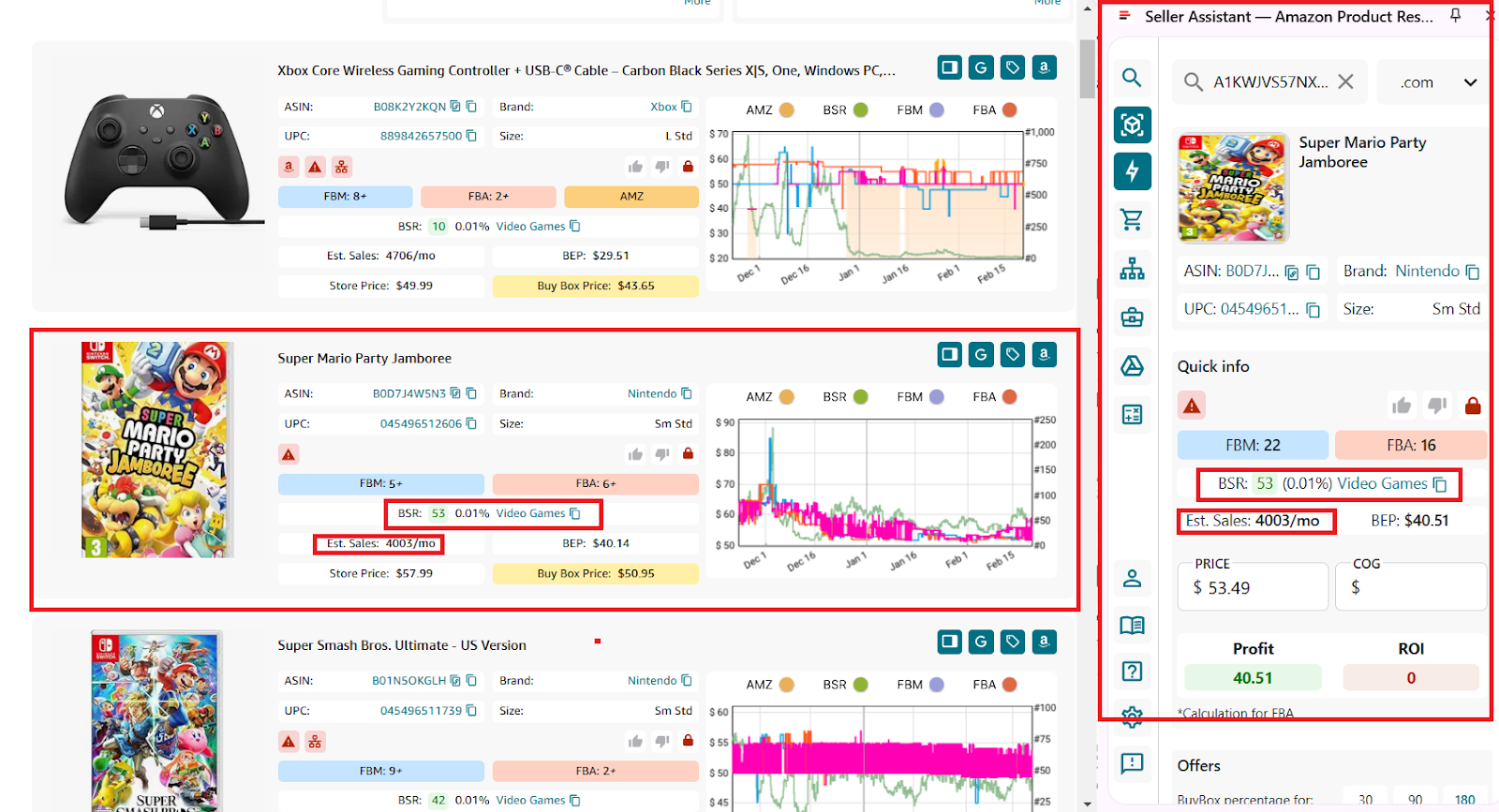
Side Panel View and Storefront Widget
With Seller Assistant, you can see:
✅ BSR number – Product’s rank in its category.
✅ BSR trends – A green down arrow next to BSR means sales are increasing, while a red up arrow means sales are dropping.
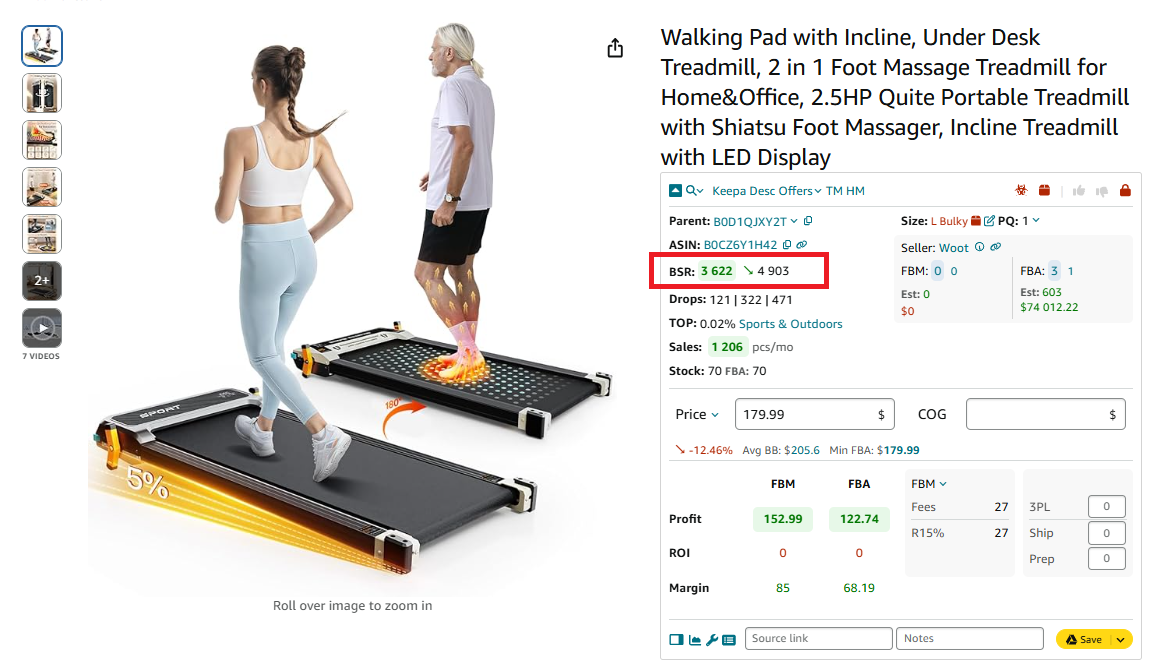
BSR number and trend
✅ BSR drops (Drops Field) – Shows how many units were sold over 30, 90, or 180 days, helping you predict demand.
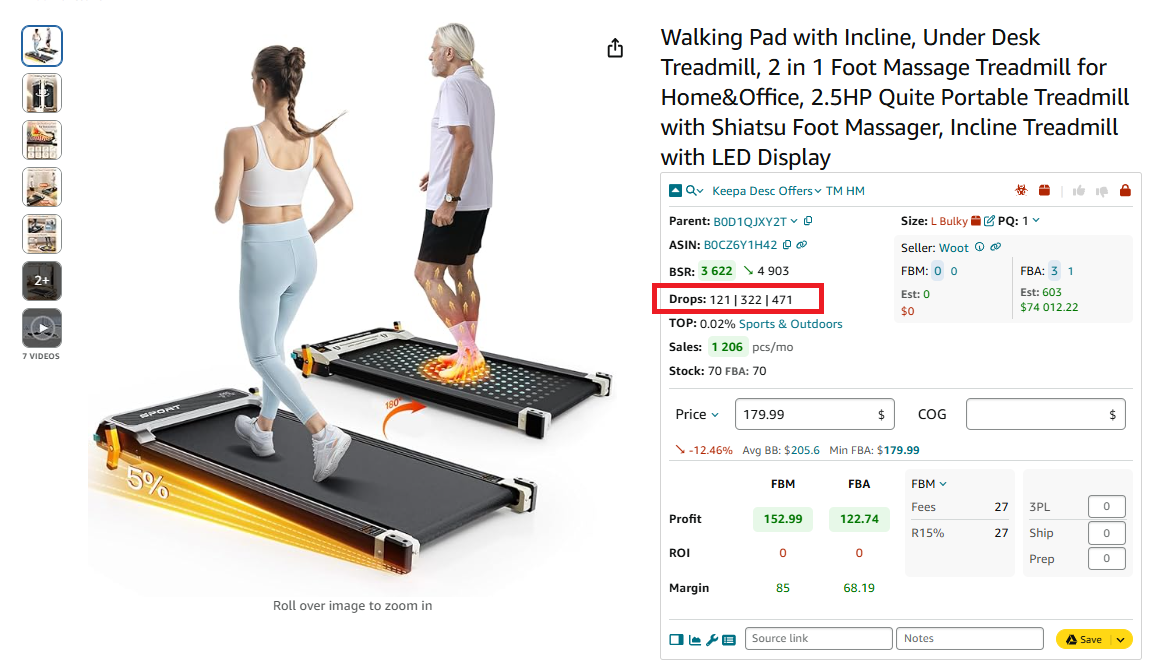
BSR drops
✅ Sales velocity (Top Field) – If the Top field is 0.5% or lower, the product is a strong seller. If it’s 1% or higher, the product is a slow-mover.
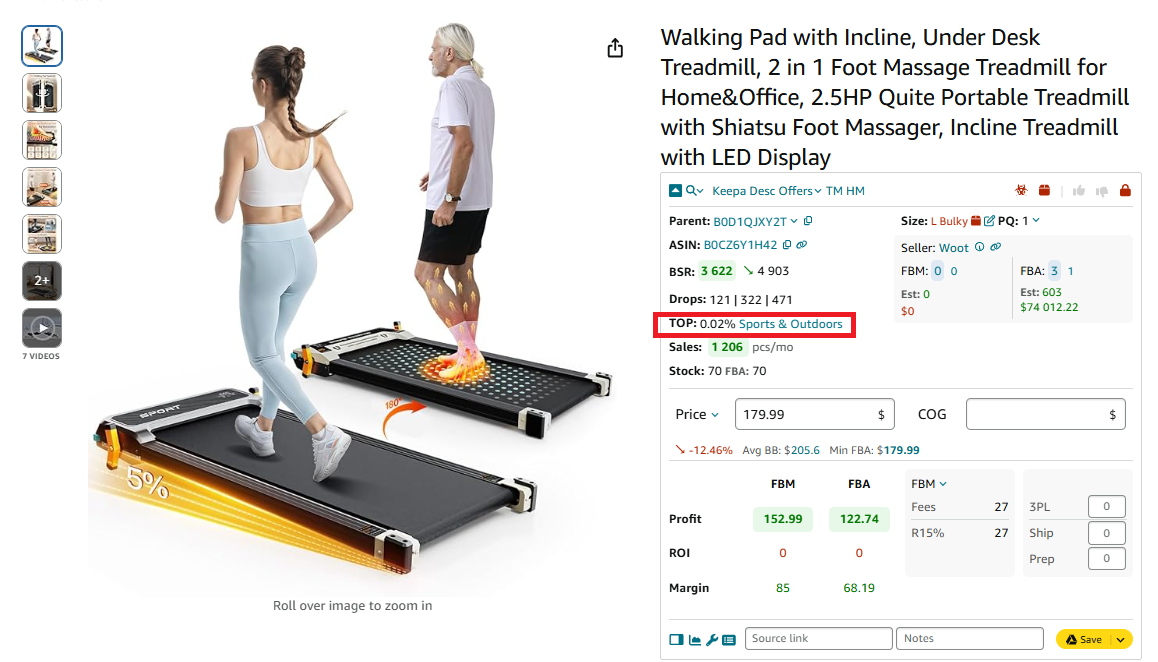
Sales velocity
✅ Potential sales (Sales Field) – Predicts the number of units sold based on BSR.
✅ Estimated sales per seller (Est Field) – Shows how many units you can sell if you join an existing listing.
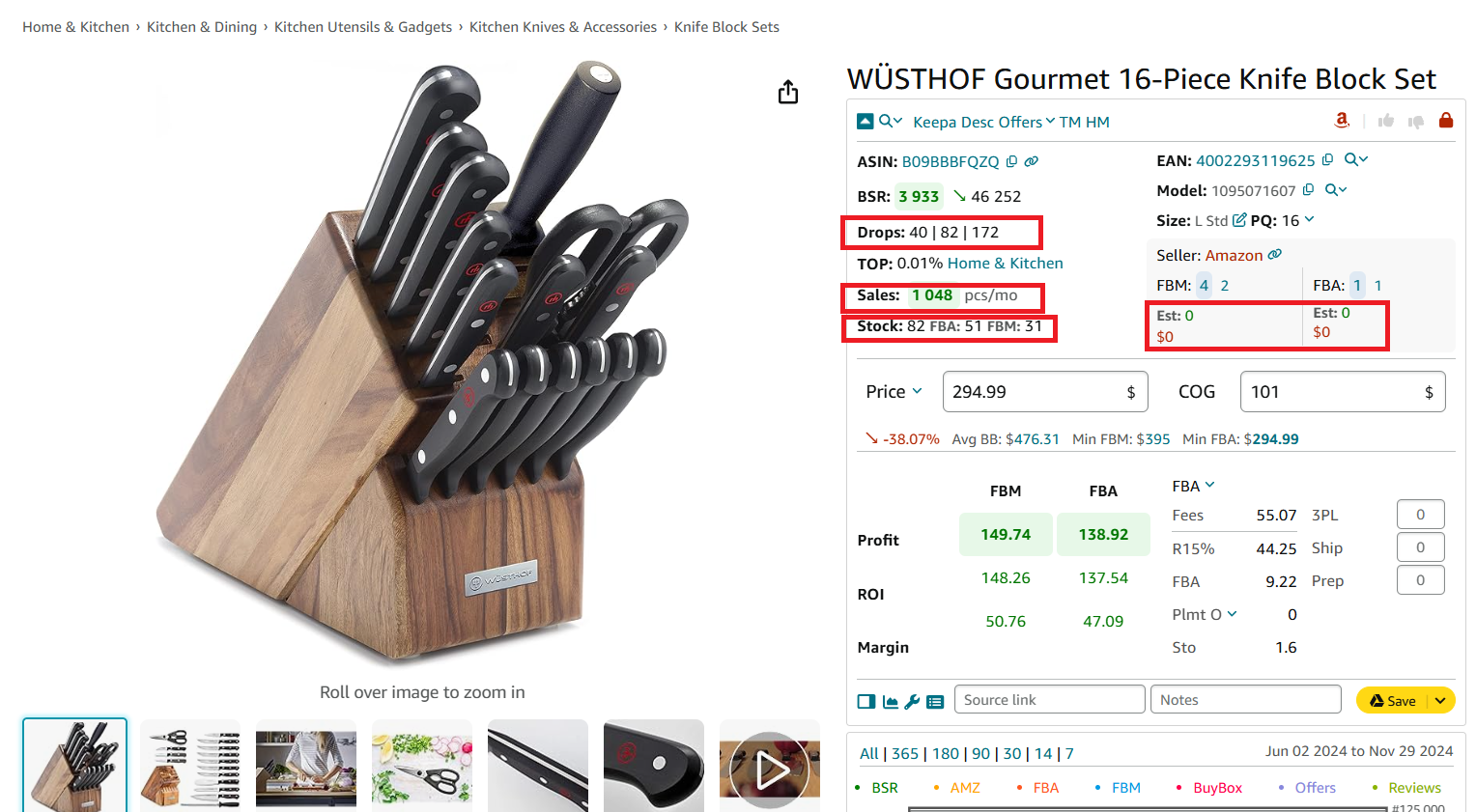
Potential sales based on BSR and Estimated sales per Seller
Example: How to estimate if a product sells well on Amazon
Let’s say you’re considering selling a travel plug adapter on Amazon. You find a listing that looks promising, but you want to analyze its sales performance before making a decision. Use Seller Assistant to estimate how the product sells.
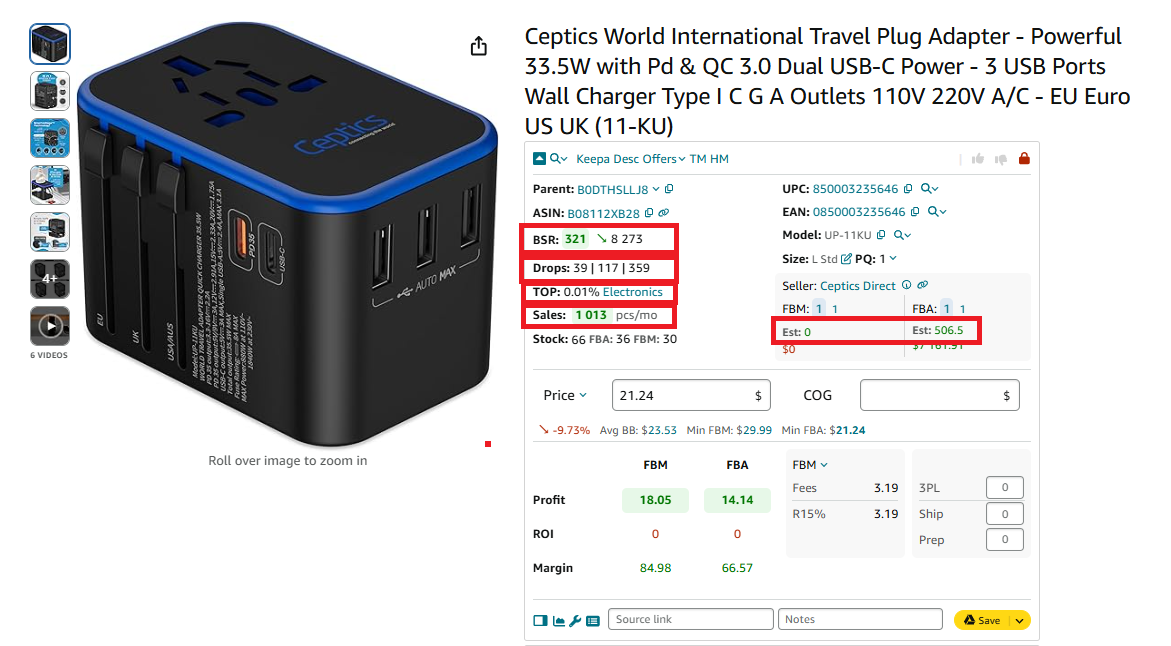
Use Seller Assistant to estimate how the product sells.
Step 1. Check the Best Sellers Rank (BSR)
You look at the product’s BSR in its main category (Electronics) and see that it’s ranked 321, which is a high rank.
📌 Interpretation
Since BSR between 1 and 200,000 indicates a selling product, this projector qualifies.
The lower the BSR, the faster the sales. A BSR under 10,000 in Electronics suggests strong sales.
Step 2. Analyze BSR trends
You can see that the average BSR over 180 days is 4,217. The arrow next to current BSR is green and points down indicating growing sales.
📌 Interpretation
A decreasing BSR trend means sales are improving, which is a positive sign.
If the BSR had been increasing, that would indicate slowing sales.
Step 3. Check BSR drops
The Drops Field in Seller Assistant shows 39 drops in the past month.
📌 Interpretation
Each drop represents a sale, meaning at least 39 units were sold in the last 30 days.
More drops indicate stronger demand.
Step 4. Evaluate sales velocity
The Top Field in Seller Assistant shows 0.01%, meaning the product is selling quickly.
📌 Interpretation
A Top value of 0.5% or lower is ideal, meaning this product has a good sales velocity.
If the Top was 1% or higher, the product would be a slow-mover and might not be a good choice.
Step 5. Estimate your sales potential
The Est Field shows that, based on current sales trends, you could sell around 506 units per month if you joined this listing.
📌 Interpretation
If this sales volume meets your expectations and you can source the product profitably, it could be a good investment.
Final decision
✅ The travel plug adapter is a strong seller based on its low BSR, improving trend, frequent BSR drops, and good sales velocity.
⚠️ However, you must review other risks in Seller Assistant (if you can sell a product on your Amazon account, restrictions, etc.), and calculate profitability.
Note. Seller Assistant is all-in-one product-sourcing software offering 20+ tools that helps Amazon sellers quickly find profitable and low-risk deals. It provides you with effective solutions for bulk wholesale price list scanning and brand analysis alongside advanced product research extensions, tools, and features providing you with in-depth product research data.
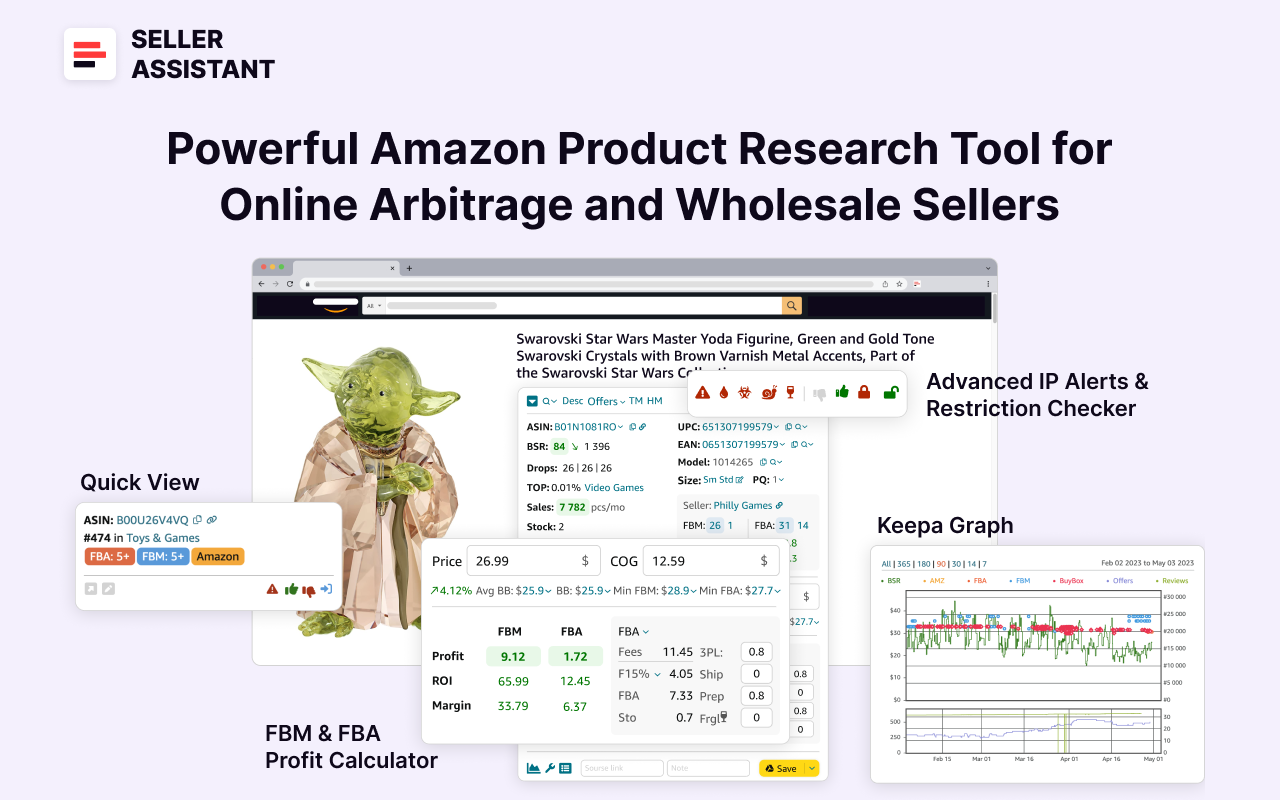
Seller Assistant
It combines three extensions: Seller Assistant Browser Extension, and IP-Alert Chrome Extension by Seller Assistant, and VPN by Seller Assistant, Amazon seller tools: Price List Analyzer, Brand Analyzer, Seller Spy, Bulk Restrictions Checker, and API integrations, and features: Side Panel View, Storefront Widget, Quick View, FBM&FBA Profit Calculator, Sales Estimator, Offers, Variation Viewer, Stock Checker, and offers secure and efficient solutions for teamwork.
How to Find Best-Selling Products for Amazon?
When looking for deals to sell on Amazon, you must quickly identify how well a product sells to ensure that Amazon customers will buy it fast and you can make a profit. Seller Assistant helps speed up this process by analyzing both individual products and bulk product lists, providing you with all the necessary data in one place.
Below are three proven methods to identify popular products that sell well on Amazon.
Method 1. Automated wholesale list scanning
What it is
Automated wholesale list scanning allows sellers to analyze bulk product lists from suppliers to find profitable items quickly. This method is ideal for wholesale and online arbitrage sellers managing large product catalogs.
What is achieved
The goal is to filter out high-margin, low-risk products from supplier catalogs, helping sellers save time and avoid costly inventory mistakes.
How it works
Use Seller Assistant’s Price List Analyzer. Refine their product search by applying specific criteria such as profitability, sales performance, category, brand, and product warnings. This helps sellers quickly identify high-margin deals while eliminating low-profit, slow-moving, or restricted products.
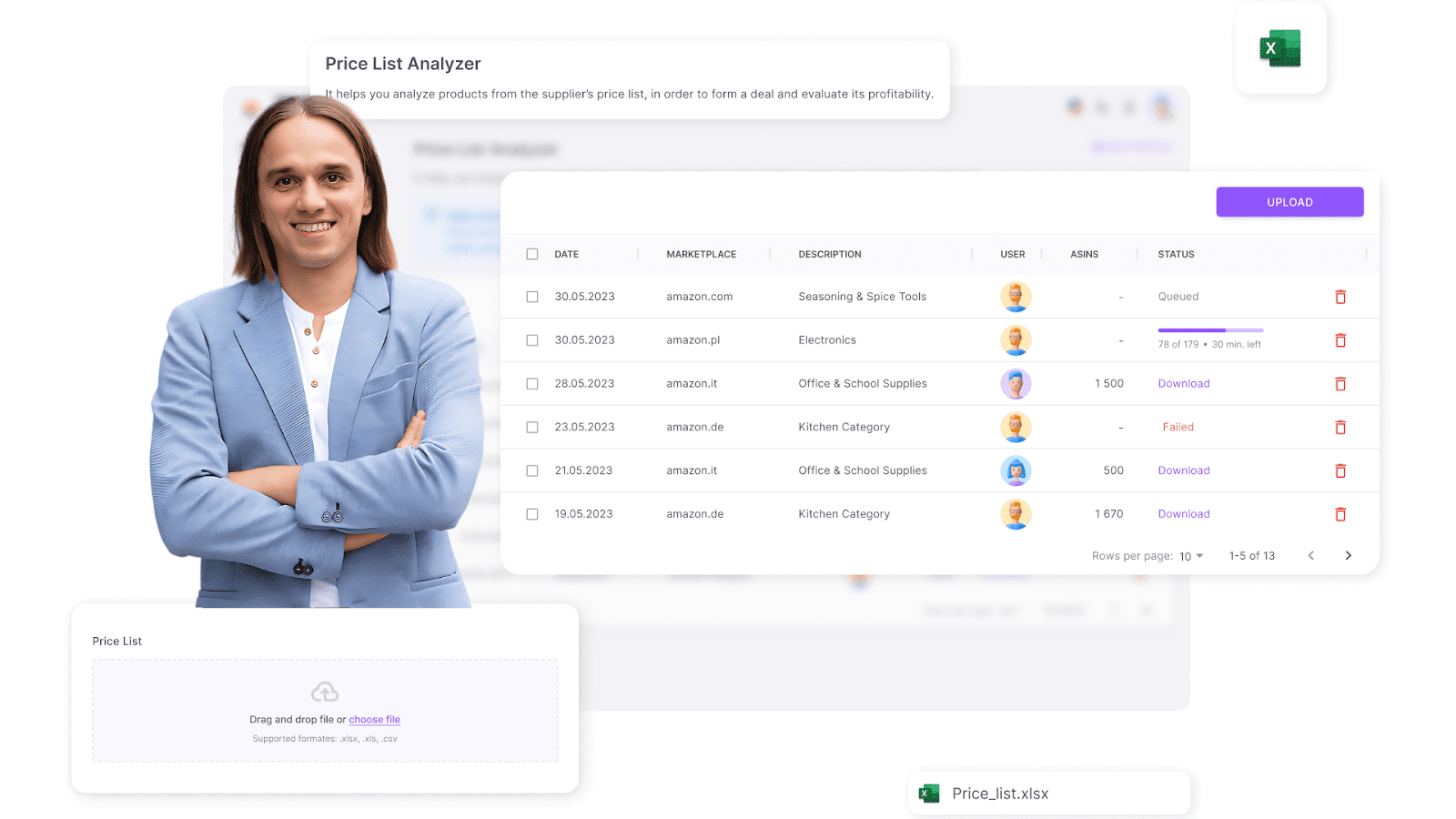
- Upload a supplier’s wholesale price list into the Price List Analyzer.
- The tool automatically matches products to Amazon listings.
- It calculates product performance metrics such as BSR, Drops, Top, estimated sales, profitability, and competition level. Filter products by desired metrics.
- It also flags potential issues like high competition, IP complaints, or product restrictions.
Who is it good for?
- Wholesale sellers needing to process large supplier catalogs.
- Online arbitrage sellers managing bulk product sourcing and scraping supplier data.
Method 2. Find deals with in-depth product research
What it is
This method involves manually researching individual products to analyze their sales performance, competition, and risks. It’s perfect for sellers who prefer a hands-on approach to sourcing.
What is achieved
The goal is to thoroughly vet each product before adding it to your inventory, ensuring it meets performance, sales and profit expectations.
How it works
- Search for products on Amazon Best Sellers, Amazon Movers & Shakers, Hot New Releases, Amazon Most Wished For, or in other places.
- Use Seller Assistant Extension to analyze product performance in real-time on Amazon product pages or Side Panel View on the supplier websites.
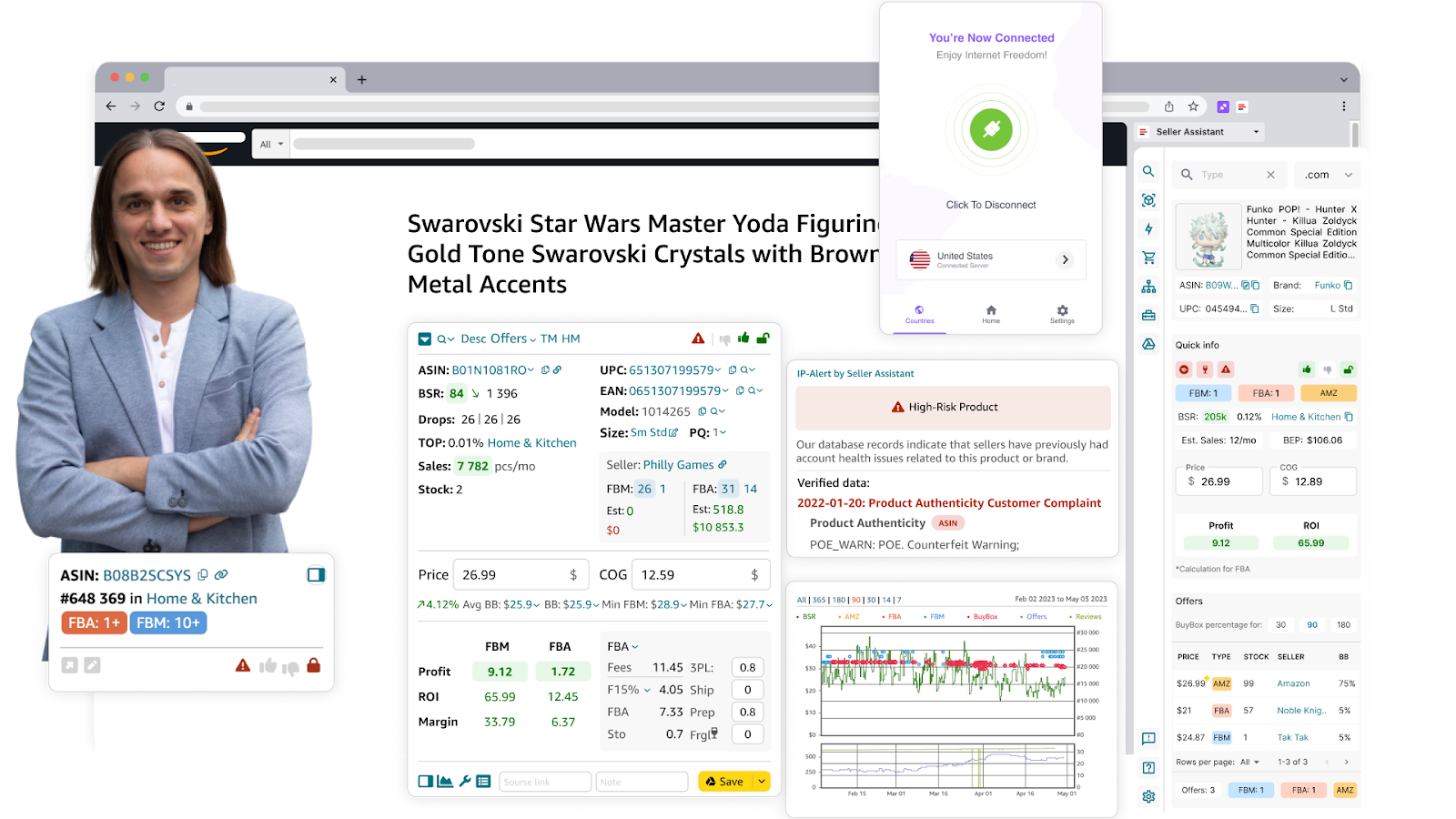
Seller Assistant Extension
- View detailed data such as BSR, Drops, estimated sales, profitability, and risk warnings to make informed decisions.
Who is it good for?
- Online arbitrage sellers needing deep product analysis.
- Dropshippers manually sourcing products in online stores.
Method 3. Research your competitors to sell what they sell
What it is
This strategy involves analyzing competitor storefronts to discover high-demand, low-competition products they are successfully selling, and add the same to your own store. It’s an efficient way to identify profitable deals and avoid trial-and-error product selection.
What is achieved
The goal is to spot profitable competitor deals, analyze pricing strategies, and discover market gaps to optimize your own product selection.
How it works
Use Seller Assistant’s Storefront Widget.
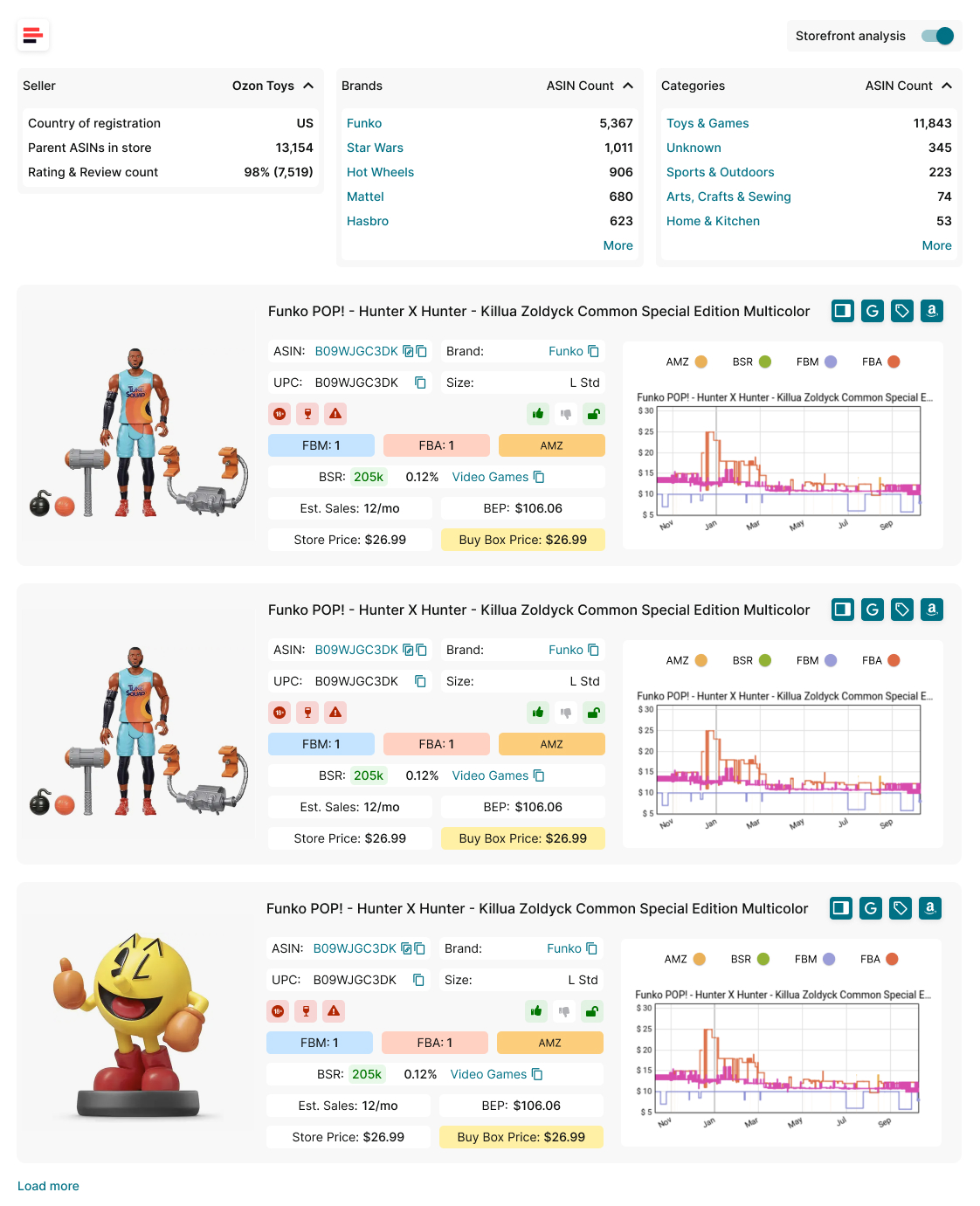
Storefront Widget
- Visit a competitor’s storefront on Amazon.
- The Storefront Widget loads automatically, showing key storefront insights.
- View store summary statistics, including total product count, best-selling brands, ratings, and reviews.
- Analyze individual product performance with metrics like BSR, Drops, estimated sales, pricing, competition level, and restrictions.
- Sort and filter results by brand or category to focus on profitable niches.
Who is it good for?
- Online arbitrage sellers looking for high-demand, low-competition products.
- Wholesale sellers identifying best-selling brands and supplier opportunities.
- Dropshippers finding trending competitor products to list in their stores.
FAQ
How can I check if a product is a best-seller on Amazon?
You can check a product’s Best Sellers Rank (BSR) in its category – the lower the number, the better it sells. A BSR between 1 and 200,000 usually indicates a strong-selling product.
Why is it important to track BSR trends instead of a single BSR number?
BSR changes frequently based on sales performance, so a single number doesn’t tell the full story. Tracking trends over time helps you see if sales are increasing or decreasing.
What is sales velocity, and why does it matter?
Sales velocity measures how fast a product sells compared to its total listings. A product with sales velocity above 1% is a slow-mover, which can lead to storage fees and tied-up capital, especially for FBA sellers.
How can I find best-selling products quickly?
You can use Amazon Best Sellers, Movers & Shakers, and competitor storefronts to spot high-demand items. Tools like Seller Assistant automate this process, showing BSR, estimated sales, and competition levels instantly.
How does Seller Assistant help find profitable products?
Seller Assistant provides real-time data on BSR, Drops, sales velocity, competition, and estimated sales directly on Amazon product pages. This helps sellers avoid slow-movers, reduce risks, and make data-driven decisions.
Final Thoughts
Finding best-selling products on Amazon is key to running a successful and profitable business. By analyzing BSR, sales trends, sales velocity, and competitor storefronts, you can make informed decisions and choose products that sell fast and generate revenue.
Using tools like Seller Assistant simplifies this process by providing real-time product data, bulk analysis, and competitor insights, saving you time and minimizing risks. Whether you’re a wholesale seller, online arbitrage seller, or dropshipper, these strategies will help you identify profitable opportunities and avoid slow-moving inventory.
Seller Assistant is an all-in-one product sourcing software offering all the features vital for product sourcing. It combines three extensions: Seller Assistant Extension, IP Alert, and VPN by Seller Assistant, tools: Price List Analyzer, Seller Spy, Bulk Restrictions Checker, and API integrations, and features: Side Panel View, FBM&FBA Profit Calculator, Quick View, ASIN Grabber, UPC/EAN to ASIN converter, Stock Checker, and other features that help quickly find high-profit deals. Seller Assistant also offers integration with Zapier allowing to create custom product sourcing workflows.


