


Online arbitrage and dropshipping are two popular business models for Amazon sellers. Both models have their own advantages and disadvantages, so it’s essential to understand the differences between them before you decide which one is right for you.
Online arbitrage is a good option if you’re looking for a low-risk business model with the potential for high profits. However, dropshipping may be a better choice if you’re short on time or don’t want to deal with inventory management.
In this post, we’ll take a closer look at their pros and cons and help you decide which one suits you best.
What Is Online Arbitrage?
What Is Online Arbitrage?
Related: Seller Assistant Extension
Seller Assistant — the Ultimate Tool for Amazon Online Arbitrage
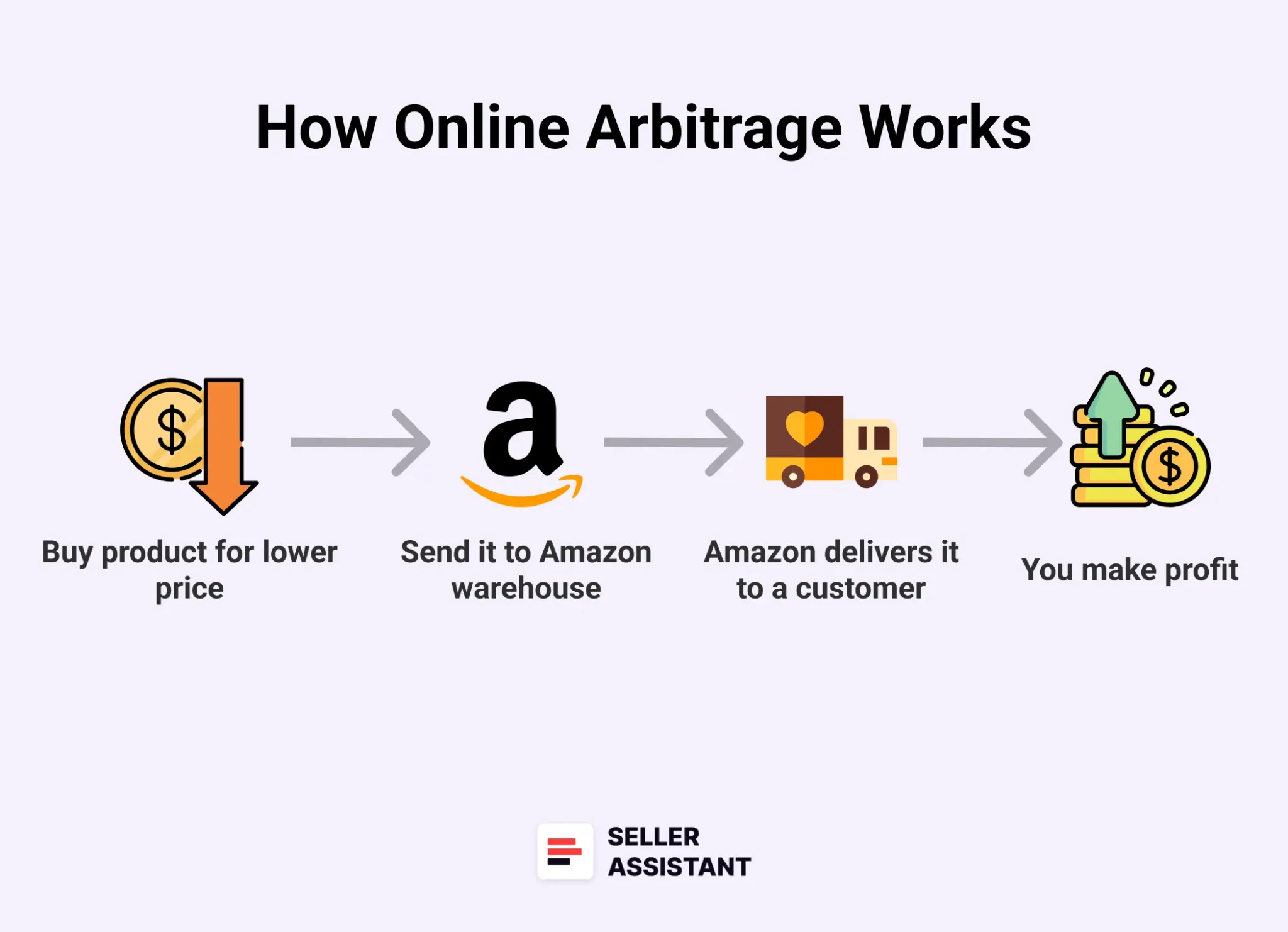
Online arbitrage (OA) is the practice of purchasing products from one online retailer and reselling them for a profit on another online marketplace, such as Amazon.
Online arbitrage is a low-barrier, high-potential way to start selling on Amazon – especially if you’re not ready to deal with suppliers or large upfront orders. At its core, OA is about finding price gaps: you buy products at a discount from online retailers, then resell them on Amazon for a profit.
Think of it like this: Target.com is running a clearance on branded electric toothbrushes for $29.99. On Amazon, the same item sells for $59. After Amazon’s fees, you still walk away with a solid margin – without ever stepping into a store.
It’s not just about finding “cheap” deals. Successful online arbitrage sellers use tools to spot trends, evaluate risk (like potential IP complaints), and automate as much as possible. That’s where sourcing software like Seller Assistant gives you a serious edge.
How online arbitrage works
Online arbitrage doesn’t require a warehouse or a huge upfront budget – but it does demand smart research and consistent execution. Here’s how it works, step-by-step.
Step 1. Sign up as an Amazon seller
Choose an Individual or Professional plan to get started via Amazon Seller Central.
Step 2. Spot profitable deals online
Scan online retailers manually or use Seller Assistant’s sourcing tools to uncover price mismatches.
Step 3. Run a product research
Use the Seller Assistant Extension to analyze profit margin, sales volume, eligibility, and risk factors like hazmat or IP flags.
Step 4. Decide how many units to buy
Use Seller Assistant’s Sales Estimator to assess how many product units you can sell monthly and your budget to decide. Start small to test demand before scaling.
Step 5. Place your order strategically
Use coupon codes, cashback, and loyalty points to boost your ROI when purchasing from retail sites.
Step 6. List your item on Amazon
Join an existing listing if it exists – or create your own if the product isn’t already in the catalog.
Step 7. Choose how you’ll fulfill orders
Pick between FBA (Amazon ships for you) or FBM (you ship it yourself).
Step 8. Price smartly
Use repricing tools to stay competitive and increase your chances of winning the Buy Box.
Step 9. Track performance and scale
Keep an eye on your numbers, manage stock, and automate what you can to grow faster.
Note. Seller Assistant is a comprehensive product-sourcing software that helps Amazon sellers quickly find high-profit deals. It combines three extensions: Seller Assistant Browser Extension, and IP-Alert Chrome Extension by Seller Assistant, and VPN by Seller Assistant, Amazon seller tools: Price List Analyzer, Brand Analyzer, Seller Spy, Bulk Restrictions Checker, and API integrations, and features: Side Panel View, FBM&FBA Profit Calculator, Quick View, ASIN Grabber, UPC/EAN to ASIN converter, Stock Checker, IP Alert, and Restrictions Checker.
Seller Assistant
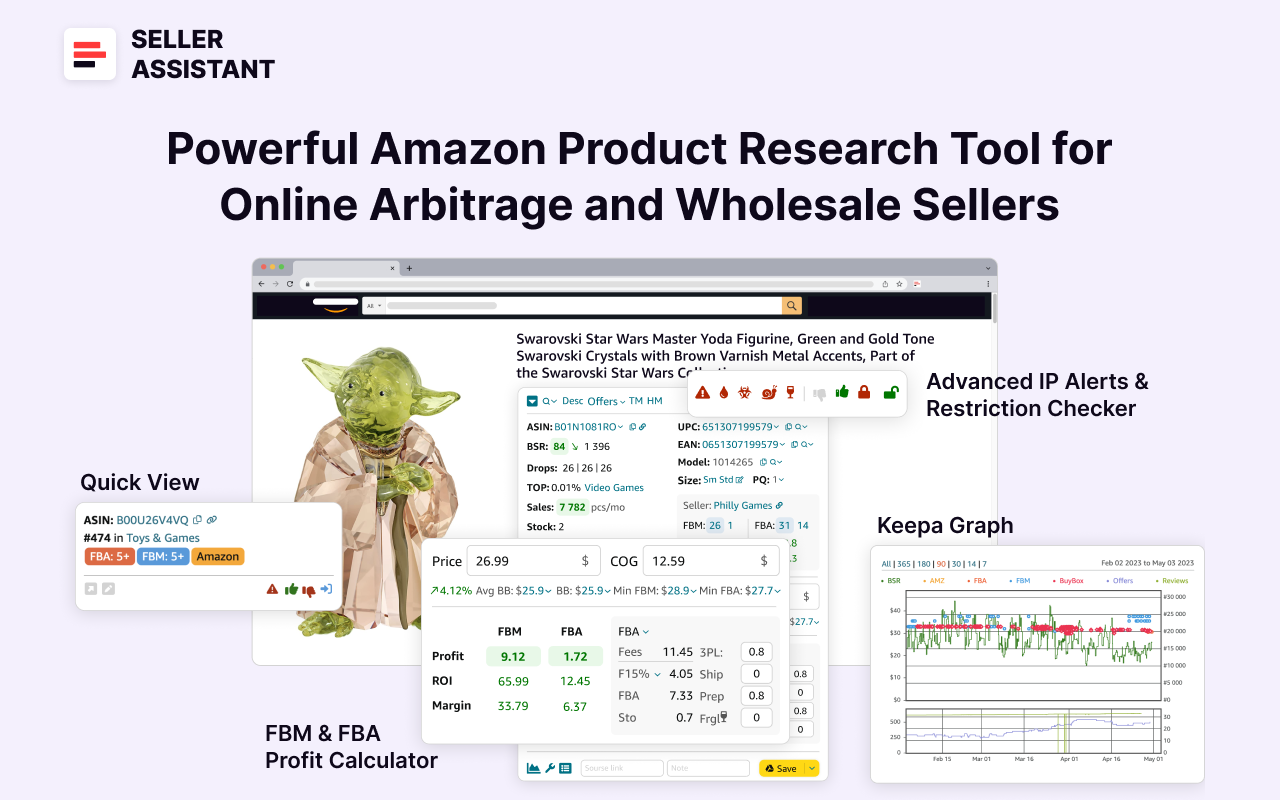
Seller Assistant shows all essential product data on Amazon search, product, and inventory pages, and on any website to help you find high-margin deals. By using this FBA and FBM product sourcing software, you can easily identify products that have the potential to be sold well on Amazon.
Related: 13 Rules of OA Product Research Tested by Pain and Gain of Amazon Seller
5 Steps to Grow Your Amazon Online Arbitrage Business
What Is Dropshipping?
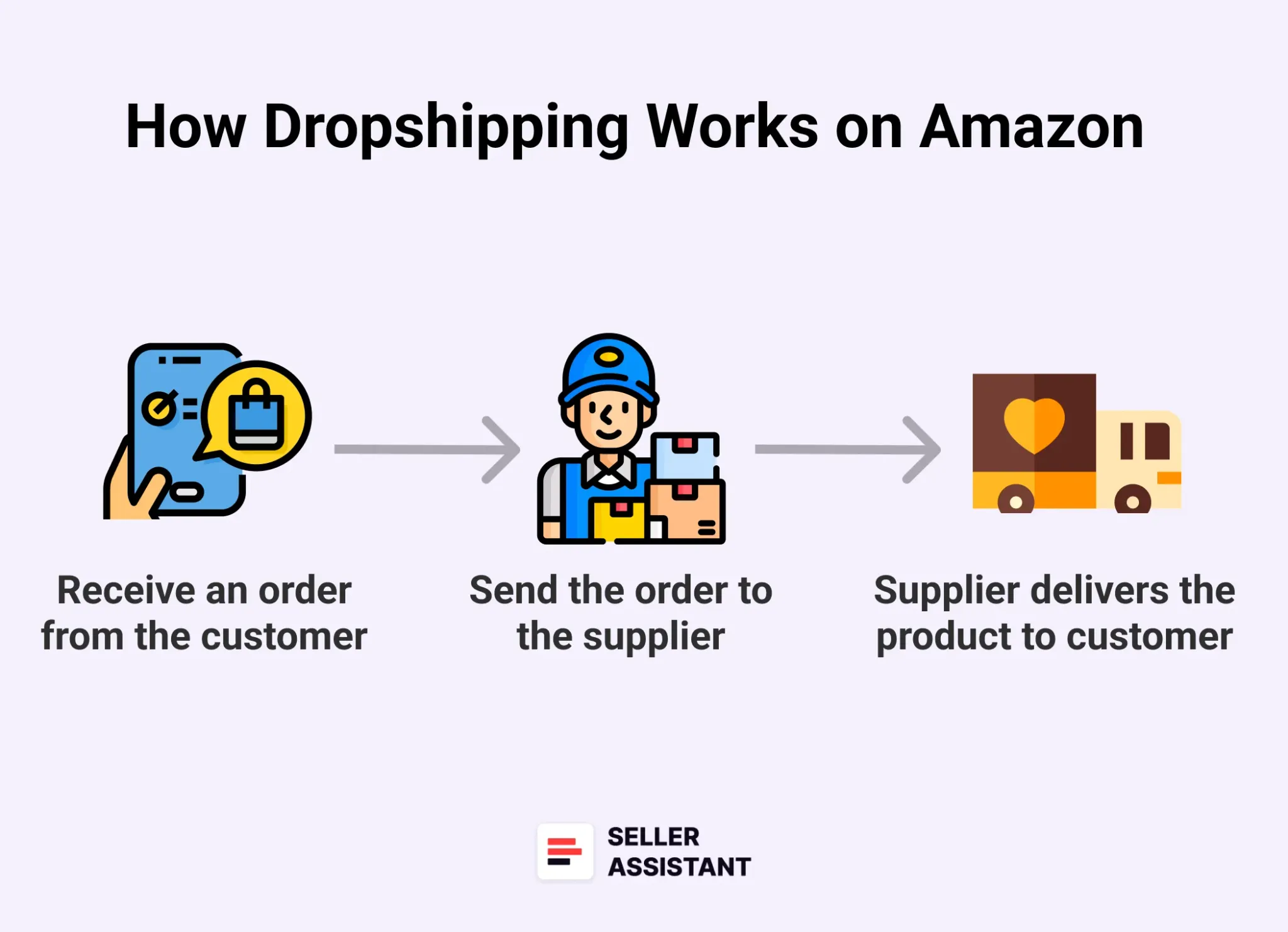
Dropshipping is a business model in which a seller does not keep any inventory they sell. When a customer places an order, the dropshipper buys the product from a third-party supplier. After that, the seller forwards the order to the supplier. The supplier ships it to the prep center chosen by dropshipper to repackage it in their name, and send the order to the customer. In this model, the seller doesn’t see or handle the inventory.
Dropshipping is one of the simplest ways to start selling on Amazon – no inventory, no warehouse, no bulk purchases. In this model, you only list products on Amazon. When a customer buys, your supplier handles the shipping – either directly to the buyer or through a prep center that repackages it to comply with Amazon’s strict policies.
Here’s an example: you find a set of kitchen knives from a U.S.-based supplier for $18.99. You list it on Amazon for $42. A customer places an order, and your supplier ships the product straight to them. After Amazon’s fees and product costs, you keep the margin – and never touch the inventory.
But there’s a catch: Amazon’s dropshipping rules are strict. The product can’t arrive in your supplier’s branded packaging or include third-party invoices. Done right, dropshipping is a smart, lean way to test product ideas with minimal upfront risk – especially when paired with tools like Seller Assistant that help automate the sourcing and compliance process.
How Amazon dropshipping works
How Amazon dropshipping works
Dropshipping seems easy on the surface – but to keep your account safe, you need to follow Amazon’s rules to the letter. Here’s a breakdown of how it works.
Step 1. Set up your Amazon seller account
Register under an Individual or Professional plan, based on your expected volume and features needed.
Step 2. Find a reliable supplier
Look for suppliers who offer good prices, fast shipping, and flexibility to ship via a prep center if needed.
Step 3. Select your product
Use Seller Assistant Extension to analyze demand, margins, Amazon compliance, and product restrictions.
Step 4. List it on Amazon
Add the product using its ASIN or create a new listing – just make sure it’s fully compliant.
Step 5. Wait for a customer to order
Once an order is placed, Amazon alerts you immediately.
Step 6. Send the order to your supplier
Include the product details and shipping address. Make sure they follow Amazon’s packaging rules.
Step 7. Choose fulfillment path
- Option A: Ship directly to the customer in generic packaging.
- Option B: Ship to a prep center first for reboxing and branding compliance.
Step 8. Repackage at the prep center (if needed)
This extra step ensures your package arrives without third-party branding or invoices – critical for policy compliance.
Step 9. Product arrives, you get paid
The customer receives the item, and you collect the difference between your sale price and supplier cost.
Related: Do You Need a Business License to Sell on Amazon?
12 Ways to Make Money on Amazon
Difference between Online Arbitrage and Dropshipping
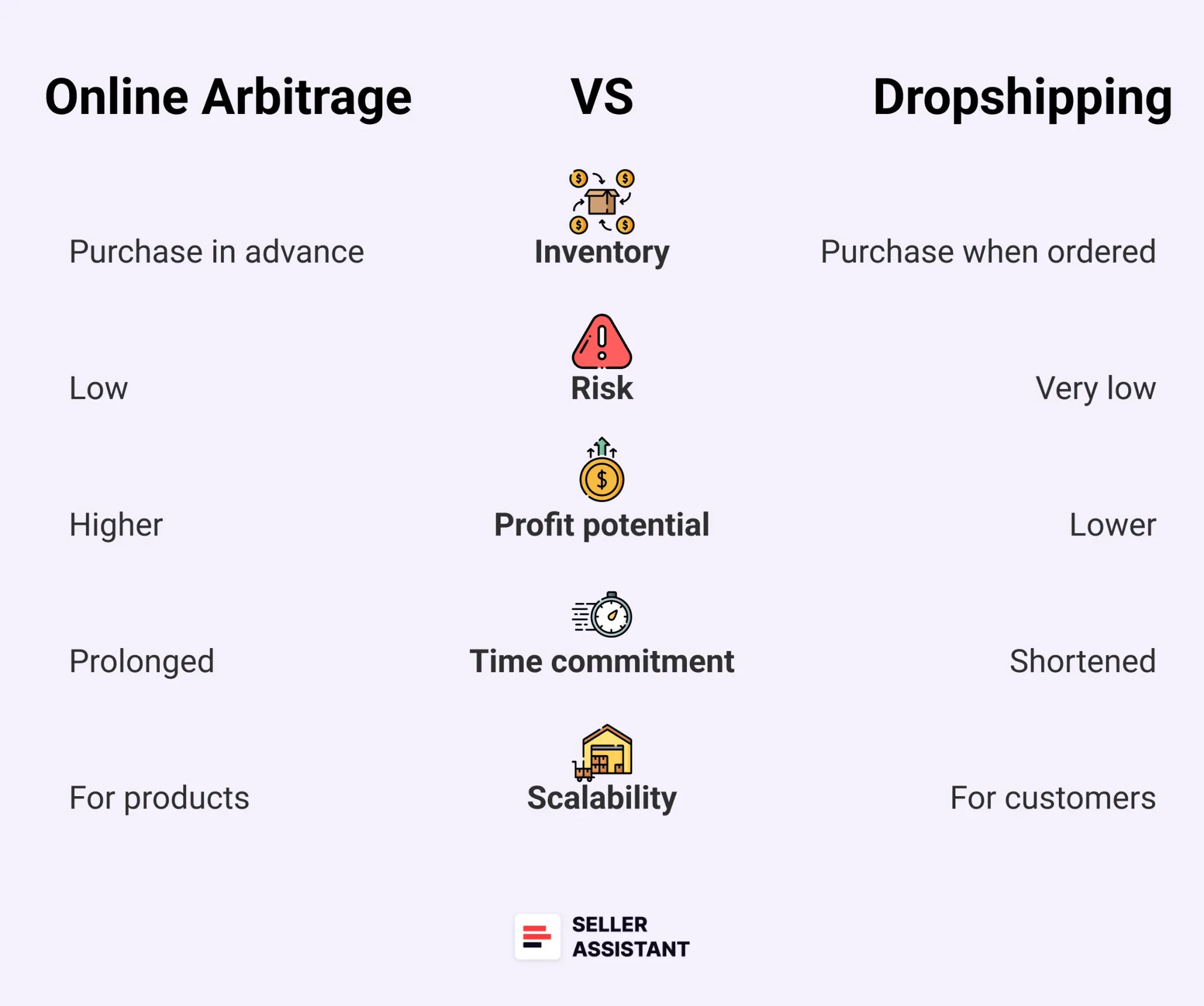
Difference between Online Arbitrage and Dropshipping
At a glance, online arbitrage and dropshipping might seem similar – both let you sell on Amazon without manufacturing products. But the key difference lies in how inventory is handled and who ships the product.
In online arbitrage, you buy inventory upfront from online retailers, store it temporarily (or ship it to Amazon via FBA), and make a profit on the resale. In dropshipping, you never hold inventory – your supplier fulfills each order on demand. This makes OA better for higher control and scalability, while dropshipping is ideal for testing products with minimal risk.
Online arbitrage is a low-risk business model and can make you essential money, but it takes a lot of time to find profitable online arbitrage leads. With dropshipping, you don’t have to worry about prepaying products or sending them out to customers. However, you will typically make less profit with dropshipping than online arbitrage and have less control over the delivery process.
Let’s break it down.
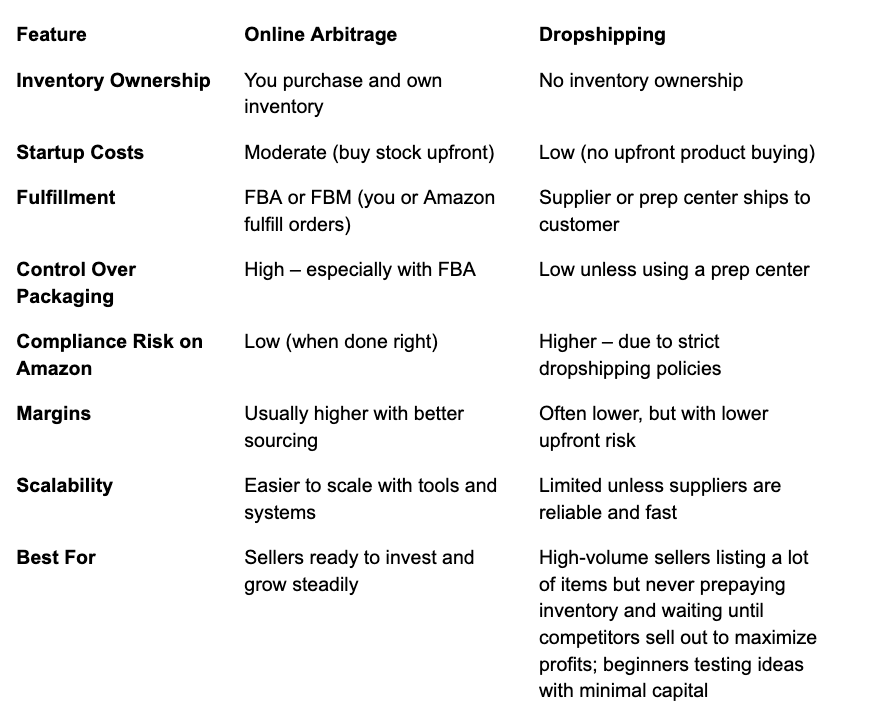
Difference between Online Arbitrage and Dropshipping
Related: Amazon Online Arbitrage: How to Make Money
Best Product Ideas for Amazon FBA
Pros and Cons of Online Arbitrage
Online arbitrage can be a low-risk way to sell on Amazon, but it’s essential to be aware of its potential upsides and downs before starting.
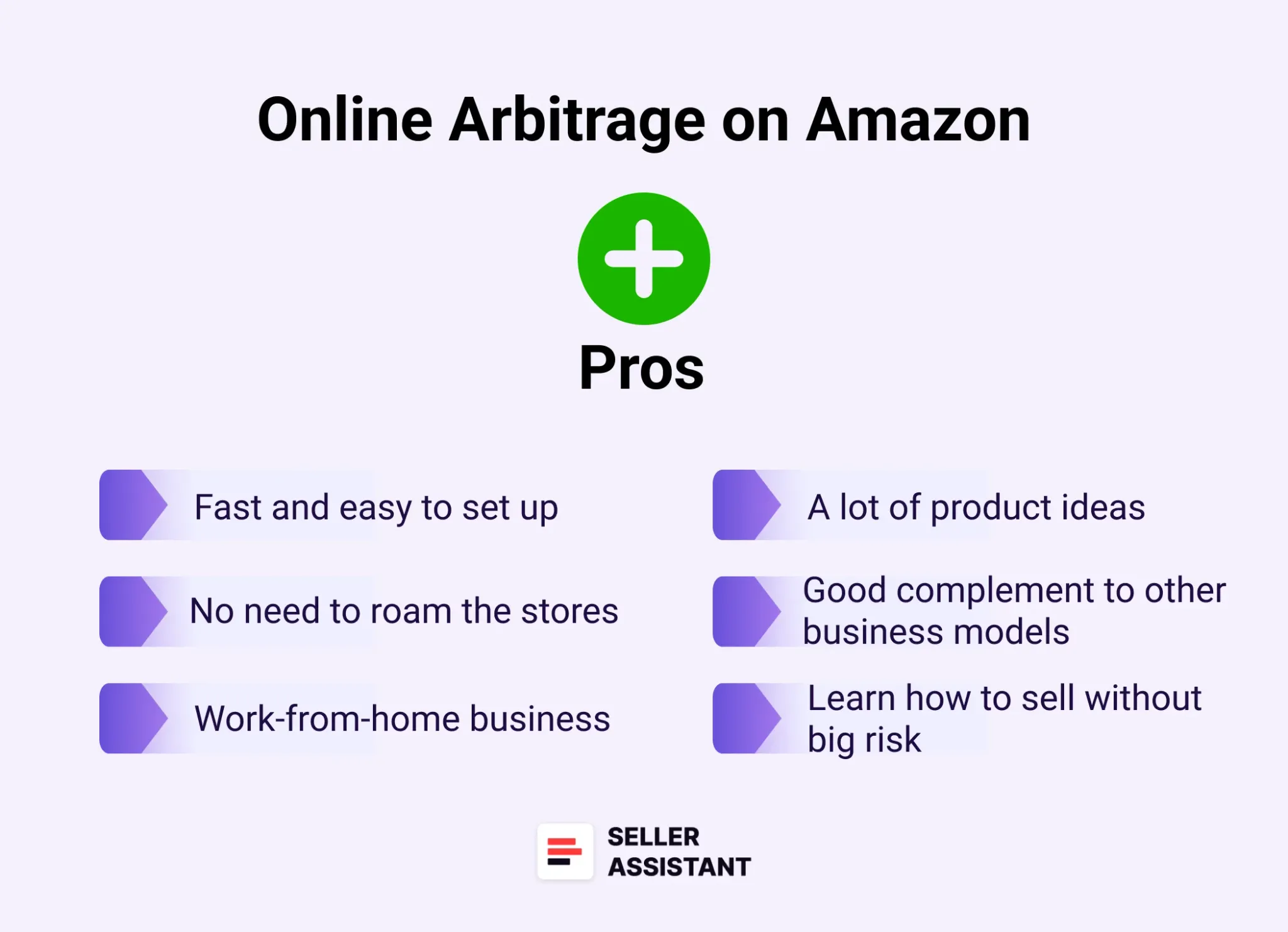
Pros of Online Arbitrage
Pros of online arbitrage
Easy-to-start
To begin selling under the OA business model, you just need to have a seller account on Amazon and product research tools to help you find profitable products. There’s no necessity to invest much money in the inventory either.
High-profit potential
If you can find products selling for a lower price on one online retailer and a higher price on another, you can make a significant profit.
Scalability
You can quickly scale your business by buying more products and selling them on more online marketplaces.
Cons of online arbitrage
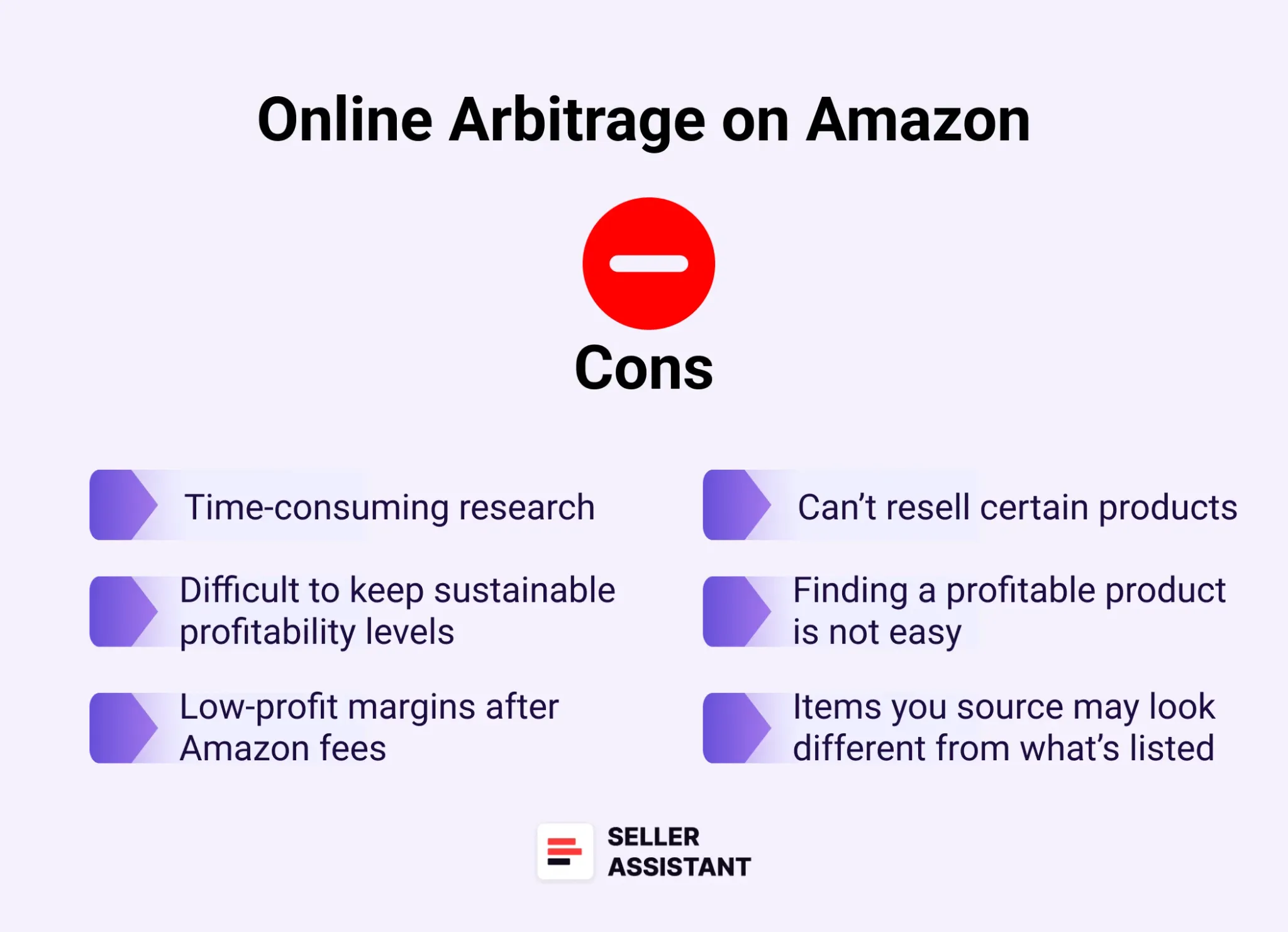
Cons of online arbitrage
Time-consuming
It can be time-consuming to find products selling for a profit on Amazon. Sellers use product sourcing software like Seller Assistant to simplify and streamline product research.
High competition
High competition is a common challenge in online arbitrage. When many sellers target the same popular products, it can drive prices down and slow how fast your inventory sells.
Risk of IP complaints
IP complaints are a real risk in online arbitrage. Some brands monitor their listings closely and may report unauthorized sellers, leading to listing takedowns or even account suspension – Seller Assistant’s IP Alert helps you spot risky products before you list.
Related: 10 Reasons Why People Fail With Amazon FBA Online Arbitrage
Is Online Arbitrage Dead for New Sellers?
Pros and Cons of Dropshipping
Dropshipping can be a great way to start selling on Amazon. However, it is crucial to understand the advantages and disadvantages of this business model before you get started with the items to dropship on Amazon.
Pros of dropshipping
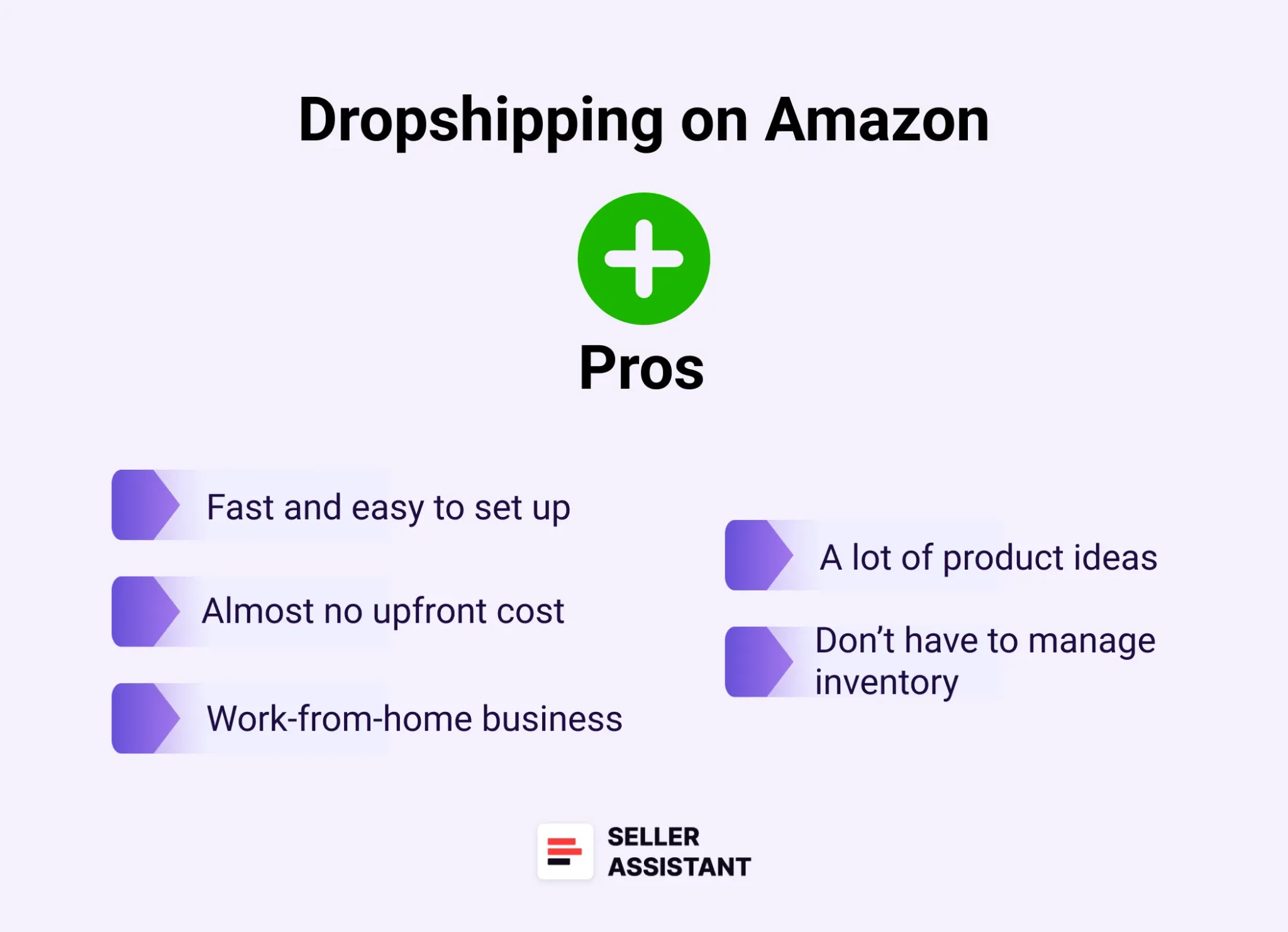
Pros of dropshipping
Low start-up costs
You don’t need to invest in inventory or warehousing, so you can start selling products with very little money.
Low risk
There’s no necessity for you to invest in the inventory upfront. Therefore, you won’t have to worry about losing money on it.
Easy to scale
You can quickly scale your business by adding more products or selling to more customers.
Cons of dropshipping
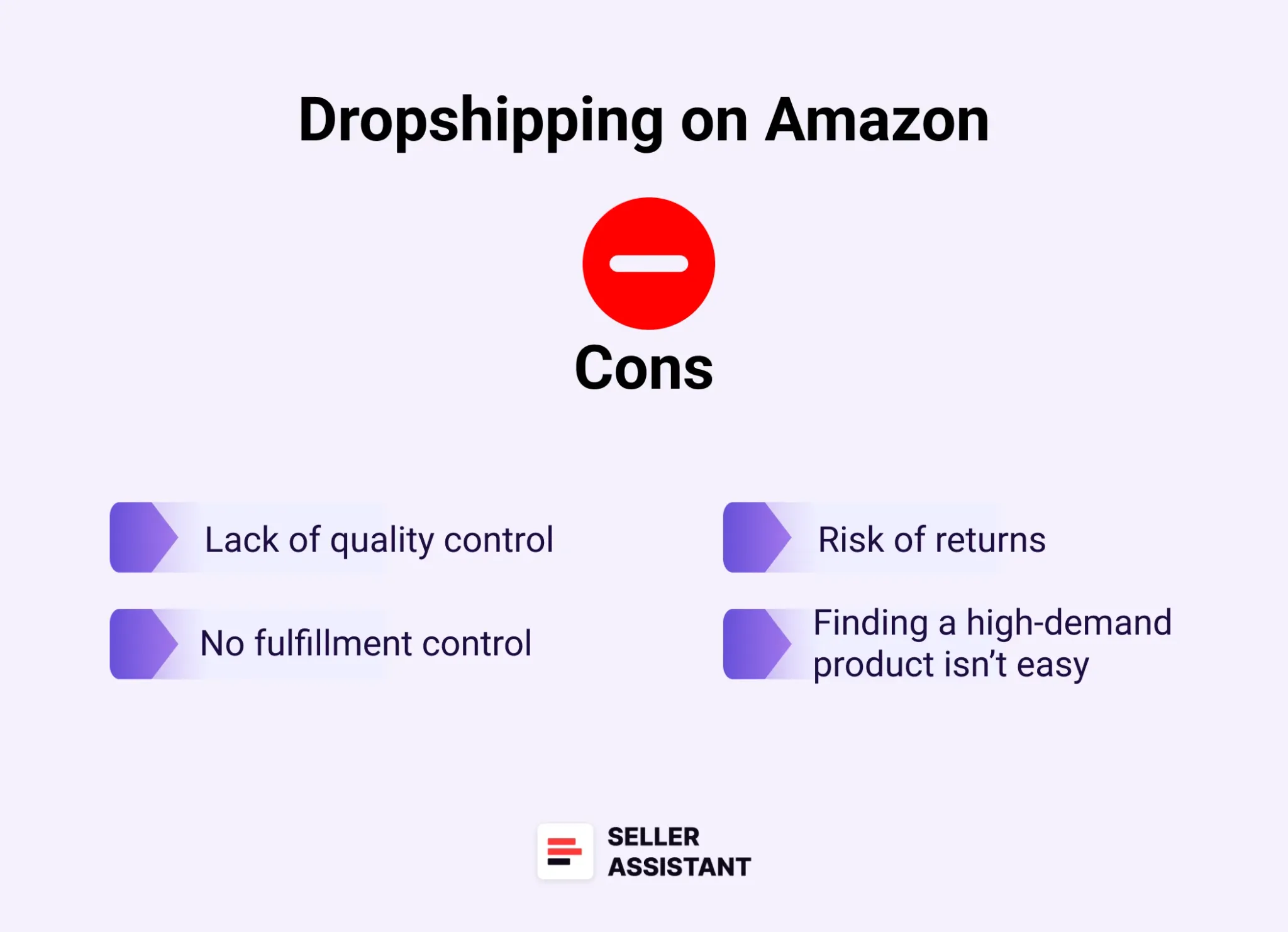
Cons of dropshipping
Less control over the quality
You may have less control over the quality of the products you sell, as you are not the one who is storing or shipping them.
Susceptible to shipping delays
If your supplier experiences shipping delays, it can affect your ability to fulfill orders on time.
Less profit margin
You will typically make a smaller profit margin on each sale with dropshipping, as you are not the one who sets the product’s price.
Related: Amazon FBA vs Dropshipping: which model to choose for a successful business
Online Arbitrage vs Wholesale on Amazon. What is the difference?
Which Is the Best — Online Arbitrage or Dropshipping?
When selecting the best model for your business, you must consider your circumstances and preferences.
If your target is to do business on Amazon with a small initial capital and get the potential for high profits, then online arbitrage is for you. However, dropshipping may be an option if you are a newbie on Amazon and don’t want to deal with inventory management.
Key factors to help you choose the right model
Your experience level
If you are new to selling online, dropshipping can be a better choice, as it is less complex than online arbitrage.
Your budget
If you have a limited budget, dropshipping may be better for you, as you don’t have to invest in inventory upfront.
Your time commitment
If you don’t have much time to dedicate to your business, dropshipping may be a better option, as it is less time-consuming to set up and manage.
Your goals
If you are looking to make a lot of money, then online arbitrage may be a better business model. However, dropshipping may be a better option if you want to start a business with low risk.
Related: Online Arbitrage vs Retail Arbitrage on Amazon
Amazon Private Label vs Online Arbitrage: What is the difference?
Choosing the right model for your Amazon business
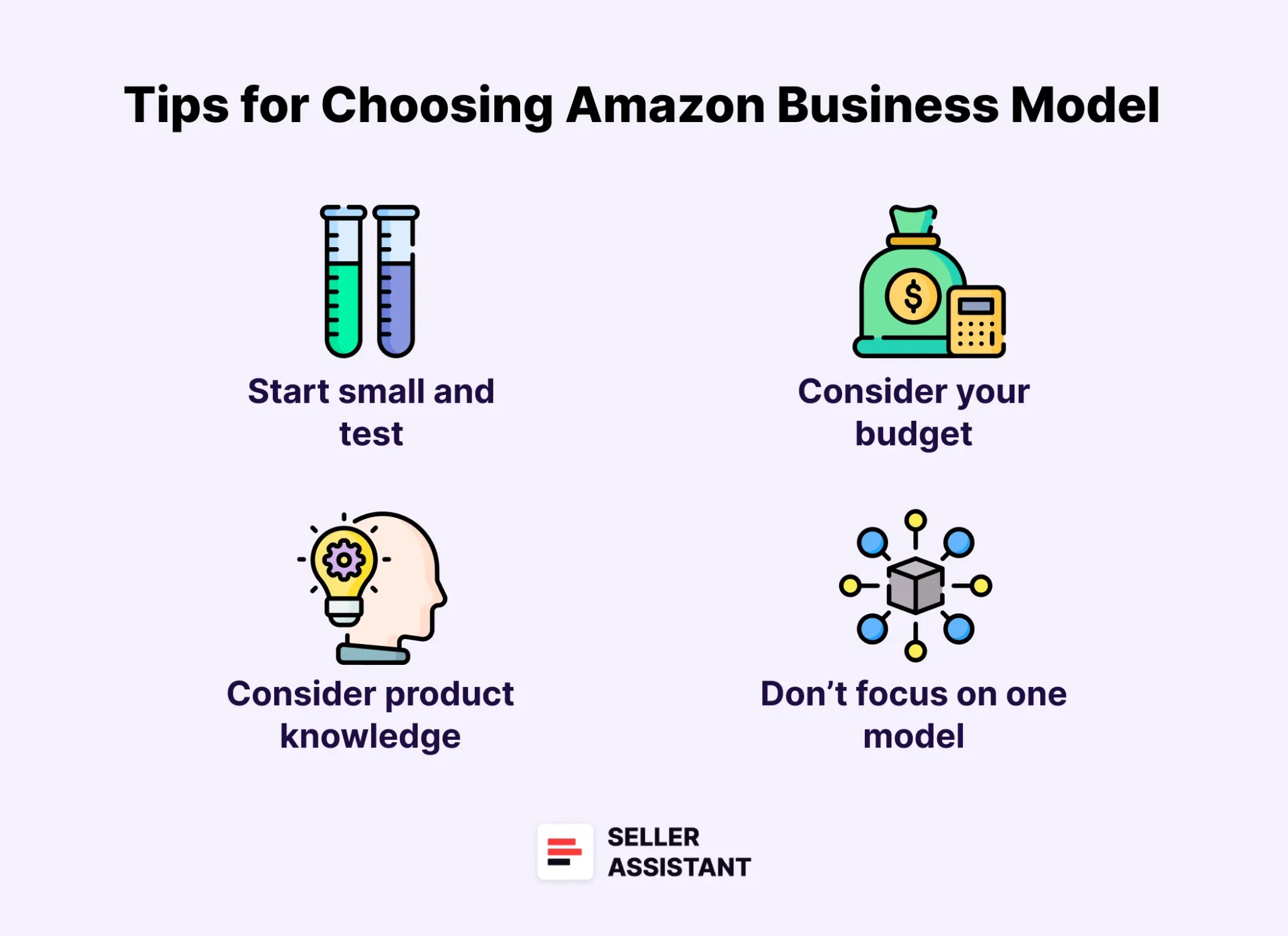
Choosing the right model for your Amazon business
- You want quick, low-cost entry → go with dropshipping
If you’re just testing the waters and want to avoid upfront inventory costs, dropshipping is a low-risk way to start.
- You want more control and long-term growth → choose online arbitrage
OA is better if you’re ready to invest, want more control over your inventory, and plan to scale over time.
- You prefer hands-off fulfillment → OA with FBA is your friend
Fulfillment by Amazon (FBA) automates shipping and customer service, giving you more time to source and scale.
- You want to test fast without touching products → try dropshipping with a prep center
With the right supplier and a prep center for compliance, you can run a lean dropshipping setup and stay within Amazon’s rules.
How to Find Profitable Products for Online Arbitrage and Dropshipping
Finding profitable products is the key to success on Amazon. Sellers use a mix of sourcing strategies – each with its own perks. Below, we’ll break down the most effective methods and how to research them the right way.
Strategy 1. Manually search for deals
What it is
This approach involves finding individual deals where the supplier’s price is lower than Amazon’s selling price. It’s a hands-on method ideal for sellers who want full control, though it can be time-consuming.
What you gain
Manual sourcing gives you full control over product choices, letting you focus on high-quality, low-risk items with strong profit potential.
How it works
Search retail websites for popular, low-risk products. Use Seller Assistant Extension to unlock key product data while browsing Amazon listings, search pages, supplier sites, or even competitor storefronts.
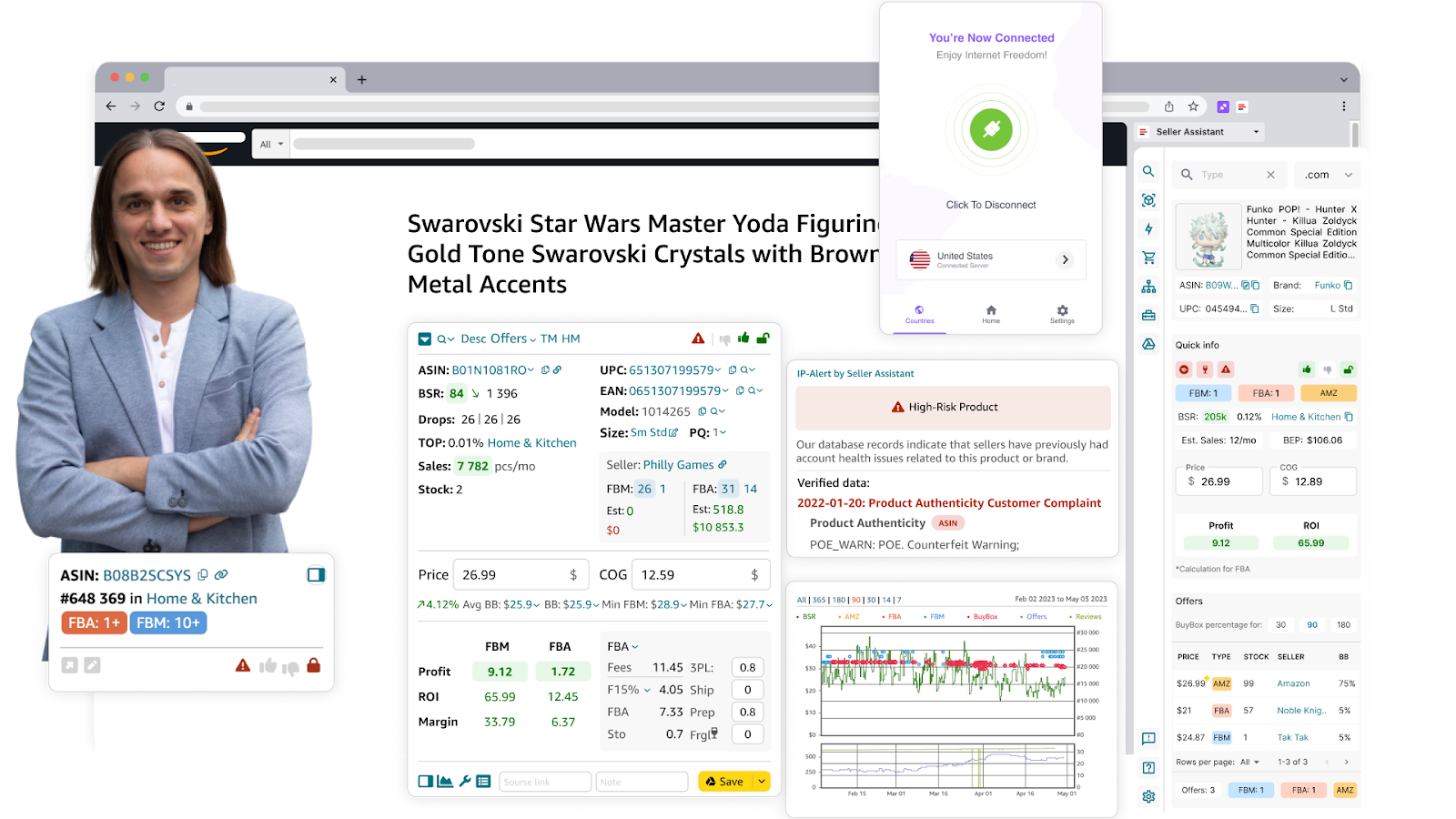
Seller Assistant Extension
How to research effectively
- Get instant product insights: sales velocity, competition, profitability, restrictions – all right on Amazon pages
- Use Side Panel View to compare supplier and Amazon pricing in real time
- Assess profitability quickly using Quick View on Amazon search pages
- Spot high-risk products or brands using IP Alert
- Run real profitability checks with the FBM&FBA Profit Calculator (includes fees, logistics, taxes)
- Identify VAT obligations using the VAT Calculator for international sales
- Check if you’re eligible to sell an item with Restriction Checker
- Avoid hazmat issues with Seller Assistant’s risk alerts for fragile, meltable, or bulky products
- Estimate demand with the Sales Estimator
- Track how much stock competitors are holding using Stock Checker
- Compare product variations and find best-sellers with Variation Viewer
- Monitor price competition with the Offers feature
- Export all data into Google Sheets for easier sorting and tracking
- Use Lookup Links to instantly search for supplier matches on Google, eBay, Walmart, or Target
- Keep organized with custom notes across product and supplier pages
- Review pricing trends and historical sales using Keepa charts
Who it’s best for
Sellers who want complete control and are okay investing more time
Beginners learning the ropes of product analysis
Virtual assistants or freelancers researching profitable deals for clients
Strategy 2. Parse and automatically scan supplier lists
What it is
This approach leverages automation to scan large supplier lists fast – ideal for sellers scaling their stores and handling many SKUs.
What you gain
Automated scanning saves hours of manual work and helps you find profitable, low-risk products faster. It also flags red flags early, like brand restrictions, poor margins, or intense competition.
How it works
Parse supplier websites or obtain full product lists. Use Seller Assistant’s Price List Analyzer to upload and scan these lists.
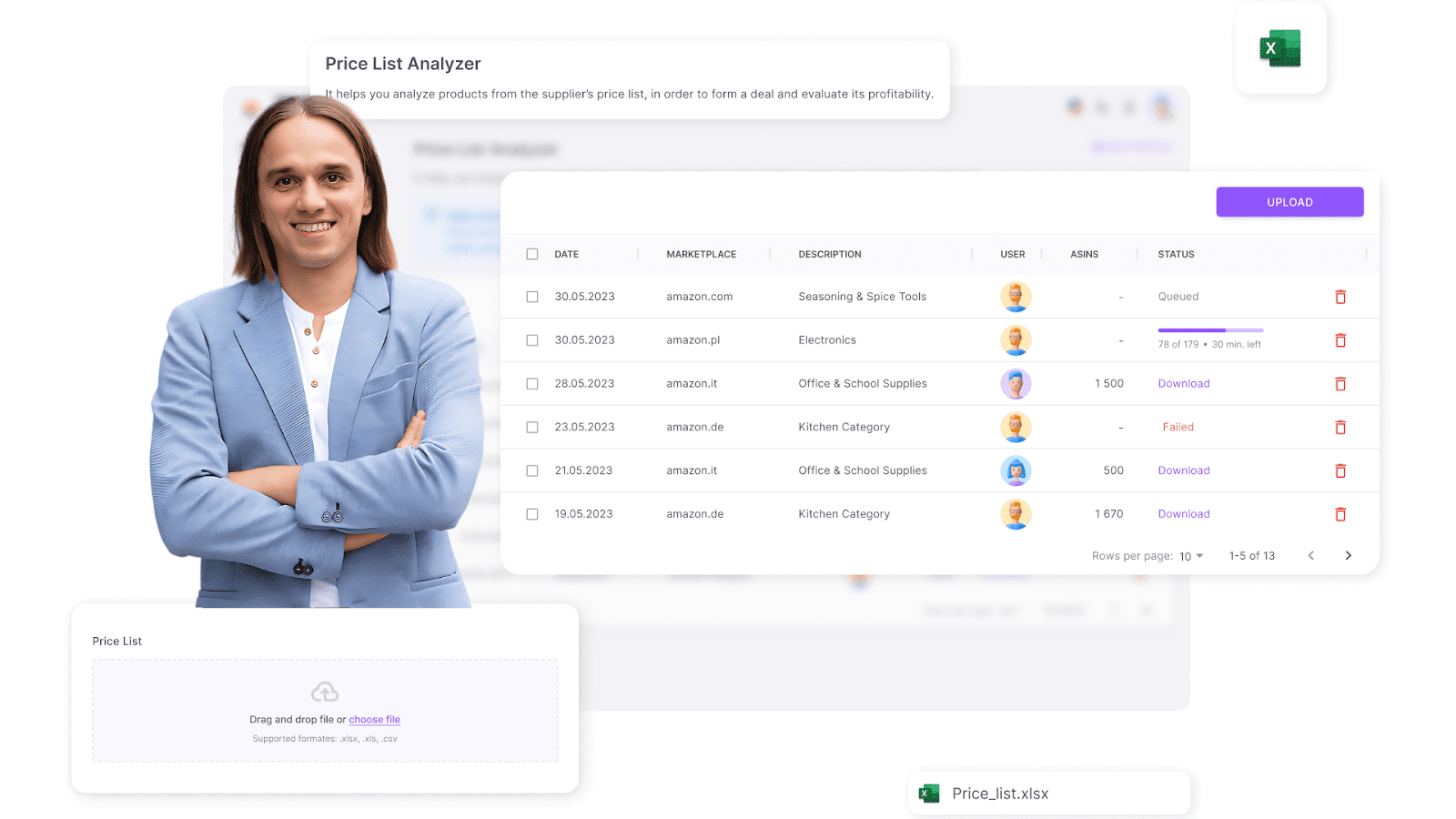
Seller Assistant’s Price List Analyzer
The tool automatically matches products to Amazon listings, calculates profitability, and fills your spreadsheet with deep data: BSR, sales velocity, competition, Buy Box %, variation shares, product risks (gated, hazmat, meltable, etc.), and more.
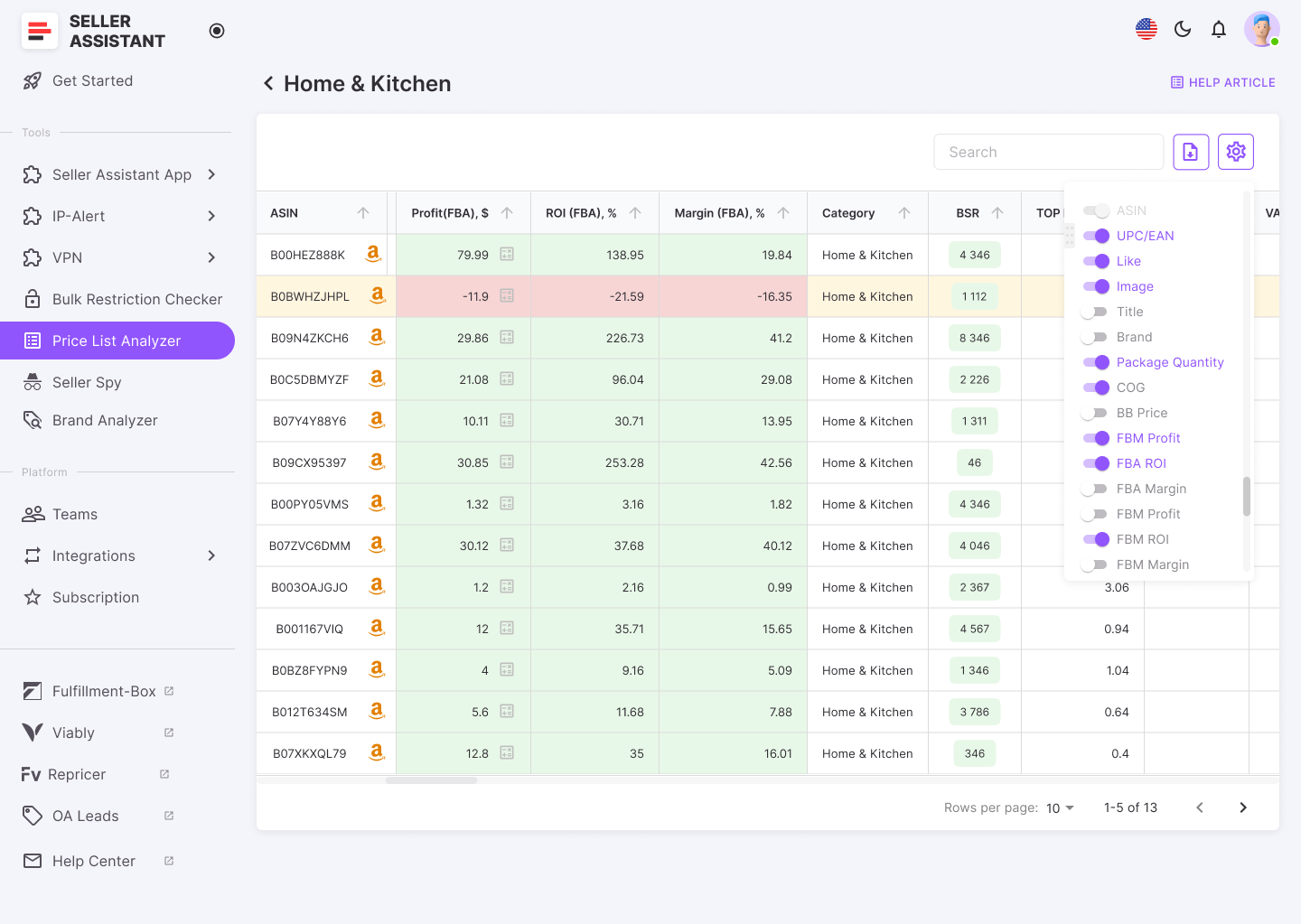
The tool automatically matches products to Amazon listings, calculates profitability, and flags potential risks like IP complaints or gated categories
How to research effectively
- Gauge demand using Best Sellers Rank (BSR)
- Steer clear of crowded listings with 15+ sellers or those dominated by Amazon
- Check Buy Box ownership to measure competitiveness
- Ensure profit margins align with your goals
- Flag restrictions, brand limitations, and IP complaint risks early
Who it’s best for
Online arbitrage sellers and dropshippers managing high-volume sourcing
Strategy 3. Research your competitors’ best-selling products
What it is
Competitor research means analyzing top-performing Amazon sellers to spot high-demand products and brands. It’s a way to capitalize on what’s already working – cutting down on guesswork.
What you gain
Tracking competitor activity helps sellers increase their odds of success by sourcing similar or identical in-demand products.
How it works
Use Seller Assistant’s Seller Spy to automatically monitor competitor storefronts. See what they’re selling, what’s been added or removed, and how they’re pricing their items. Leverage this intel to mirror successful product selections.
.png)
Seller Spy by Seller Assistant
How to research effectively
- Track new listings from competitors to catch rising trends early
- Spot discontinued products to avoid dead stock
- Analyze customer feedback to identify products with strong buyer appeal
- Monitor competitor pricing to stay competitive without racing to the bottom
Who it’s best for
Online arbitrage sellers and dropshippers looking for proven, high-demand products
Strategy 4. Automated brand research
What it is
This strategy focuses on finding profitable, reseller-friendly brands using automation. It’s a strong fit for sellers aiming to build long-term sourcing relationships with scalable potential.
What you gain
The aim is to uncover brands with strong sales, low seller competition, and high compatibility with Amazon’s requirements.
How it works
Use Seller Assistant’s Brand Analyzer to study brand performance. Identify brands where Amazon dominates – and avoid them. Prioritize brands with excellent ratings and a wide, scalable catalog.
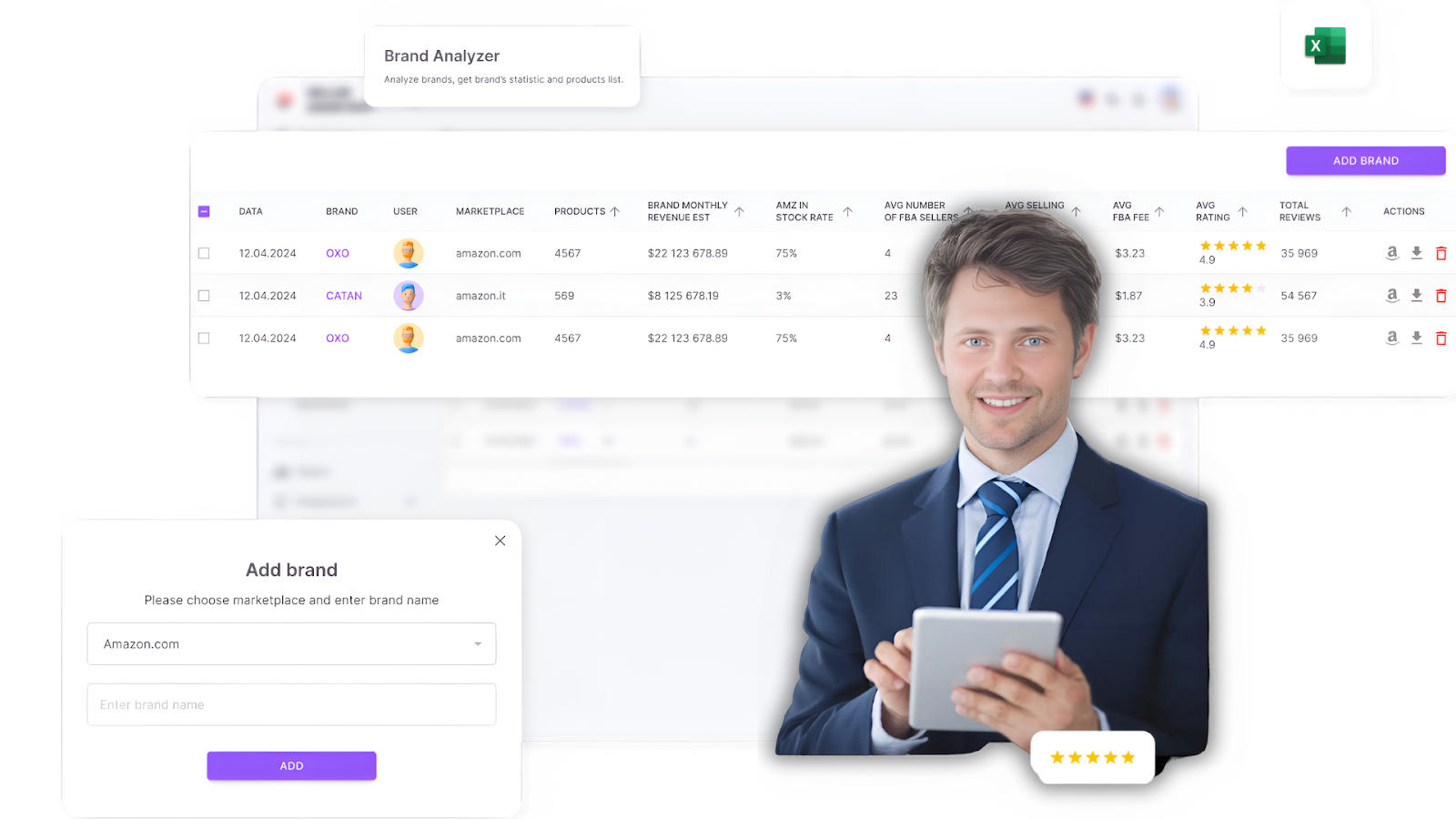
Seller Assistant’s Brand Analyzer
How to research effectively
- Analyze revenue and sales trends to confirm consistent demand
- Avoid brands where Amazon controls over 30% of total sales
- Target brands with 500+ products for deeper sourcing opportunities
- Focus on those with 4+ star ratings and solid customer reviews
Who it’s best for
Online arbitrage sellers seeking brand-specific sourcing opportunities
FAQ
Can you make money dropshipping?
Yes, many sellers make money dropshipping by finding profitable products and reliable suppliers. The key is staying compliant with Amazon’s policies and managing your margins carefully.
Is dropshipping worth it?
Dropshipping can be worth it if you’re looking for a low-risk, low-investment way to start selling online. It’s especially useful for testing product ideas without buying inventory upfront.
Is dropshipping profitable?
Dropshipping can be profitable, but margins are often slim due to competition and supplier costs. Profitability depends on your product selection, pricing strategy, and how well you manage fulfillment.
Is dropshipping hard?
Dropshipping isn’t hard to start, but doing it right on Amazon takes time, research, and attention to detail. Staying compliant with Amazon’s dropshipping policies is critical.
Does dropshipping still work?
Yes, dropshipping still works on Amazon, but it’s more competitive and regulated than in the past. Success depends on your supplier, compliance strategy, and ability to adapt.
Do you need an LLC for dropshipping?
You don’t need an LLC to start dropshipping, but forming one can offer legal protection and make your business look more professional. It’s often recommended as you scale.
Final Thoughts
Now that you’ve read about online arbitrage and dropshipping, you can decide which business model suits you. There’s no one-size-fits-all answer, as the best business model for you will depend on your individual circumstances and preferences.
Online arbitrage is an excellent solution if you’re looking for a low-risk business model with the potential for high profits. However, if you’re short on time or want to avoid the hassle of inventory management, you can go for dropshipping.
Whichever business model you select, your success depends on choosing products to sell. Seller Assistant can ultimately assist you with selecting the best products for Amazon arbitrage and dropshipping.
Seller Assistant is an all-in-one product sourcing software offering all the features vital for product sourcing. It combines three extensions: Seller Assistant Extension, IP Alert, and VPN by Seller Assistant, tools: Price List Analyzer, Seller Spy, Bulk Restrictions Checker, and API integrations, and features: Side Panel View, FBM&FBA Profit Calculator, Quick View, ASIN Grabber, UPC/EAN to ASIN converter, Stock Checker, and other features that help quickly find high-profit deals. Seller Assistant also offers integration with Zapier allowing to create custom product sourcing workflows.

